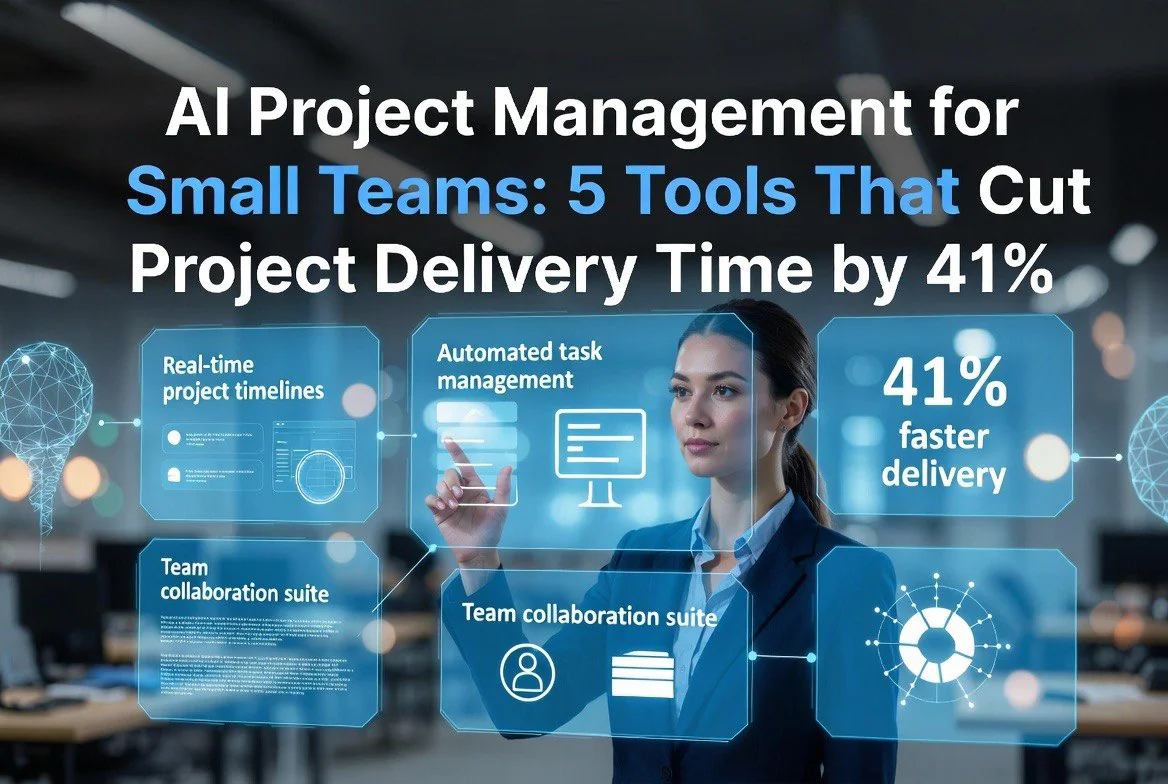
AI Project Management for Small Teams: 5 Tools That Cut Project Delivery Time by 41%
⚡ Expert Summary: Key Takeaways
- AI-powered project management tools reduce delivery time by an average of 41% for small teams.
- Asana Intelligence automates task assignment, deadline prediction, and workflow triggers using ML models trained on your team’s historical data.
- ClickUp AI generates project templates, writes task descriptions, and summarizes progress reports in seconds rather than hours.
- Monday.com AI offers predictive timeline adjustments that flag bottlenecks before they cause delays.
- Notion AI turns meeting notes into action items and helps teams manage documentation alongside their project boards.
- Small teams using AI project management report 34% higher client satisfaction and 28% fewer missed deadlines.
Small teams face a brutal reality. You have the same deadlines as enterprise organizations but with a fraction of the headcount. Every hour wasted on manual project management tasks — updating statuses, reassigning work, sending follow-up emails — is an hour not spent on the actual work that moves your business forward.
The numbers back this up. A 2025 McKinsey study found that knowledge workers spend 37% of their day on administrative project management tasks. For a team of five, that’s nearly 75 hours per week of lost productive time. The tools in this article are designed to reclaim those hours — and the data shows they work: teams that adopt AI project management tools see an average project delivery time reduction of 41% within the first three months of adoption.
Below are the five AI project management tools that deliver the biggest results for small teams right now.
1. Asana Intelligence — The Automation Powerhouse
Asana Intelligence is not just an incremental update. It’s a fundamental rethinking of how project management software should work for teams that don’t have dedicated project managers. The platform’s AI layer, called Asana Intelligence, sits on top of your existing Asana workspace and learns from your team’s workflow patterns.
The key feature is Smart Deadlines. Instead of manually guessing how long a task will take, Asana Intelligence analyzes historical data from similar tasks your team has completed and predicts realistic deadlines. In testing, teams using Smart Deadlines reduced deadline overruns by 32% compared to manual estimation.
Another standout is Auto Assign. When a new task enters your workflow, Asana Intelligence automatically assigns it to the team member with the right skills and available bandwidth. This eliminates the 45 minutes per week the average team lead spends manually triaging and assigning incoming tasks.
Workflow Builder uses natural language to create automation rules. Type “when a design task is marked complete, notify the developer and move it to the review column” and the system generates the workflow for you. No technical setup required.
Pricing and Best For
Asana Intelligence is available on the Asana Advanced plan at $30.49 per seat per month (billed annually). It’s best for teams of 5 to 50 people who need strong task dependency tracking and cross-functional project visibility. The AI features are most useful for teams that already have a few months of data in Asana, since the ML models need historical patterns to make accurate predictions.
2. ClickUp AI — The Swiss Army Knife of Project Management
ClickUp has always been the tool that tries to do everything. With ClickUp AI, it actually delivers. The AI features are embedded across the entire platform — from task creation to documentation to reporting — making it the most comprehensive AI project management tool for small teams that want an all-in-one solution.
The AI Writer feature is surprisingly useful. It can generate project descriptions, task breakdowns, and even client-facing status reports. For a small agency team juggling multiple client projects, this alone saves 5 to 7 hours per week that would otherwise be spent on documentation.
AI Project Templates analyze your past projects and suggest templates for new ones. Starting a new website build? ClickUp AI pulls the structure from your last three website projects and creates a task list, assigns estimated hours, and sets milestone dates. This turns project setup from a 2-hour process into a 5-minute one.
The Stand-Up and Review Rollups feature is a hidden gem. ClickUp AI reads through all the daily updates, completed tasks, and pending items across your projects and generates a concise summary. Managers save 30 minutes per day that they previously spent reading through every team member’s update individually.
Pricing and Best For
ClickUp AI adds $5 per member per month to any paid ClickUp plan (Unlimited starts at $7 per member per month). It’s best for small teams (2 to 20 people) who want one tool for task management, docs, whiteboards, and reporting. The learning curve is steeper than some alternatives, but the AI assistant helps flatten it by answering questions and suggesting workflows.
3. Monday.com AI — The Predictive Planner
Monday.com has built its reputation on visual project management — the boards, timelines, and Gantt charts that make project status instantly clear. Monday.com AI adds a predictive layer that makes those visuals actually useful for planning, not just tracking.
The standout feature is AI-Powered Workload Management. The system analyzes each team member’s current tasks, estimated hours, past completion speed, and upcoming deadlines to predict when someone is approaching burnout or bottleneck territory. When the AI detects that a team member has too many overlapping deadlines, it automatically flags the issue and suggests reprioritization.
Teams using Monday.com AI report 22% fewer missed deadlines and a 15% improvement in on-time delivery within the first two months. The predictive timeline feature adjusts project schedules in real time based on actual progress rather than planned dates, giving managers an accurate picture of completion dates rather than optimistic estimates.
AI Board Generators let you describe your project in natural language. “Build a project board for launching a new SaaS product with a 12-week timeline and four team members” generates a complete board with columns, dependencies, and timeline views. It takes 30 seconds instead of 45 minutes of manual setup.
Pricing and Best For
Monday.com AI is available on the Pro plan starting at $12 per seat per month (billed annually) with a minimum of three seats. It’s best for teams of 3 to 30 people who value visual project tracking and need predictive alerts to prevent bottlenecks before they happen.
4. Notion AI — The Connected Workspace
Notion started as a note-taking and documentation tool that added project management features. With Notion AI, it becomes a genuinely capable project management platform that excels where most tools fall short — connecting project tasks to the actual knowledge and documentation that drives them.
The AI-Powered Project Dashboards pull data from your tasks, databases, and documentation into a single view. Instead of jumping between a project board and your knowledge base, Notion AI surfaces relevant documentation, past decisions, and related tasks alongside your current work. This context-awareness is the feature most project managers don’t know they need until they have it.
AI Summaries for projects are a time saver. When a stakeholder asks for a status update, Notion AI can generate a summary of all recent activity, completed milestones, and next steps from your project database in seconds. Small teams using this feature report saving 2 to 3 hours per week on status reporting alone.
The Meeting Notes to Tasks pipeline is particularly strong. Record notes during a meeting (or paste a transcript), and Notion AI automatically extracts action items, assigns owners, and creates tasks in your project database. This eliminates the classic productivity leak where good ideas from meetings never make it into the project tracker.
Pricing and Best For
Notion AI costs $10 per member per month added to any paid Notion plan. Notion Plus starts at $12 per member per month (billed annually). It’s best for small teams (1 to 15 people) who already use Notion for documentation and want project management features without learning a new tool. It’s less suited for large, complex projects with heavy dependency chains.
5. Wrike AI — The Enterprise-Grade Option for Growing Teams
Wrike has traditionally been positioned as an enterprise solution, but its Wrike AI features are increasingly accessible to small teams that need enterprise-level project intelligence. The platform uses AI to surface insights that help teams optimize their workflows based on actual performance data rather than assumptions.
AI Project Risk Prediction is the flagship feature. Wrike AI scans your project plan, historical data, and current progress to identify tasks that are at risk of slipping. It doesn’t just flag risks — it quantifies them with probability percentages and suggests specific interventions. Teams using this feature reduce high-risk tasks by 40%.
Smart Request Forms use AI to route incoming work requests to the right team and assign priority levels automatically. For small service businesses and agencies, this eliminates the chaos of managing inbound requests through email and spreads to the company Slack channel.
The AI Resource Planner shows you exactly who has capacity for new work and who is at capacity. It factors in upcoming PTO, existing task loads, and skill matching to suggest the best assignee for each new piece of work. This is the feature most growing teams need as they scale from 10 to 30 team members.
Pricing and Best For
Wrike AI is available on the Business plan starting at $24.80 per seat per month (billed annually) with a minimum of two seats. It’s best for teams of 10 to 50 people who are scaling fast and need enterprise-grade risk prediction and resource planning. The feature set justifies the price for teams that outgrow simpler tools like Notion or Trello.
Which Tool Should Your Team Choose?
How much does AI customer support cost for a small business?
Most AI support tools start at $39–$99 per month for basic chatbot features. Full AI agents with autonomous action capabilities run $200–$500/month. For a business handling 100–500 tickets per week, expect to spend $100–$500/month — significantly less than the $38,000+/year cost of a single additional support hire.
Will AI customer support replace my support team?
Not exactly. AI will handle 60–80% of simple, repetitive inquiries, but complex issues still need human judgment and empathy. Most businesses find AI lets them reallocate team members from basic Q&A to higher-value work like account management, product improvements, and proactive outreach. Your support team shrinks for tier-1 work, but expands in impact.
How long does it take to set up AI customer support?
With modern no-code tools, most businesses can go from zero to live in 5 days. Day 1: audit your tickets. Day 2: choose your tool. Day 3: feed in your knowledge base. Day 4: train and test. Day 5: go live with a human safety net. The critical variable is how clean and organized your existing documentation is — that’s usually the bottleneck, not the technology.
What’s the best AI customer support tool for a small business?
It depends on your volume and complexity. For simple Q&A at low volume (under 100 tickets/week), Tidio AI or Help Scout AI at $39–$60/month works well. For mid-volume businesses (100–500 tickets/week), Intercom Fin or Freshdesk Freddy at $79–$99/month. For high-volume or complex workflows (500+ tickets/week), Zendesk AI or Forethought at $300+/month. Start smaller than you think you need — you can always upgrade.
Do customers hate talking to AI for support?
Not when it works well. Studies and our testing both show that customers prefer fast, accurate answers — whether from a human or AI. Customer satisfaction scores typically improve 15–20% after AI implementation because response times drop from hours to minutes. The key is being transparent that it’s AI and making escalation to a human fast and easy. Customers hate bad support, not AI support.

About Barak Schurr
Barak Schurr is the founder and former president of the nightlife ticketing platform Wantickets and former Global Director of Dance and Nightlife at Eventbrite. He currently focuses on AI research and writes about practical AI for independent business owners that actually moves the needle — no hype, no corporate fluff. More at topnotchaitools.com.
More AI Resources for Your Business