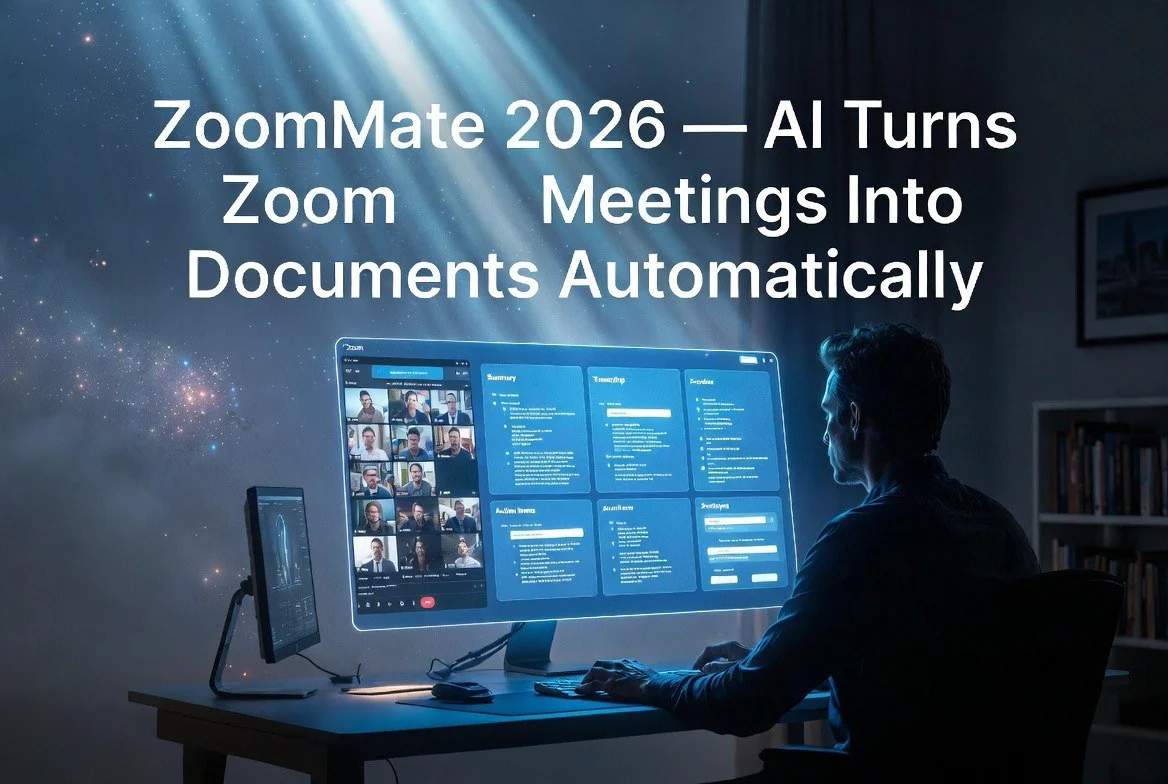
ZoomMate 2026: AI Turns Zoom Meetings Into Documents Automatically
⚡ Expert Summary: Zoom launched its AI Productivity Suite on June 1, 2026, headlined by ZoomMate — an agentic AI that converts meeting conversations, chat threads, and emails into finished documents, presentations, spreadsheets, and automated workflows. For small business owners who lose hours rewriting meeting notes into actionable deliverables, ZoomMate acts as a persistent executive assistant that turns discussion into output without manual copying, formatting, or context switching.
Every small business owner knows the pattern. You spend an hour in a meeting hashing out a strategy. You take notes. Then you spend another hour turning those notes into a document, a presentation, or a task list for the team. Then someone changes their mind, and you redo the work.
Zoom’s AI Productivity Suite, launched June 1, 2026, targets this exact workflow friction. The suite includes ZoomMate, its flagship agentic AI, along with Zoom Canvas, Slides, Sheets, and Paper — a full set of AI-native productivity tools that generate and update deliverables directly from your conversations.
For the small business owner running lean, this isn’t a nice-to-have. It’s a direct replacement for the admin time that eats into your actual business. If your weekly team meeting produces three action items, a budget revision, and a new project proposal, ZoomMate can turn that meeting into a finished task board update, a revised spreadsheet, and a draft proposal — without you touching a keyboard.
How ZoomMate Works: From Conversation to Document
The core insight behind ZoomMate is that most business output starts as conversation. You discuss a problem. Someone suggests a solution. The group refines it. Then someone says “I’ll write it up.” That “write it up” step is where productivity goes to die.
ZoomMate ingests your Zoom conversations — meetings, chat threads, voicemails, emails — and maps them onto the relevant deliverables. When a meeting ends, ZoomMate can automatically generate meeting notes, action items, and a formatted document that captures the decisions made. If the conversation referenced a spreadsheet, ZoomMate can update that spreadsheet with new data. If a decision changes the project timeline, ZoomMate updates the project plan in real time.
The system works across Zoom’s ecosystem and integrates with Salesforce, Jira, Slack, and ServiceNow. For an American small business running customer deals in Salesforce and development in Jira, a conversation in Zoom can create a new opportunity in Salesforce, generate a requirements document, and create Jira tickets — all from a single meeting transcript.
What makes this different from existing AI meeting summarizers is agency. Most meeting bots deliver a transcript or a summary. ZoomMate executes. It doesn’t just tell you what was discussed — it produces the output that discussion was supposed to generate.
The Full Suite: Canvas, Slides, Sheets, and Paper
ZoomMate is the intelligence layer, but the productivity suite gives it tools to work with.
Zoom Canvas functions as an infinite whiteboard that captures ideas, notes, and decisions in real time during a meeting. When the meeting ends, that canvas is a living document — not a static transcript. Team members can continue editing, and ZoomMate keeps the canvas synced with updates from subsequent conversations.
Zoom Slides generates presentation decks directly from meeting content. If your team meeting produces a quarterly review with specific data points, ZoomMate creates the slide deck with charts, bullet points, and talking notes. The output matches your organization’s templates and branding.
Zoom Sheets extends this to data. Historically, pulling numbers from a conversation into a spreadsheet required manual entry. ZoomMate parses numbers mentioned in a meeting — budgets, timelines, headcount — and populates the relevant spreadsheet fields. The owner reviews and adjusts rather than starting from zero.
Zoom Paper handles long-form documents. Proposals, project charters, planning documents, status reports. Anything that typically takes 30 to 90 minutes to write from meeting notes can be generated in seconds.
For a US-based small business owner, the practical impact is measurable. A typical weekly team meeting might produce four or five distinct deliverables. If each deliverable takes 20 minutes to produce from notes, that’s 80 to 100 minutes of post-meeting work per week. ZoomMate collapses that to a review cycle of five to ten minutes.
A concrete example brings this to life. A small marketing agency running weekly client status meetings produces meeting notes, an updated project timeline, action items for the client, and a revised budget reconciliation per call. With ZoomMate, the agency owner walks out of a 45-minute meeting with a draft email to the client summarizing decisions, a Jira project board with created tickets, a Google Sheet with the updated budget, and a slide for the internal weekly review — all generated automatically from the conversation. The owner spends ten minutes reviewing and sending instead of two hours writing.
The same applies to sales calls, vendor negotiations, and internal planning sessions. Any conversation that produces an output is a candidate for ZoomMate automation.
Zoom’s Positioning: From Video Calls to the OS of Work
Zoom’s strategy with the AI Productivity Suite represents a fundamental shift. The company is no longer positioning itself as a video conferencing tool. It’s building toward being the operating system for how work gets done, with AI as the core processor.
The productivity suite sits on top of Zoom’s existing platform — meetings, chat, phone, email — and connects to the external tools businesses already use. Rather than asking users to learn a new productivity app, ZoomMate works within the tools people already have.
For small businesses, this matters because the cost of tool switching is high. A team using Zoom for meetings, Slack for chat, Salesforce for CRM, and Jira for project management has a fragmented workflow. Switching between these tools costs time and context. ZoomMate bridges them.
The pricing model for the AI Productivity Suite starts at $19 per user per month as an add-on to existing Zoom subscriptions. For a five-person small business, that’s $95 per month to eliminate most of the post-meeting documentation burden. Compared to hiring a part-time administrative assistant at $15 to $20 per hour, the math works.
What This Means for Small Business Owners in America
The US small business market is the primary target for Zoom’s productivity push. American businesses run on meetings — client calls, team stand-ups, planning sessions, quarterly reviews. Each meeting generates documentation that someone has to produce.
For the solo operator or the lean business owner, that documentation work competes directly with revenue-generating activity. Every hour spent writing meeting notes is an hour not spent selling, delivering, or improving the product.
ZoomMate’s value proposition is straightforward: recapture that hour. Not by making you work faster, but by eliminating the manual translation step between spoken decision and written output.
The system handles the common patterns. A client call where deliverables are discussed becomes a proposal draft. A budgeting session becomes an updated spreadsheet. A planning session becomes a project timeline in Jira. The AI handles the repetition. The owner handles the judgment calls.
Competitive Landscape and Why Zoom Has an Advantage
Several companies offer AI meeting summarization — Otter.ai, Fireflies.ai, Fathom, and others. Most generate transcripts and summaries. None execute on deliverables across a full productivity suite.
Zoom’s advantage is integration depth. Because Zoom owns the meeting platform, the chat platform, and now the productivity suite, the AI has full context across the workflow. Otter can summarize a meeting transcript, but it can’t update your Salesforce deals or create slides in your template. ZoomMate can.
Microsoft Copilot in Teams competes in this space, but it’s locked into the Microsoft 365 ecosystem. Zoom’s suite works with a broader set of external tools and doesn’t require a Microsoft business subscription.
For the small business owner who isn’t all-in on Microsoft 365, Zoom’s suite is the more practical option. The integration with Salesforce, Jira, and Slack covers the tools that most growth-oriented small businesses actually use.
The real distinction is what each product does with the conversation after it ends. Meeting summarizers treat the transcript as the final output. ZoomMate treats the transcript as raw material. The summary is a byproduct. The actual output is the document, presentation, spreadsheet, or workflow that the meeting was supposed to produce.
This difference in design philosophy matters when you evaluate the tools for your business. If your meetings produce nothing but notes, a summarizer is sufficient. If your meetings produce decisions that need to become action, ZoomMate is the tool that closes the loop.
Setting Up ZoomMate for Your Small Business
Deploying ZoomMate for a small business takes less than an hour. The setup connects your Zoom account, selects the integrations you want — Salesforce, Jira, Slack, and others — and configures the default output formats.
The system learns your business patterns over time. Initially, ZoomMate generates deliverables based on conversation content. As you review and approve or reject outputs, the AI adjusts to your preferences. A business that runs weekly budget reviews will see more accurate spreadsheet updates after a few cycles. A team that produces client proposals after sales calls will see proposal drafts that match their template more closely.
For the small business owner who wants to deploy this without IT support, the setup wizard walks through each step. No coding required. No custom training. The AI works from your existing templates and tool configurations.
The most common deployment pattern is to start with one team or one meeting type. The weekly team standup is a good test case because it’s routine, produces consistent outputs, and has low risk if the AI gets something wrong. Once the team trusts the outputs, expand to client calls, planning sessions, and quarterly reviews.
Real Results: What Early Users Report
Early users of ZoomMate report measurable time savings. The most frequently cited metric is a 60 to 70 percent reduction in post-meeting documentation time. Teams that previously spent 90 minutes per week on meeting follow-ups report cutting that to 20 to 30 minutes.
The secondary benefit is consistency. Human-written meeting notes vary in quality based on who takes them, when they take them, and how detailed they are. ZoomMate produces consistent outputs every time — same structure, same detail level, same format. For team members who join meetings late or miss them entirely, the consistent output makes catch-up faster.
The third benefit is accountability. Because ZoomMate generates deliverables from meeting content, there’s a direct link between what was said and what was produced. If someone committed to an action item during the meeting, that action item appears in the output. No more “I thought that was your task” debates.
For a five-person US small business paying $95 per month for the AI Productivity Suite, the ROI math is straightforward. If the team collectively saves 60 minutes of documentation time per week at an average hourly rate of $50, that’s $200 per month in recovered time against a $95 cost. Most teams report higher savings.
For more on AI tools that save small business owners time, check out our AI tools guide.
Frequently Asked Questions
How much does Zoom’s AI Productivity Suite cost?
The AI Productivity Suite is $19 per user per month as an add-on to an existing Zoom subscription. A free trial is available.
Does ZoomMate work with meetings recorded outside Zoom?
ZoomMate is optimized for Zoom-native meetings and conversations. It works best with content generated within the Zoom ecosystem.
Can ZoomMate update existing documents and spreadsheets?
Yes. ZoomMate can update Zoom Sheets, Google Sheets-compatible spreadsheets, and connected tools like Salesforce records and Jira tickets based on meeting content.
What integrations does ZoomMate support?
ZoomMate integrates with Salesforce, Jira, Slack, ServiceNow, Google Workspace, and Microsoft 365 out of the box.
Is the AI Productivity Suite available on all Zoom plans?
Yes. It’s available as an add-on to Zoom One, Zoom Meetings, Zoom Phone, and Zoom Contact Center subscriptions.
Does ZoomMate require training or setup?
Minimal setup. The system automatically connects to your meetings and chat threads. You specify which deliverables you want generated and which tools to integrate.

About Barak Schurr
Barak Schurr is the founder and former president of the nightlife ticketing platform Wantickets and former Global Director of Dance and Nightlife at Eventbrite. He currently focuses on AI research and writes about practical AI for independent business owners that actually moves the needle — no hype, no corporate fluff. More at topnotchaitools.com.
Contact: [email protected]
More AI Resources for Your Business