AI Assistants Aren’t Coming — They’re Already Running Your Competitor’s Business
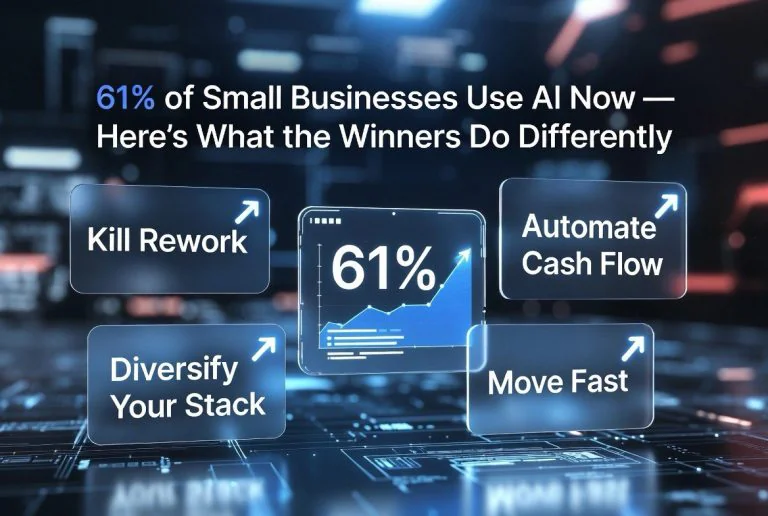
Expert Summary: AI assistants have evolved from simple chatbots into autonomous agents that plan, execute, and orchestrate multi-step workflows across your entire software stack. In 2026, Gartner predicts 40% of enterprise applications will embed task-specific AI agents — up from less than 5% in 2025. For small business owners, this shift is more than a tech trend; it’s a competitive dividing line. Companies using AI agents report 20–30% faster workflows and 40–60% cost reductions in targeted processes. This article breaks down what agentic AI actually is, which tools deliver real results today, and how to deploy them before your competitors lock in the advantage.
Your AI Chatbot Is Obsolete — Here’s What Replaced It
If you’re still thinking of AI assistants as chatbots that answer questions or draft emails, you’re already behind. The tool your competitor deployed last quarter doesn’t just respond to prompts — it plans, executes, and adapts across multiple systems without hovering over a “send” button.
Welcome to agentic AI. The shift from passive assistants to autonomous agents is the single biggest change in business software since the cloud migrated on-premise data centers. And it’s happening fast.
Microsoft’s 2026 Work Trend Index — based on trillions of Microsoft 365 signals and a survey of 20,000 AI users — found that 66% of AI users now spend more time on high-value work, and 58% produce work they couldn’t have done a year earlier. Among power users, that number jumps to 80%. These aren’t early adopters in Silicon Valley. They’re accountants, operations managers, marketing directors, and solo operators who figured out that AI agents do in minutes what used to take hours.
The critical difference between 2025 and 2026 is autonomy. Last year, AI tools needed hand-holding. You wrote a prompt, reviewed the output, pasted it somewhere, then moved on to the next task. Today, agents handle the entire loop. They monitor your inventory, reorder supplies, draft the email to your supplier, schedule the delivery, and log the transaction — all while you sleep.
What Agentic AI Actually Does for Small Business
The term “agentic AI” gets thrown around a lot, but the practical meaning is straightforward: instead of a tool that waits for instructions, you get a system that pursues goals. You tell it what outcome you want, and it figures out the steps, executes them, and reports back.
PwC’s latest survey shows 79% of companies are already implementing AI agents in workflows, with 66% reporting measurable productivity gains. These aren’t theoretical pilots either. Early adopters report average time savings of 3.5 hours per week per knowledge worker — that’s about 180 hours per year per employee. For a small team of five, that’s nearly 900 hours of reclaimed time annually.
The most practical applications for small business owners fall into five buckets:
Customer service automation. AI agents now handle end-to-end support across email, chat, phone, and social media. They don’t just answer FAQs — they process returns, update orders, escalate complex issues, and follow up after resolution. Companies using AI-driven customer service report 40–60% reduction in response times and consistent satisfaction scores.
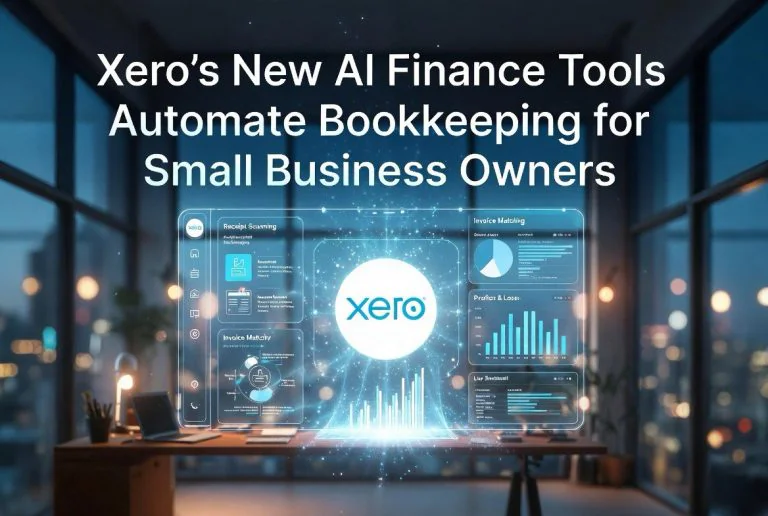
Back-office operations. Think invoicing, expense tracking, payroll prep, and compliance reminders. Agents monitor your accounting software, flag anomalies, generate reports, and even file documents. The result is fewer errors and zero dropped balls on deadlines.
Marketing and content operations. From drafting blog posts to scheduling social media campaigns to analyzing ad performance, agents now manage the full content lifecycle. They analyze what’s working, adjust targeting, and generate creative variations — all without a marketing agency retainer.
Sales pipeline management. Agents qualify leads, schedule follow-ups, send personalized proposals, and update CRM records. Salesforce reports that multi-agent enterprises are shifting from task-takers to outcome-owners — meaning the agent doesn’t just log a call; it ensures the deal moves forward.
Project and workflow coordination. Agents track deadlines, assign tasks, send reminders, and update project boards across tools like Asana, Trello, and Monday.com. For small teams wearing multiple hats, this alone can reclaim hours per week.
The Tools Actually Worth Your Time in 2026
The market has moved fast, and not every “AI agent” product delivers. Here’s what the data and real-world testing show actually works for small business operations.
Microsoft Copilot remains the most deeply integrated option for businesses already on Microsoft 365. It now handles multi-step workflows across Word, Excel, Outlook, and Teams. Users report saving about 26 minutes per day — but the real value comes from connecting Copilot to your CRM and ERP systems. Once linked, it can generate reports from live data, draft responses based on customer history, and schedule meetings without cross-referencing calendars manually.
Salesforce Agentforce is the most mature option for businesses with existing Salesforce infrastructure. Agents handle lead qualification, follow-up sequences, and opportunity tracking autonomously. The platform now supports multi-agent orchestration — meaning one agent handles inbound leads while another manages renewals and a third handles support tickets. They coordinate without human intervention.
Google’s Vertex AI Agent Builder is the strongest option for businesses that want custom agents without hiring AI engineers. The drag-and-drop builder connects to Google Workspace, BigQuery, and third-party APIs. If you need a specialized agent — say, one that monitors competitor pricing and adjusts your listings automatically — Vertex lets you build it in hours instead of weeks.
Claude’s Projects and Workbench (Anthropic) has become a favorite among solo operators and lean teams. Its agent mode can research, write, analyze data, and execute code in a single workflow. For $20/month, it’s hard to beat for a one-person operation that needs an AI research assistant, content writer, and data analyst rolled into one.
Platform-native agents are also worth noting. HubSpot now includes AI agent features in its CRM. QuickBooks has AI agents that flag accounting anomalies and suggest corrections. Shopify’s Sidekick handles product descriptions, inventory alerts, and customer segmentation. Before buying a standalone agent tool, check what your existing software already offers.
The Digital Assembly Line — How Agents Work Together
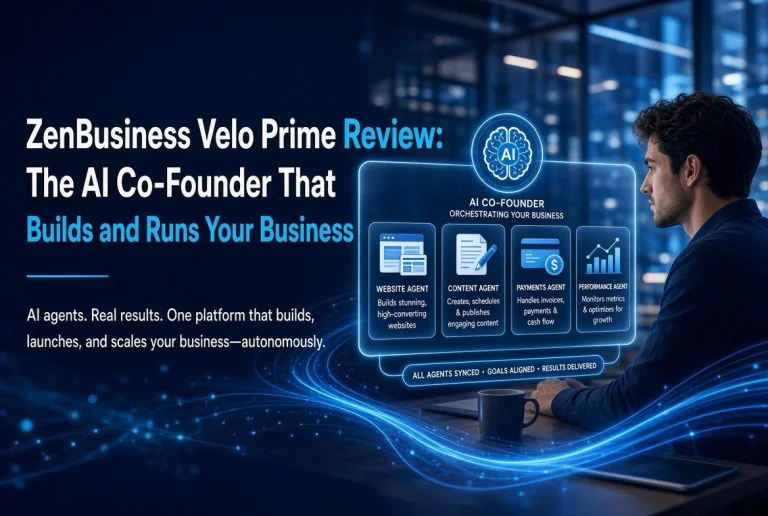
Google Cloud’s 2026 AI Business Trends report introduces the concept of “digital assembly lines” — orchestrated teams of specialized agents that hand off work to each other just like human teams. This is where the real productivity gains live.
Here’s a realistic example for a small e-commerce business:
Agent A monitors inventory and detects that a popular SKU is running low. It generates a reorder request and passes it to Agent B, which checks cash flow in QuickBooks, confirms the budget, and drafts a purchase order. Agent C reviews the PO against the supplier contract, negotiates terms if needed, and sends it. Agent D updates the website with estimated restock dates and triggers an email campaign to notify waiting customers. Agent E logs everything in the CRM and schedules a follow-up for delivery confirmation.
What used to require five people and two days now runs in under three minutes. The agents don’t get distracted, don’t forget steps, and don’t need meetings to coordinate.
Forrester predicts that enterprise software will soon include features to manage hybrid human-digital teams — meaning your HR platform will treat AI agents as “digital employees” with defined roles, permissions, and performance metrics. This is already happening in early-adopter companies, and it will reach small business software within 18 months.
The 30-Day Agent Deployment Plan
Most small business owners overthink this. They research for months, get overwhelmed by options, and end up doing nothing. Here’s a deployment plan that works:
Week 1 — Audit and identify. List every repetitive task you or your team does more than three times per week. Email filtering, invoice processing, social media posting, lead follow-up, inventory checks, report generation. Pick the single most time-consuming task and map out every step it involves.
Week 2 — Pick a platform and prototype. Start with a tool that integrates with software you already use. If you’re on Google Workspace, start with Vertex AI Agent Builder. If you’re on Microsoft 365, start with Copilot. If you’re on nothing in particular, start with Claude’s Workbench — it needs zero integration and delivers immediate results.
Week 3 — Run in parallel. Don’t remove the human yet. Run the agent alongside your existing process for one week. Compare output quality, speed, and error rates. Adjust prompts and permissions based on what you observe.
Week 4 — Go live and measure. Once the agent consistently matches or exceeds human output, hand over the task completely. Track time saved, errors eliminated, and revenue impacted. Use those numbers to justify the next agent deployment.
The Governance Question Small Business Owners Ignore
Every report on agentic AI — from Microsoft, Google, Gartner, and Forrester — emphasizes one thing that most small business owners skip: governance. When an agent has access to your accounting software, customer database, and email accounts, a single misconfiguration can cause real damage.
The good news is that governance for a small business doesn’t require a compliance department. Three rules cover 90% of the risk: restrict agent permissions to read-only initially and expand only after testing; set human-in-the-loop gates for any action involving money, contracts, or customer data; and log every agent action in a way that’s reviewable within 30 seconds.
Most platforms now offer these controls by default. The mistake is skipping the setup because it takes 20 minutes. That 20 minutes is the difference between a helpful tool and a liability.
What Happens If You Wait
Gartner forecasts that agentic AI could drive roughly 30% of enterprise application software revenue by 2035. That’s a decade away. But the competitive advantage isn’t in 2035 — it’s right now.
Here’s the math: if your competitor deploys AI agents today and reclaims 3.5 hours per employee per week, they gain about 180 hours per employee per year. For a five-person team, that’s 900 hours. That’s the equivalent of adding a half-time employee without the salary, benefits, or onboarding time.
Meanwhile, you’re still manually forwarding emails, copy-pasting between spreadsheets, and chasing invoices. The gap doesn’t just persist — it widens. Every week you delay is a week your competitor compounds their productivity advantage.
The tools are ready. The deployment path is straightforward. The risk of waiting far exceeds the risk of starting. Pick your first task, deploy your first agent this week, and measure the difference. That’s how you stay ahead.
Frequently Asked Questions
What’s the difference between an AI chatbot and an AI agent?
A chatbot responds to individual prompts and requires step-by-step instructions. An AI agent works toward goals — it plans, executes multi-step workflows, accesses tools, and adapts based on results without needing constant human input.
How much do AI agents cost for a small business?
Costs range from $20/month for tools like Claude’s Workbench to $30–$50 per user per month for enterprise platforms like Microsoft Copilot or Salesforce Agentforce. Platform-native agents (HubSpot, QuickBooks, Shopify) are often included in existing subscriptions.
Do I need technical skills to deploy AI agents?
Not anymore. Tools like Google’s Vertex AI Agent Builder and Claude’s Workbench use drag-and-drop interfaces or natural language instructions. If you can describe a process in plain English, you can deploy an agent for it.
Can AI agents access my existing business software?
Yes. Most agent platforms integrate with common business tools via API connections. Microsoft Copilot connects to the entire Microsoft 365 suite. Agentforce integrates with Salesforce, Slack, and dozens of third-party apps. Vertex AI connects to Google Workspace and custom APIs.
What’s the fastest way to start using AI agents?
Identify one repetitive task that takes more than two hours per week. Pick an agent tool that integrates with your existing software. Deploy it with read-only permissions first, test for a week, then go live. Total time: less than a week.

About Barak Schurr
Barak Schurr built and sold a major ticketing platform, ran global nightlife operations at Eventbrite, and now spends his time figuring out which AI tools actually move the needle for independent business owners — and which ones are just noise. No hype. No fluff. Just what works.
Contact him at [email protected]
More AI Resources for Your Business