Get The Solo Business OS — Free
The AI workflow that replaces a part-time employee for solo operators and small business owners.
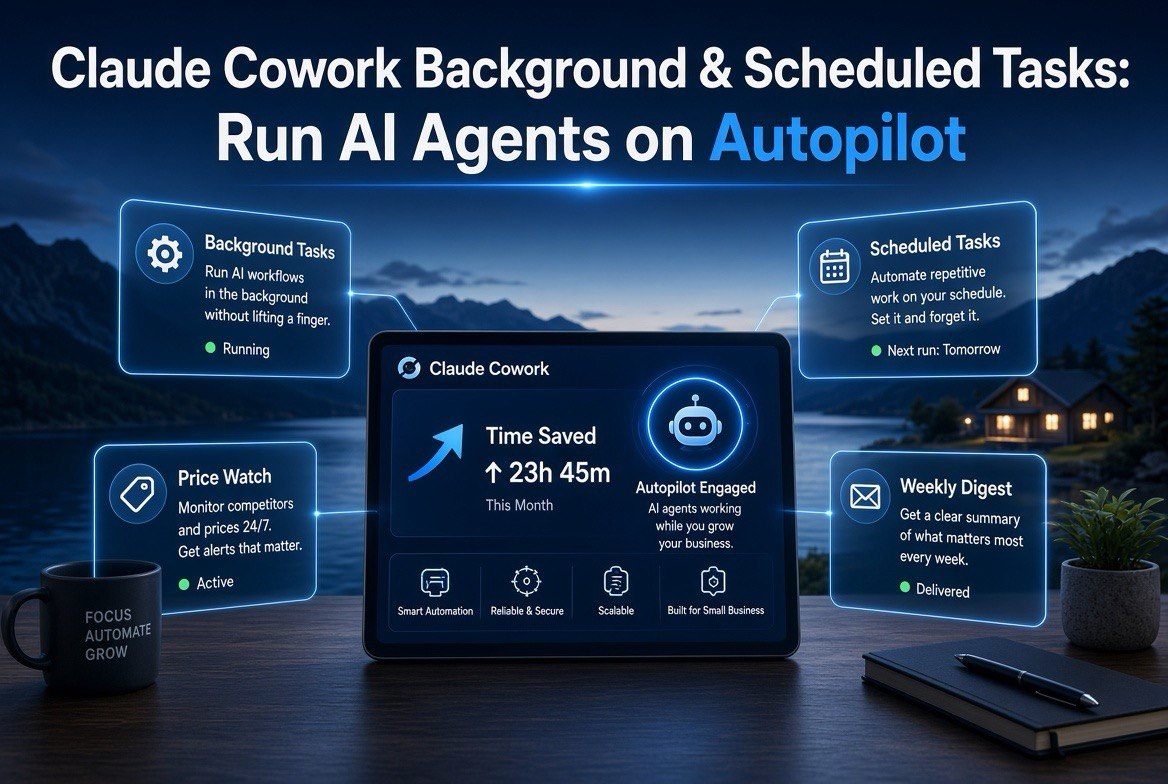
Claude Cowork Background & Scheduled Tasks: Run AI Agents on Autopilot
⚡ Expert Summary: Anthropic’s August 2026 Claude Cowork update adds background tasks (start a multi-step job, close the tab, it keeps running) and scheduled tasks (fire the same job on a set clock — daily or weekly). For a US small business owner, this turns Claude into a set-and-forget operator: price-watch competitors at 6am, generate a weekly report, audit listings — all unattended. The tools cost nothing extra and run inside the ChatGPT-style chat you already use.
What Claude’s August 2026 Cowork Update Actually Adds
Anthropic quietly shipped the two most operationally useful features to Claude Cowork this August: background tasks and scheduled tasks. Here’s the distinction, because it changes how you should think about the tool:
- Background tasks — you hand Claude a multi-step job (“review my 20 top competitor prices and flag anything under mine”), then walk away. Close the tab. It keeps working and notifies you when done. This is the “delegate and leave” pattern.
- Scheduled tasks — the same job fires on a clock. Every morning at 6am, every Monday at 9am, or on a custom schedule, Claude re-runs the task automatically and reports. This is the “standing routine” pattern.
Neither requires code. You write the instruction in plain English inside Cowork, pick whether it’s one-shot or recurring, and the agent handles the rest. For US small business owners who were already using ChatGPT and Claude for one-off research, this is the upgrade that makes AI actually run while you’re doing the work that makes money.
Why This Beats Doing Tasks ‘When You Remember’
The entire value of the update is removing yourself from the loop. Think about what a typical owner does manually:
- Checking competitor pricing before adjusting your own.
- Reviewing reviews for themes that need a response.
- Pulling a weekly sales or inventory summary from a spreadsheet or dashboard.
- Monitoring supplier or contractor quotes for a better deal.
- Drafting the weekly social media or email content plan.
All of these are mechanical, repetitive, and easy to forget. A scheduled task doesn’t forget. A background task doesn’t need you to sit and watch. The compounding effect is real: a 15-minute task you’d only do “when you had time” becomes a daily 6am automation that never misses.
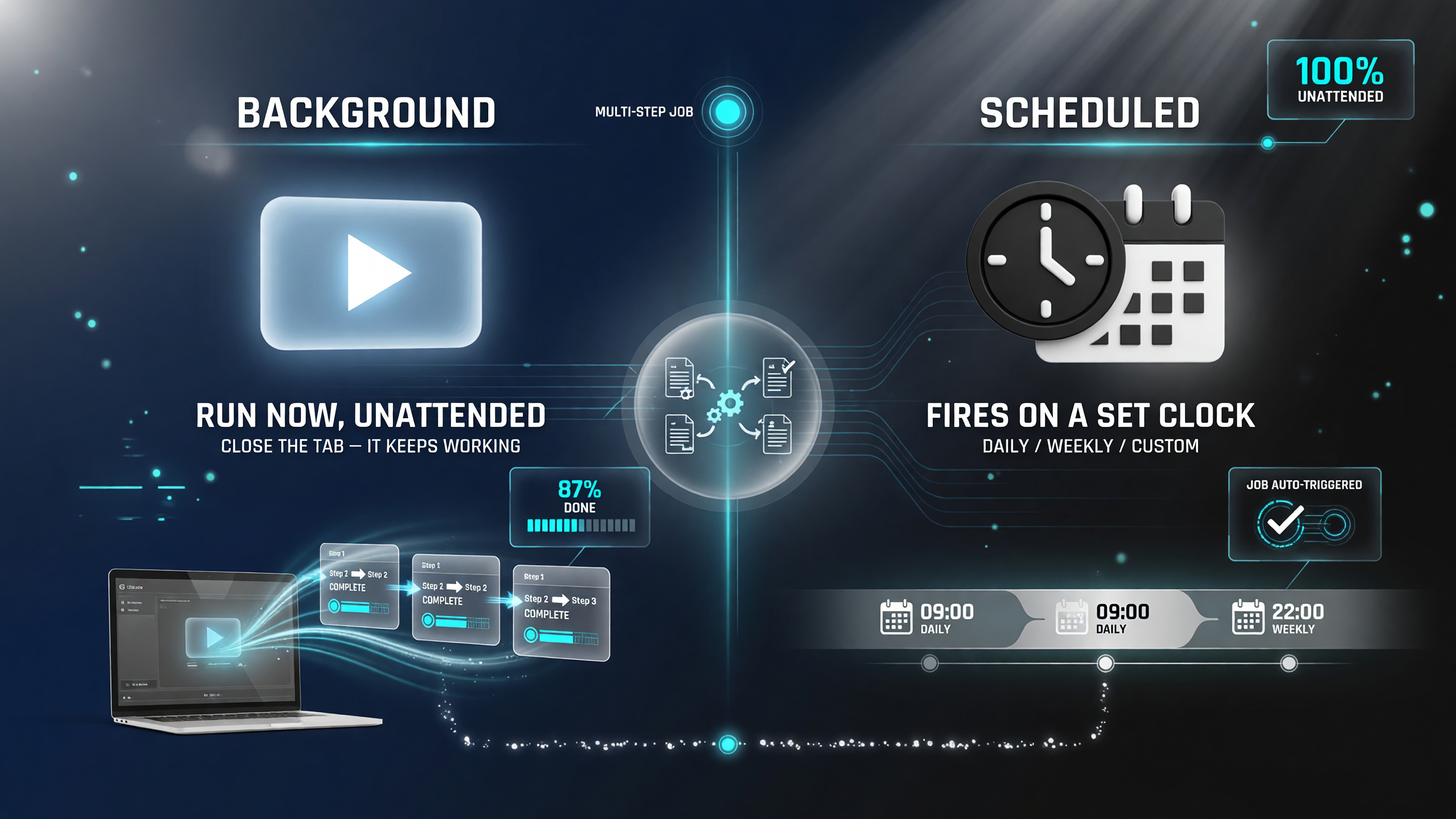
Background tasks run once unattended; scheduled tasks fire on a clock. Both remove you from the loop.
Background vs. Scheduled — A Direct Comparison
| Feature | Background Tasks | Scheduled Tasks |
|---|---|---|
| When it runs | Immediately, once you start it | On a set clock (daily/weekly/custom) |
| Your involvement | None after launch — walk away | None — it self-fires and reports |
| Best for | One-time heavy jobs (competitor audit, report draft) | Standing routines (daily price watch, weekly digest) |
| Notification | You get pinged on completion | Delivers on schedule |
Both run inside the same Cowork environment. The right choice depends entirely on whether the job is a one-off or a recurring routine.
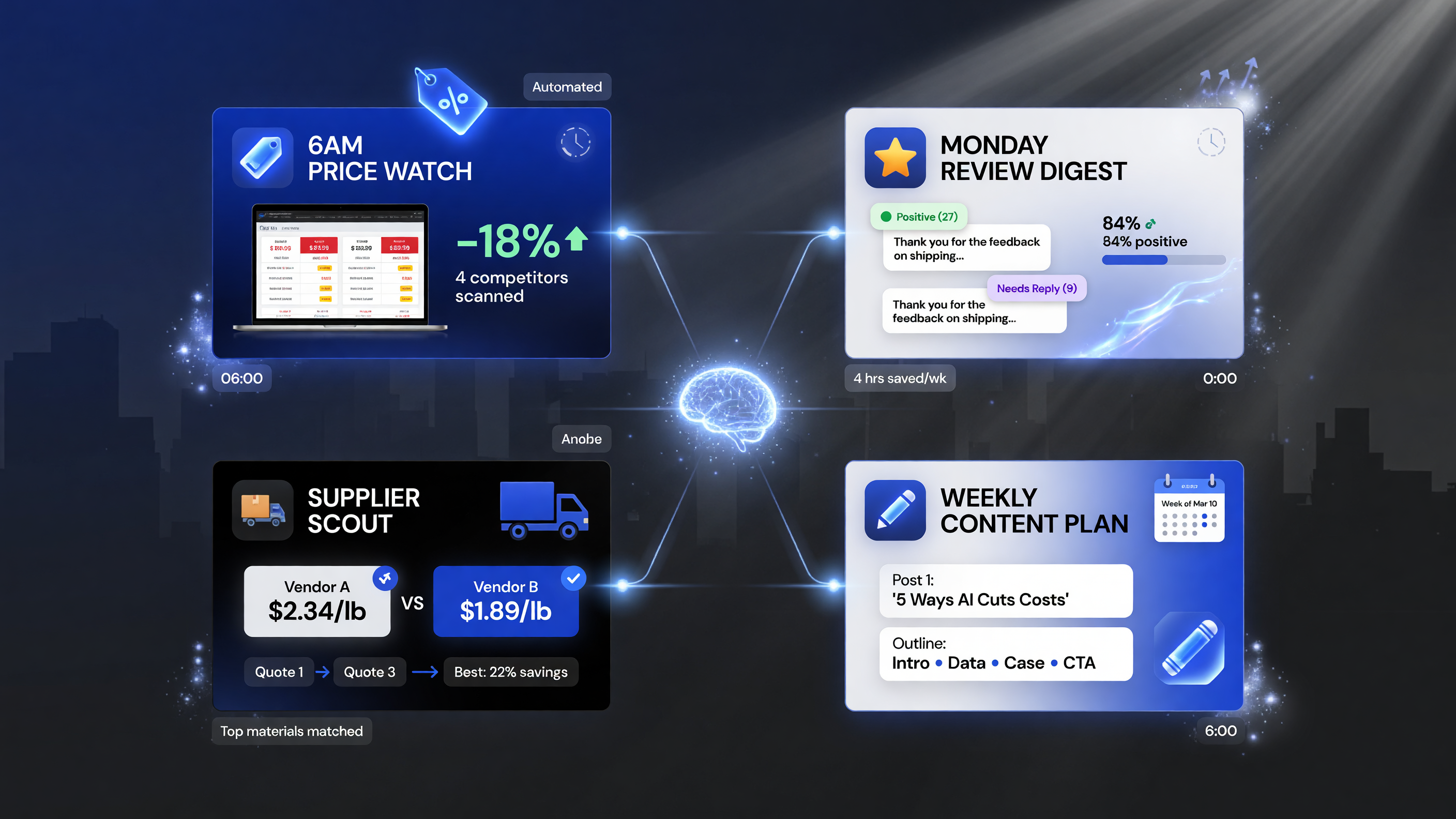
Four concrete automations: price watch, review digest, supplier scout, and content plan.
Real Use Cases for US Small Businesses
Here’s where this stops being abstract and starts saving you money. Four concrete deployments, in increasing ambition:
- The 6am price watch. A scheduled task scans your three closest competitors’ prices every morning and flags anything priced under you — before customers see it. No spreadsheets, no remembering.
- The Monday review digest. Every Monday, Claude pulls the week’s new reviews, sorts them by sentiment, and drafts suggested replies. You just approve and post.
- The supplier scout. A background task runs a deep comparison of supplier quotes for your top 5 materials, then ranks them by total landed cost. Close the tab; check back in an hour.
- The weekly content plan. Saturday night, a scheduled task produces next week’s post ideas and outline drafts for your business page or newsletter.
The pattern to internalize: anything you do on a schedule or “when you remember” is a candidate for a scheduled or background agent.
What It Costs (and the Real Hidden Cost)
Background and scheduled tasks are available within Claude Cowork, which is included with Claude’s paid plans that US small businesses are already on for the chat side. There’s no separate metering for “turning it on” — the cost is the same task credits/usage you’d spend doing the work in-chat anyway.
The hidden cost is setup and trust. You have to write the instruction clearly once, test it on a low-stakes run, and verify output before you let it act on real money (like a pricing change that posts live). Treat every new automation like a new hire: supervise the first few runs, then trust it.
Who Should Use Background vs. Scheduled Tasks
Not every business is a fit for both modes from day one, and that’s fine. Here’s a simple heuristic to avoid over-automating before you’re ready:
- Use scheduled tasks first if you have one clearly repetitive, low-risk routine — the review digest or the weekly report. It delivers predictable value with minimal setup.
- Graduate to background tasks once you trust the output format, because background jobs are best for larger, one-off research that you want to kick off and forget — a competitor deep-dive or a supplier comparison.
- Don’t automate what’s already fast. If a task takes you two minutes and you enjoy it, leave it manual. Automating every micro-task adds setup complexity without proportional return.
The goal is not maximum automation — it’s strategic automation: the jobs that are repetitive, time-consuming, and easy to forget are the ones that should run on their own.
What This Means for How You Work
The deeper shift here is about the owner’s calendar. Most small business owners aren’t short on ambition — they’re short on hours. Feature by feature, Anthropic and its rivals are removing the “you have to sit in front of it” constraint from AI. Background and scheduled tasks are the clearest example yet: the AI no longer demands your attention to produce value.
Practically, that means your mornings change. Instead of spending the first 30 minutes gathering data to decide what to do, the data — competitor prices, review sentiments, supplier quotes — is already sitting in your inbox when you open it. You start your day on decisions, not on data collection. For a US small business with one or two operators, that recovered hour compounds fast.
How It Stacks Up Against Other AI Autopilot Tools
Claude isn’t the only one moving to scheduled agents in 2026. ChatGPT’s agentic tools have added background processing for subscribers, and Google’s Information Agents (covered here) add a consumer-facing booking-and-research layer across Search. The difference with Claude Cowork is the workplace framing: while Google’s agents act on behalf of consumers and ChatGPT’s background jobs lean on its broader tool ecosystem, Cowork is built to act on your business documents, spreadsheets, and connected data with file-style context.
For a business owner deciding where to start, the practical advice is to pick the one you already pay for and will actually check. If you live in Claude, start there — the barrier to a first scheduled task is minutes, not an integration project.
Security and Data Considerations
Because Cowork tasks can read connected data (documents, spreadsheets, and — with permission — other tools), the standing rule applies: only grant access to what the task needs, and don’t attach a financial account to an agent you haven’t fully validated. For owners running sensitive data, test with anonymized samples first. This is the same caution you’d apply to any delegated work, AI or human.
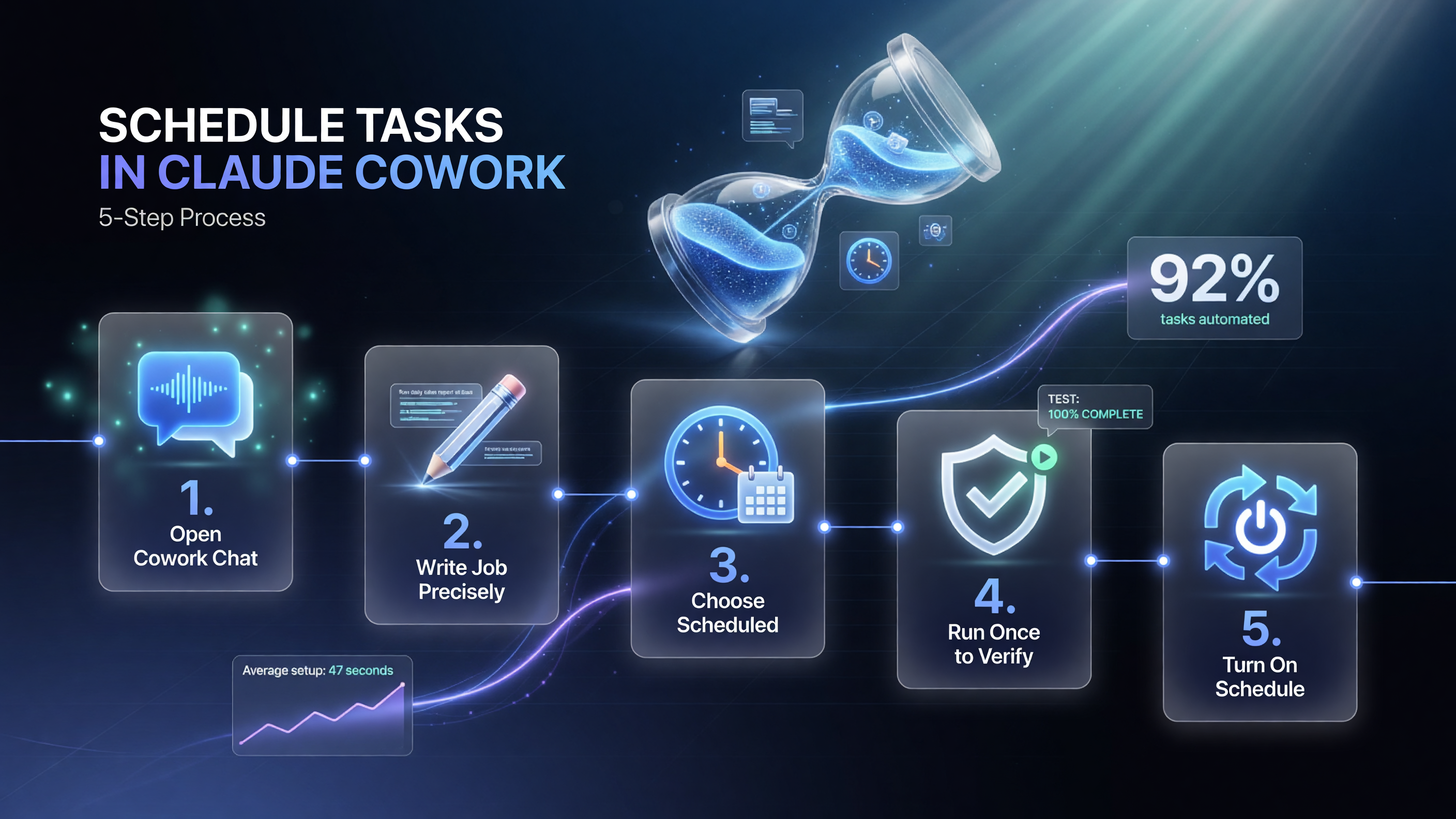
The five steps to launch your first scheduled task and trust it with real work.
How to Set Up Your First Scheduled Task (Fast)
- Open Cowork and start a new chat rather than reusing a busy one.
- Write the job precisely — include the inputs, the exact output format, and the delivery channel.
- Choose ‘Scheduled’ and pick daily, weekly, or custom.
- Run it once manually to verify output quality.
- Turn on the schedule and check the first automated delivery to confirm it behaves.
The schedule, and confirm the first automated delivery behaves exactly like your manual test did — accuracy first, automation second.
The Bottom Line
Background and scheduled tasks are not a gimmick feature — they’re the practical bridge between “AI as a chat assistant you sit with” and “AI as a set-and-forget operator.” For US small business owners, the win is concrete: the repetitive, forgettable, time-eating jobs that slip through the cracks every week can now run themselves on a clock.
Start small. Pick one standing routine — the Monday review digest, the morning price watch — and turn it into a scheduled task this week. Test one run, then let it repeat. The compounding effect of a handful of unattended automations is one of the fastest ways to buy back hours without hiring help. That’s the whole point.
FAQ
Are background and scheduled tasks free in Claude Cowork?
They run within Claude Cowork on your existing paid Claude plan — there’s no separate activation fee. You consume the same usage/task credits you’d use for in-chat work, so “turning it on” adds no new subscription cost.
Do I need to be technical to set up background or scheduled tasks?
No. You write the job instruction in plain English, pick one-shot or recurring, and set the schedule. No code is required, which is exactly why they’re practical for a busy US small business owner.
What’s the difference between a background task and a scheduled task?
A background task runs a multi-step job immediately and keeps working while you close the tab, notifying you on completion. A scheduled task fires the same job automatically on a clock — daily, weekly, or custom — for standing routines.
Can a scheduled task act on financial or customer data?
Only if you grant it access to those connected sources. The safe practice is to connect only what the task needs and validate early runs on anonymized samples before granting access to anything that could move real money or customer data.
Is this available to businesses in the United States?
Yes. Claude Cowork with background and scheduled tasks is rolling out to Claude’s paid tiers, which US small businesses use for chat today. Availability continues to expand through August 2026.

About Barak Schurr
Barak Schurr is the founder and former president of the nightlife ticketing platform Wantickets and former Global Director of Dance and Nightlife at Eventbrite. He currently focuses on AI research and writes about practical AI for independent business owners that actually moves the needle — no hype, no corporate fluff. More at topnotchaitools.com.
More AI Resources for Your Business