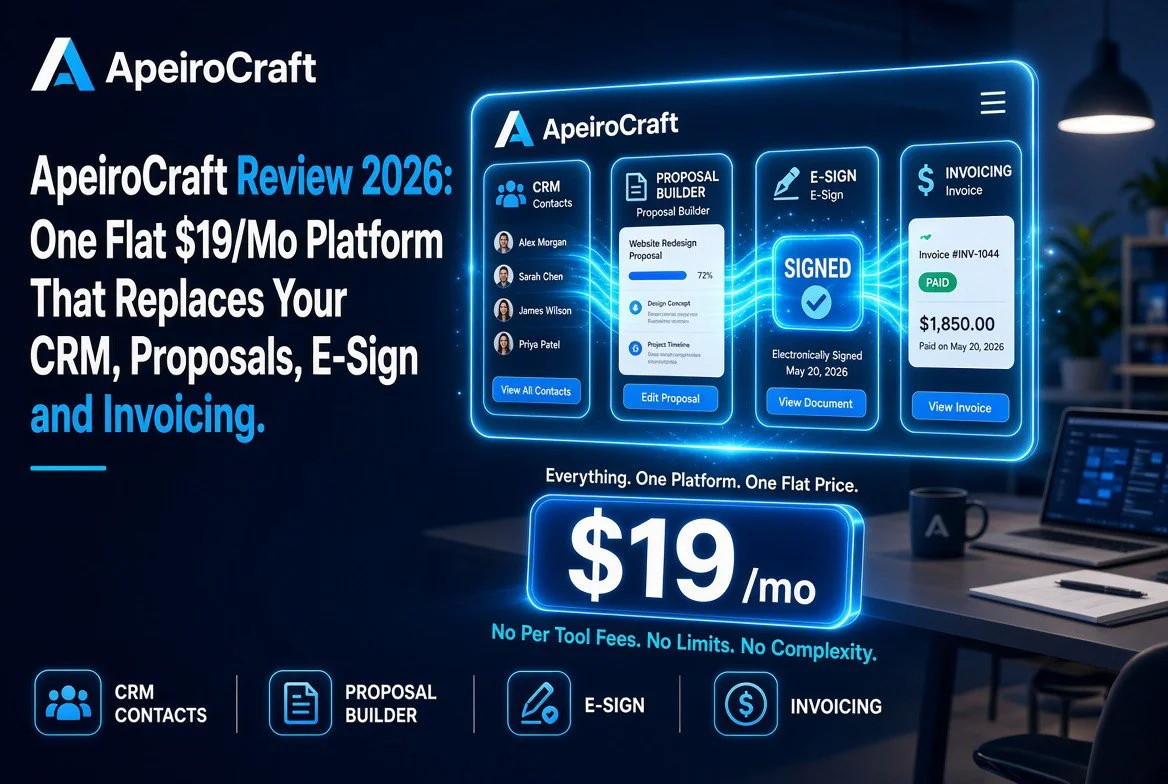
ApeiroCraft Review (2026): One Flat $19/mo Platform That Replaces Your CRM, Proposals, E-Sign, and Invoicing
⚡ Expert Summary: ApeiroCraft is a new all-in-one freelancer platform that replaces four or five separate subscriptions — CRM, proposals, e-signatures, invoicing, tasks, and notes — with one flat $19/month plan. Instead of buying a $15 proposal tool, $12 e-sign app, $20 invoicing system, and a $10 task board, freelancers pay a single price and keep every client record in one place. It launched around August 25, 2026 and is built for independent workers who are tired of stitching five tools together and still chasing overdue invoices by hand. Its cleverest feature: the e-signature lives on the proposal itself, so a client can approve terms and turn the job into an invoice in a single click — collapsing what normally takes hours of back-and-forth into seconds.
Why Freelancers Waste So Much Time on Admin
There are roughly 76 million freelancers in the United States — close to 38% of the total workforce, according to Upwork estimates. And the single biggest complaint is rarely the work itself. It is the overhead that rings around the work: drafting proposals, chasing signature confirmations, building invoices, tracking who has paid and who has not, and losing client context across five different apps.
Independent workers report spending up to 25% of their working hours on administrative tasks rather than billable output. When you multiply that by the number of hours a freelancer books in a year, the cost is brutal — not just in lost time, but in slowdowns to cash flow. Freelancers report spending roughly three hours per week on invoicing and another two and a half hours chasing overdue payments. That is more than five hours a week, every week, doing work nobody ever bills for.
That is exactly the gap ApeiroCraft is aiming at. It is not trying to be the most powerful CRM on the market or the most advanced proposal tool. It is trying to be the one tool that holds the entire client-to-cash loop together so a freelancer does not have to keep context in five places.
The Five-Tool Stack It Replaces
Most working freelancers run some combination of the following, often paying for each one separately:
| Administrative Task | Typical Standalone Tool | What ApeiroCraft Does |
|---|---|---|
| Client & lead management | CRM (e.g., HubSpot free tier, or a paid CRM) | Client records and deal stages in one place |
| Proposals & contracts | Proposal builder (e.g., Bonsai, Proposify) | Proposal builder with built-in pricing |
| Electronic signature | E-sign service (e.g., DocuSign, HelloSign) | E-signature on the proposal itself |
| Invoicing & payment | Invoicing (e.g., FreshBooks, QuickBooks) | Invoices generated one click from a proposal |
| Tasks, notes & files | Task board + notes app (e.g., Trello, Notion) | Tasks and notes attached to each client record |
Each of those tools has its own login, its own billing, and — critically — its own copy of the truth about a client. When a proposal tool and an invoicing tool do not talk to each other, someone has to manually re-enter the deal once it is signed. That re-entry is where mistakes and missed invoices live.
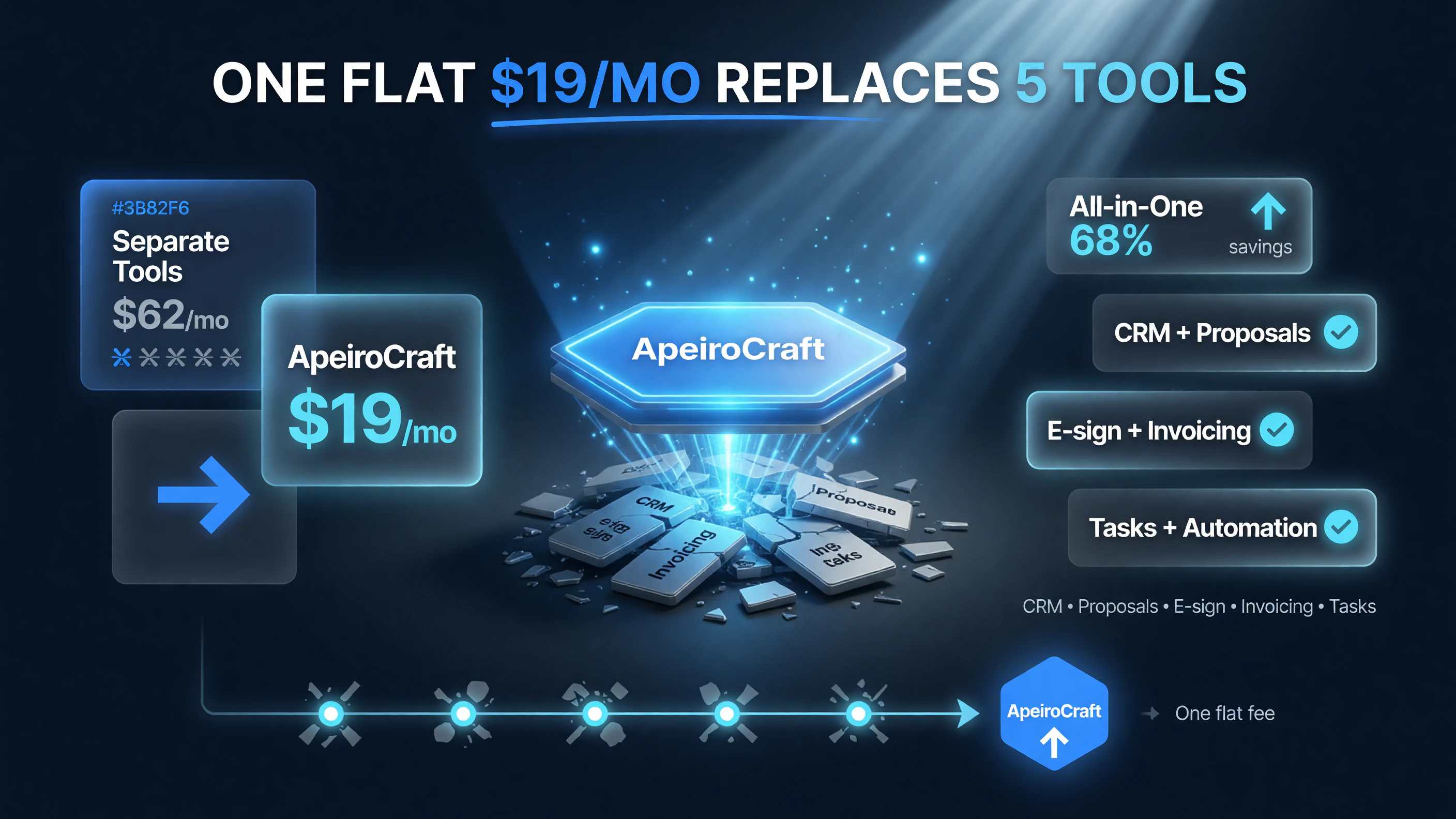
ApeiroCraft’s flat $19/mo plan replaces roughly $62/mo spread across five separate tools.
The Real Cost of Five Subscriptions
Here is what the fragmented stack actually costs a freelancer who is paying for decent versions of each tool, versus ApeiroCraft’s single flat fee:
| Tool Type | Rough Monthly Cost |
|---|---|
| Proposal tool | ~$15 |
| E-sign service | ~$12 |
| Invoicing app | ~$20 |
| Task board | ~$10 |
| Notes / docs | ~$5 |
| Five-tool total | ~$62/month |
| ApeiroCraft flat plan | $19/month |
That is over $60 per month — more than $700 a year — just to keep the back office running. ApeiroCraft replaces the whole stack for $19 flat, no per-seat pricing, no tiered feature gates. For a freelancer who is not yet earning a stable income, that difference between $19 and $62 a month is material.
What the Onboarding Actually Looks Like
One of the barriers to switching admin tools is the cost of moving your data and rebuilding your workflow. ApeiroCraft keeps that friction low by leaning on the same mental model you already use. You start by creating a client record, and everything else — proposals, invoices, tasks, notes — hangs off that record rather than living in separate silos.
For a freelancer migrating from a five-tool stack, that single-record structure is the biggest relief. There is no “where did I put the scope?” moment, because the scope, the signed terms, the invoice, and the notes all share one home. Importing active clients is straightforward: you create records for current clients and attach any outstanding proposals or unpaid invoices to them as you go. You do not have to pay for the tool while you are still testing the workflow, either — the free plan gives you three proposals a month, which is enough to run your next few real jobs through it before you commit.
How Payment Tracking Works
Chasing payments is one of the most expensive and least enjoyable parts of freelancing. Industry surveys consistently find independent workers losing hours every week to following up on invoices that should have been paid. In a disconnected stack, payment status often lives in a separate invoicing app, so you have to remember to check it — and when a client questions a payment, you have to dig across tools to reconstruct the record.
ApeiroCraft ties payment status directly to the client record and the originating proposal. Because the invoice is generated from the signed proposal, everything traces back to one source: what was agreed, at what price, and whether it has been paid. That traceability matters when a client disputes a charge or when you need to know exactly which jobs are still outstanding at a glance. Rather than opening five apps to answer “who still owes me money?”, you see it on the same dashboard where you manage the work.
Handling Taxes and Year-End Reporting
Tax time is where the fragmented stack hurts the most, because invoicing history and income records live in one place while expenses live in another, and neither exports cleanly to your accountant. ApeiroCraft does not pretend to be a full accounting package, but it consolidates the income side in a single, exportable record. Every proposal that became an invoice, and every invoice that got paid, lives in one place tied to one client.
That structure makes year-end far less painful. Instead of reconstructing a full year of income from scattered tools, you pull your invoice history from one system and hand it to your accountant. If you keep receipts and expenses in a separate bookkeeping tool, you only need to reconcile one stream of data rather than five. For a solo freelancer who is not ready for a heavyweight accounting suite, that consolidation is the difference between an afternoon of admin and a week of it.
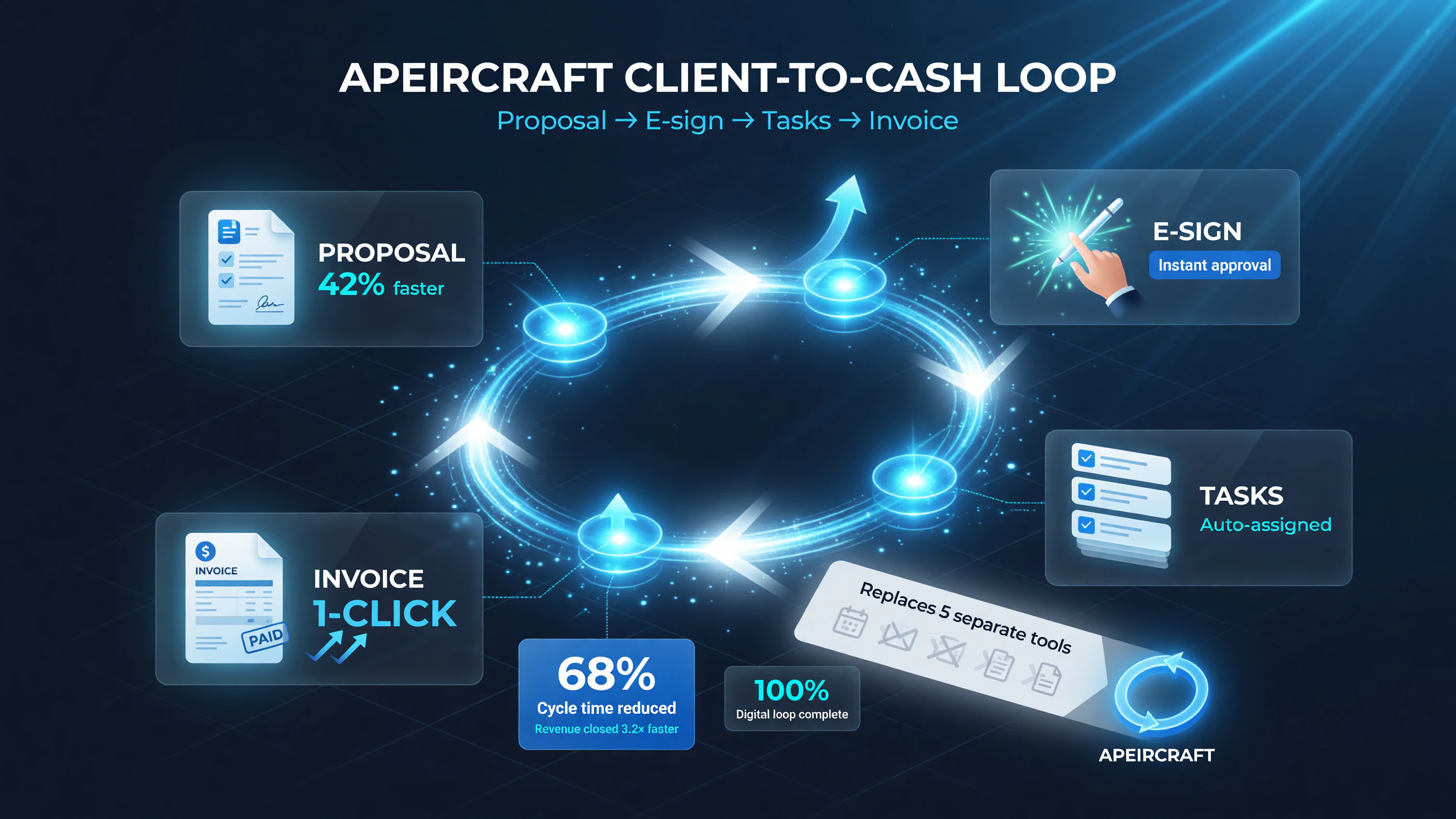
ApeiroCraft keeps the entire client-to-cash loop in one place: proposal, e-sign, tasks, then invoice in a single click.
A Walk Through the Client-to-Cash Loop
The strongest argument for ApeiroCraft is how the pieces connect. In the fragmented stack, a freelance job runs through several disconnected steps: you find a lead, send a proposal, wait for a signature, then manually build an invoice when work is done, then track payment. ApeiroCraft collapses that into one continuous record:
- Capture the client — every lead, deal, and past client lives in the CRM.
- Send a proposal — build it in ApeiroCraft with your terms and pricing.
- Client signs on the proposal itself — no separate trip to DocuSign or HelloSign. The e-signature is embedded right in the proposal.
- Convert to invoice in one click — once signed, the proposal becomes an invoice without re-entering the deal.
- Track payment and notes — tasks, files, and notes stay attached to that same client record.
When the contract, the invoice, and the notes live in one record, nothing is lost in handoff. You are not asking “which app did I put the scope in?” — you look at one client page and see the entire relationship.
Pricing: Flat vs Per-Seat
A lot of competing tools charge per seat or gate features behind higher tiers. ApeiroCraft’s approach is simpler:
| Plan | Price | What You Get |
|---|---|---|
| Free | $0/month | 3 proposals/month, core CRM and tasks |
| Paid (flat) | $19/month | 50 proposals/month, e-sign, unlimited invoicing, all features |
The free plan is genuinely useful for trying it — three proposals a month is enough to test the workflow. But the moment you are signing multiple clients, the $19 flat plan removes every artificial ceiling. No per-seat math. No “unlock invoicing” upsell. One price.
ApeiroCraft vs Bonsai: Head-to-Head
The most common comparison for a tool like this is Bonsai, a well-known freelance management suite. Here is how ApeiroCraft stacks up as of mid-2026:
| Factor | ApeiroCraft | Bonsai |
|---|---|---|
| Pricing | Flat $19/month | From ~$15–$25/user/month (tiered) |
| E-sign on proposal | Built-in, embedded on the proposal | Available via paid tiers / integrations |
| Proposal→invoice | One click from a signed proposal | Supported, but more menu steps as of recent versions |
| Maturity | Newer platform (launched 2026) | Established, larger template library |
| Best for | Solopreneurs who want simplicity + one flat price | Freelancers who want the most templates/integrations |
Bonsai has the advantage of years of polish and a bigger template and integration library. ApeiroCraft’s edge is the flat price and the genuinely one-click proposal-to-invoice flow. If you value predictability and speed over a huge feature catalog, the newer tool is worth a serious look.
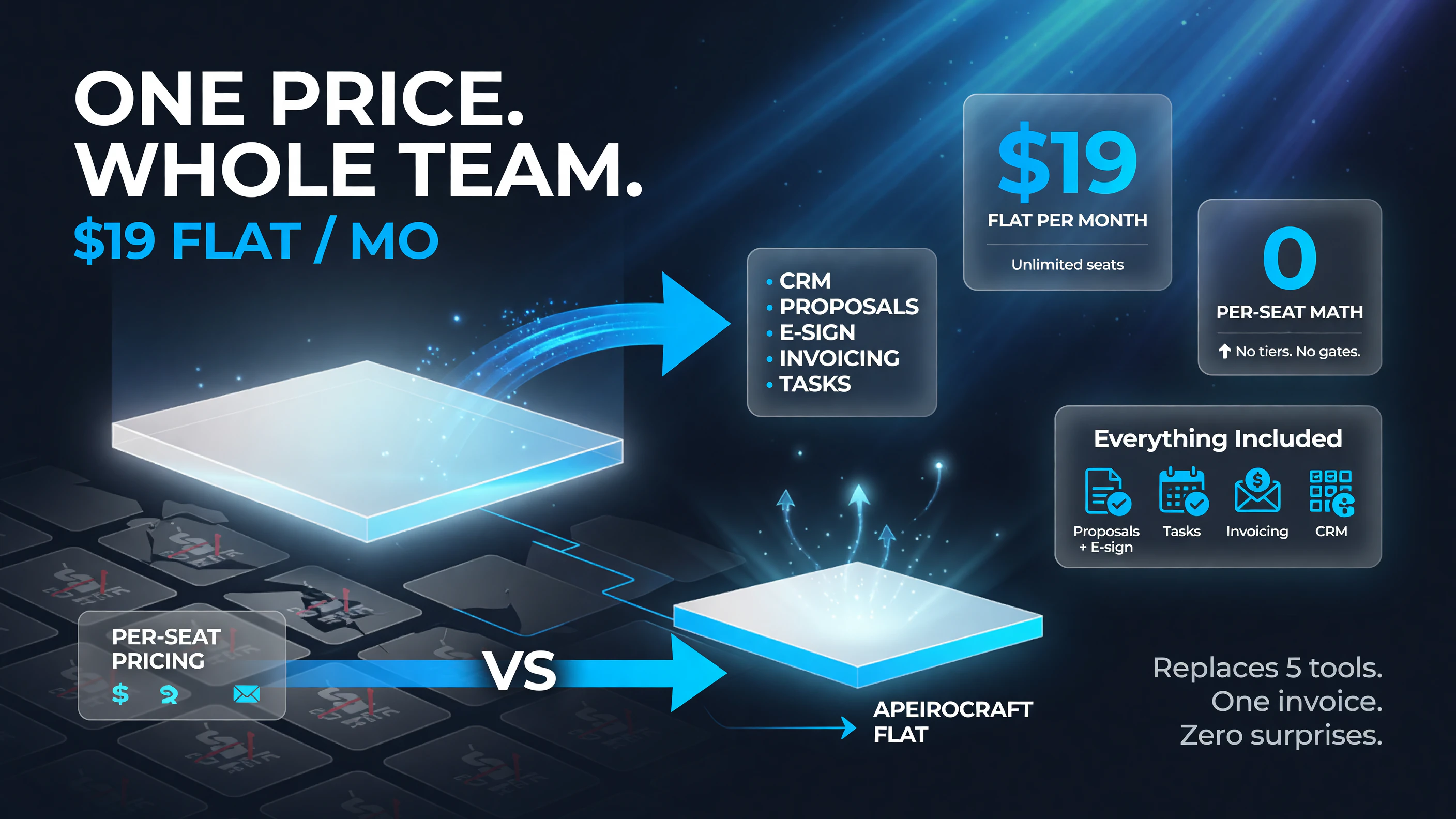
ApeiroCraft charges one flat $19/mo with no per-seat math and no tiered feature gates.
Why Flat Pricing Beats Per-Seat Pricing
Per-seat pricing is a tax on small teams and a trap for anyone who is growing. Many competing tools charge per user, which means your bill grows every time you add a collaborator, and it punishes the small agency that needs a couple of accounts. ApeiroCraft’s flat $19 avoids that entirely: the price is the same whether you are one person or a small team sharing the workspace.
Flat pricing also removes the decision paralysis that comes with tiered plans. With a tiered SaaS, you are constantly asking whether you need the next level up to unlock e-sign, or invoicing, or more proposals. ApeiroCraft puts everything in one tier. That predictability matters for a freelancer whose income varies month to month — you always know exactly what the tool costs, and it never jumps because you happened to book a busy month or added a collaborator.
Who Should Choose Which
- Choose ApeiroCraft if you are a solo freelancer or small agency that wants one flat price, an e-signature on the proposal itself, and a dead-simple proposal-to-invoice conversion.
- Choose Bonsai if you need the deepest template library, more integrations, or you are managing a larger team and want established feature depth.
Who ApeiroCraft Is For
ApeiroCraft is squarely aimed at independent professionals: freelancers, consultants, coaches, designers, writers, developers, and small agencies. Anyone who lives in the proposal-invoice-cash-flow cycle and is currently paying for five tools to do what one could do. It is also a strong fit for people just starting out, because the free plan lets them try the entire workflow before committing a dollar.
Limitations Worth Knowing
No tool is perfect, and ApeiroCraft is a young one. Before you switch, keep these in mind:
- Newer platform — launched around August 2026, so it has a shorter track record than established suites like Bonsai.
- Smaller template and integration library — early adopters will find fewer ready-made templates and third-party integrations than more mature competitors.
- No advanced sales automation — if you need automated sales cadences, forecasting, or multi-stage pipeline analytics, ApeiroCraft is lighter there than a full CRM.
For a freelancer whose pain is the everyday admin loop, these gaps are usually acceptable. But if you run a bigger operation with complex pipelines, keep the feature depth question in mind before you commit everything to one young tool.
Final Verdict
ApeiroCraft attacks a real, measurable problem: freelancers burning five-plus hours a week and more than $60 a month just to keep administration running. At a flat $19, with e-signature on the proposal and one-click proposal-to-invoice conversion, it makes a compelling case for replacing the fragmented stack. It is not the most mature or most template-rich tool on the market — but for a solopreneur who values simplicity, a single source of truth, and a predictable bill, it is one of the most sensible options to launch this year.
Frequently Asked Questions
What is ApeiroCraft?
ApeiroCraft is an all-in-one freelance management platform that combines CRM, proposals, e-signatures, invoicing, tasks, and notes in one place, available at a flat $19/month.
How much does ApeiroCraft cost?
ApeiroCraft offers a free plan (3 proposals/month) and a flat $19/month plan with 50 proposals, e-signature, and unlimited invoicing — no per-seat pricing.
Does ApeiroCraft include e-signature?
Yes. E-signature is embedded on the proposal itself, so a client can approve terms without a separate e-sign tool.
Can I convert a proposal to an invoice automatically?
Yes. Once a client signs, the proposal converts to an invoice in one click, removing manual re-entry.
Is ApeiroCraft better than Bonsai?
It depends on your priorities. ApeiroCraft wins on flat pricing and one-click proposal-to-invoice flow; Bonsai has a larger template and integration library.
Is there a free trial?
There is a free plan that lets you test the workflow with up to 3 proposals a month before committing.
Who is ApeiroCraft best for?
Freibers, consultants, coaches, designers, and small agencies who want one flat price and a simpler client-to-cash loop.

About Barak Schurr
Barak Schurr built and sold a major ticketing platform, ran global nightlife operations at Eventbrite, and now spends his time figuring out which AI tools actually move the needle for independent business owners — and which ones are just noise. No hype. No fluff. Just what works.
Email: [email protected]
More AI Resources for Your Business