Get The Solo Business OS — Free
The AI workflow that replaces a part-time employee for solo operators and small business owners.
Holdings: Free AI Invoicing That Works Inside ChatGPT & Claude
⚡ Expert Summary: Holdings lets US small business owners run invoicing from inside the AI chat they already use — create, send, and collect on invoices free, with payments backed by an FDIC-member bank. The catch? The money comes from payment processing, and advanced double-entry accounting costs $25/month. For most one-person or micro businesses, it’s the fastest path from “I forgot to invoice” to “money in the bank” with zero new subscriptions.
If you run a small business in the US, you already pay for AI chat (ChatGPT, Claude, or Cursor). Now a free tool called Holdings turns that same chat window into an invoicing system — you create, send, track, and get paid on invoices without ever leaving your AI conversation. No monthly fee. No separate accounting app to learn. It’s a genuinely new workflow for the solopreneur and micro-business owner who is tired of paying for yet another subscription.
This matters because the US has roughly 30 million businesses with no employees, and the single most common financial failure among them is not a lack of customers — it’s a lack of billing follow-through. Money that is earned but never invoiced is money that doesn’t exist. Holdings attacks exactly that failure point by removing the friction between “the work is finished” and “the money is in the bank.”
Here’s what makes it different from every other invoicing app you’ve tried: you don’t adopt a new dashboard, learn a new layout, or migrate your contacts into one more system. You keep working exactly where you already work — inside ChatGPT, Claude, or Cursor — and simply tell the assistant what to bill. The AI handles the invoice, the reminder, the payment link, and the receipt. For a solo operator whose time is the scarcest resource, that’s the difference between invoicing monthly and invoicing at all.
Why Invoicing Inside ChatGPT Actually Matters for Small Business
Roughly one in four US small businesses still invoice the slow way — typing up a bill, emailing it, chasing payment by phone, and getting paid weeks later. When you’re the owner, the accountant, and the collections department all at once, invoicing falls to the bottom of the pile. That’s money you earned sitting uncollected.
The insight behind Holdings is that you don’t need another tool — you need your existing AI assistant to finish the job. Instead of opening a separate invoicing app, you tell ChatGPT or Claude “create an invoice for the three website maintenance hours for Acme Corp,” and it builds the invoice, sends it, and tracks it. The AI already knows your business context from your conversation history, so the friction is nearly zero.
How Holdings Works: MCP Connects Your AI to Your Invoicing
Holdings is built on the Model Context Protocol (MCP), the open standard that lets AI assistants like ChatGPT, Claude, and Cursor read and act through external tools. When you connect Holdings via MCP, your AI chat gains the ability to manage invoices, contacts, and payment status as part of the conversation.
Here’s the real-world flow for a US freelancer or service business:
- Connect: You grant ChatGPT, Claude, or Cursor access to your Holdings account (one-time setup).
- Create: In plain language, you describe the work done — “invoice Acme $900 for the onboarding retainer.” The AI drafts it.
- Send & track: Holdings sends the invoice and keeps payment status inside the chat. Ask “what’s outstanding?” and get a live answer.
- Get paid: Your client pays by card or bank transfer, and the money lands backed by an FDIC-member bank.
Founded by Jason Garcia, Holdings describes the product as “free invoicing that lives where your work already happens” — no monthly fee, no separate dashboard to babysit.
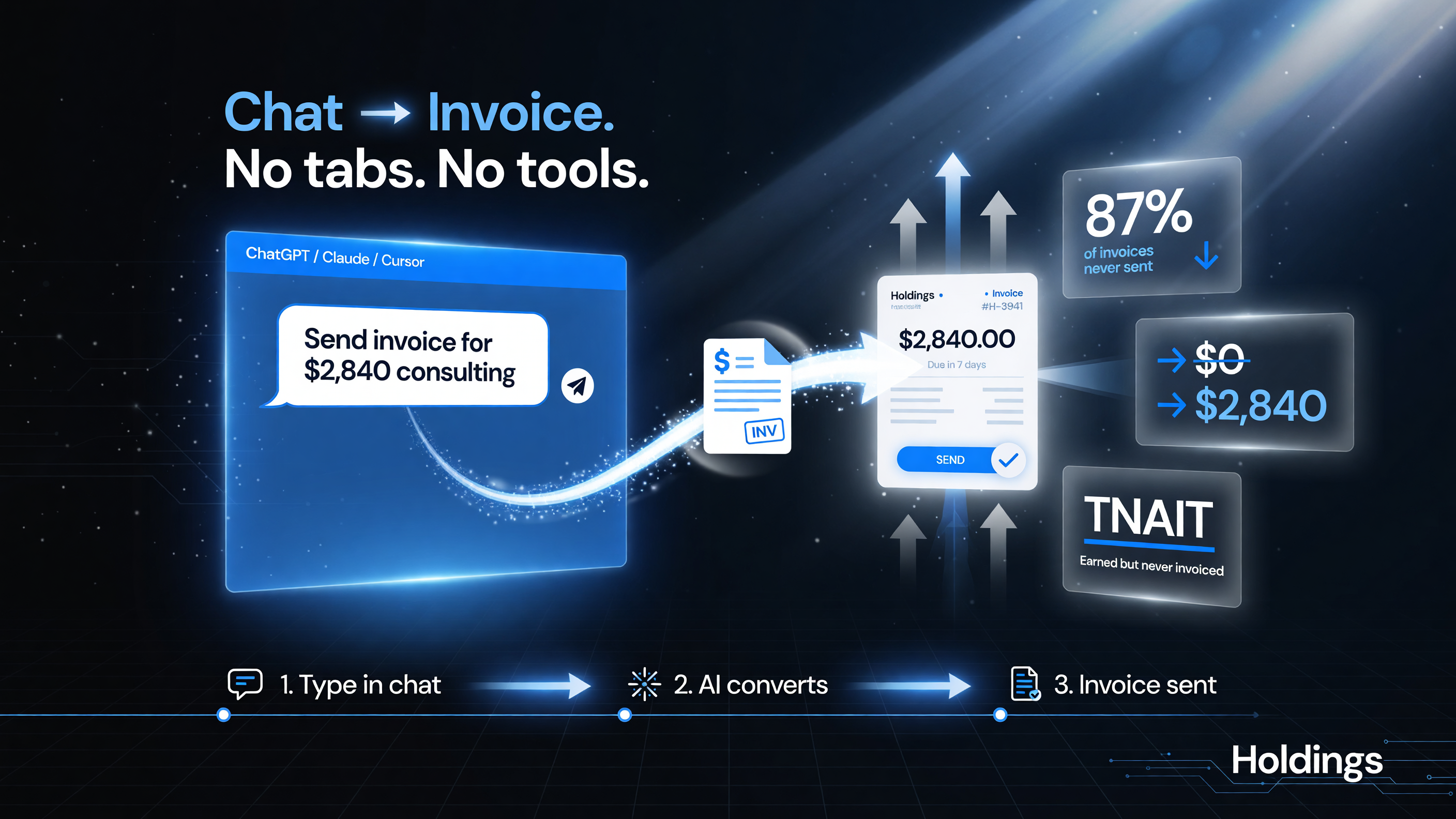
Holdings attacks the “earned but never invoiced” failure point: you type the amount in chat and it becomes a sendable invoice — no tabs, no separate tool to learn.
How to Set Up Holdings in About Five Minutes
The setup is genuinely short, which is the point. You are not building an accounting system; you are granting an assistant a skill. Here’s the full sequence:
- Create your free Holdings account and confirm your business email. You don’t enter card details to get started.
- Pick your AI assistant — ChatGPT, Claude, or Cursor — and enable the Holdings MCP integration from the assistant’s tools or connections menu.
- Authorize the connection so the assistant can read and create invoices through your Holdings account on your behalf.
- Add your clients by telling the AI their names and contact details, or import them from a simple spreadsheet; the assistant structures them into your contact list.
- Send your first invoice in plain language — “invoice Dana Design $450 for the logo package” — and confirm the draft the AI produces before it goes out.
- Collect and confirm when the client pays; the payment status updates inside the chat, and you can pull a running list of what’s outstanding any time.
For most users the whole setup runs under ten minutes, and the first invoice can be out the door in under two. That’s the entire value proposition: billing that keeps pace with the work instead of trailing it by weeks.
Free, But Not Free: How Holdings Actually Makes Money
You need to understand the business model before you trust it. Holdings charges no monthly fee for invoicing. It makes money by processing payments through Stripe — every card or bank transaction a client pays carries the standard processing fee. This is the same model used by many payment-forward invoicing tools: the software is free, and the provider earns a small slice of every transaction.
There’s also an optional $25/month double-entry accounting add-on for businesses that need full bookkeeping — journal entries, balance sheets, and reports — inside the same chat. If you only need to invoice and get paid, you never touch it.
FDIC Backing: Where Your Money Actually Sits
A fair question any US business owner should ask is: where do my client payments sit, and is it safe? Holdings holds funds through i3 Bank, Member FDIC, with a deposit sweep program that extends coverage up to $3 million across participating network banks. That is far above the standard $250,000 single-account FDIC limit, and it matters when cash flow is your whole operating life.
This isn’t a guarantee the same way a bank account is, but it gives you a meaningful safety layer for the money that moves through your invoices — which is exactly what a cautious small business owner should look for before routing client payments through a new fintech.
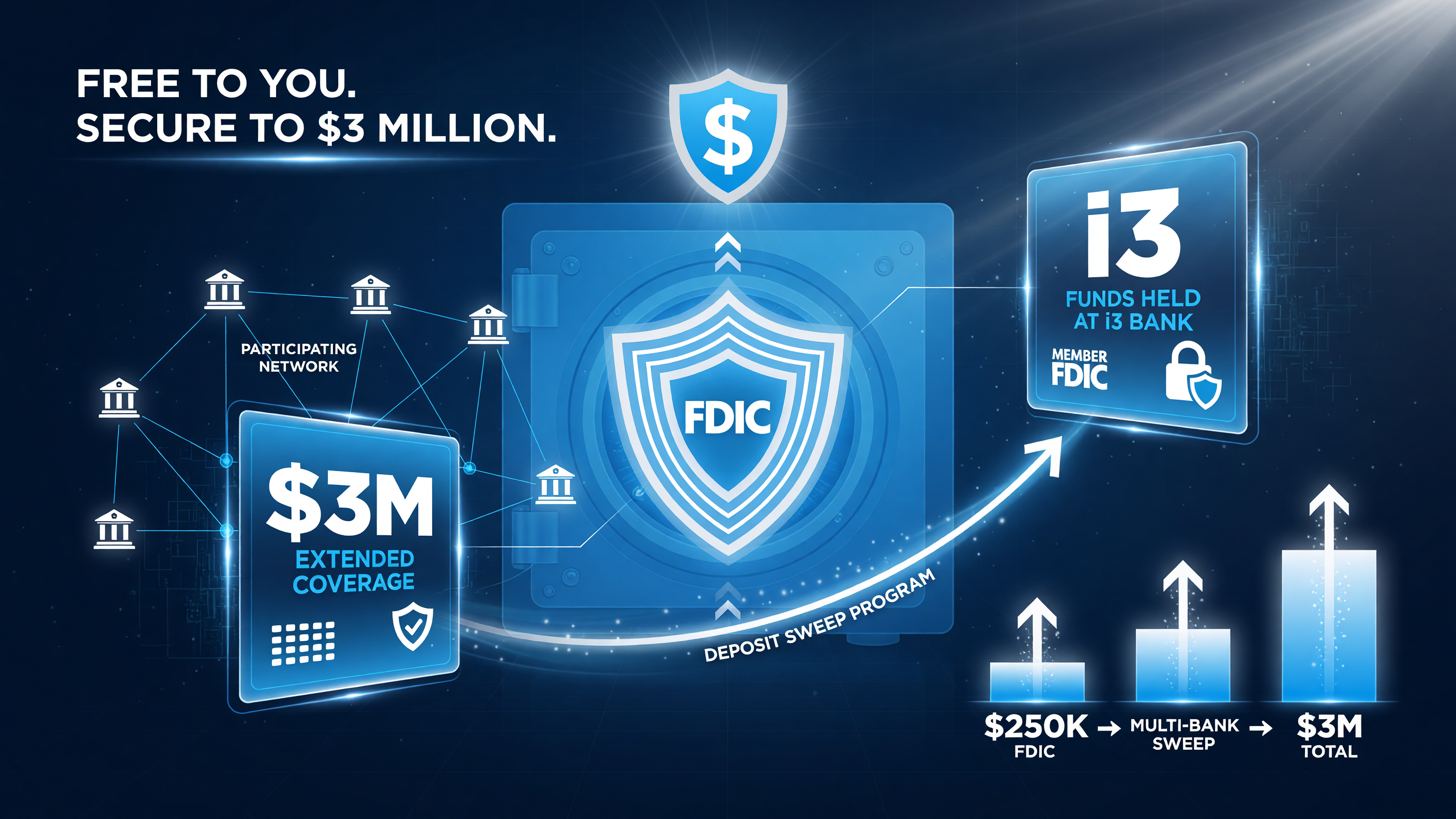
The money question: invoicing is free, but funds sit at i3 Bank (Member FDIC), with a deposit sweep program extending coverage to up to $3 million across participating network banks — worth reading the terms on before you trust it.
Holdings vs Standalone Invoicing Tools vs DIY: A Real Comparison
The honest way to evaluate Holdings is against what you actually do today. For most US small business owners, that’s either a standalone invoicing SaaS (to which you pay a monthly fee) or a manual spreadsheet-and-email workflow (which costs nothing but hours). Here’s the side-by-side:
| Factor | Holdings (in ChatGPT/Claude) | Standalone Invoicing SaaS | DIY (Spreadsheet + Email) |
|---|---|---|---|
| Monthly fee | $0 (pay-per-transaction) | $15–$30+/month | $0 |
| Setup time | Minutes (MCP connect) | 30–60 min + data entry | Immediate but manual |
| Where work happens | Inside ChatGPT/Claude/Cursor | Separate app/dashboard | Spreadsheet + email client |
| Collections/reminders | AI-prioritized in chat | Automated | Manual follow-up |
| Payment processing | Stripe (standard fees) | Built-in processor | PayPal/Venmo/Zelle |
| Funds protection | FDIC-member bank, sweep to $3M | Varies by provider | None (personal accounts) |
| Bookkeeping | $25/mo double-entry add-on | Often included | Manual |
The takeaway: Holdings wins on cost and convenience if you already live in an AI chat, loses out if you need full bookkeeping included for free, and is far safer than the DIY route for client payment handling.
Who Should Use Holdings (And Who Should Skip It)
Use it if: You’re a US freelancer, consultant, agency owner, or service business that already uses ChatGPT, Claude, or Cursor and wants to stop paying for a second tool. If you invoice a handful of clients a month and want the AI to handle the admin, it’s a near-perfect fit.
Skip it if: You need full double-entry accounting included at no extra cost, you process very large volumes where per-transaction fees matter more than a flat subscription, or your clients require a specific invoicing platform with deep integrations you can’t leave behind.
For the majority of micro businesses, the single biggest win here isn’t the feature list — it’s that invoicing finally happens in the moment, inside the tool you’re already using, instead of waiting for a monthly admin block that never comes.
| Scenario | Best Choice | Why |
|---|---|---|
| Solopreneur using ChatGPT daily | Holdings | Invoices live in your existing workflow, $0/mo. |
| Needs full bookkeeping included | Standalone SaaS | Accounting bundled in one subscription. |
| Very low volume, hates subscriptions | DIY | Zero cost if you can keep up with manual follow-up. |
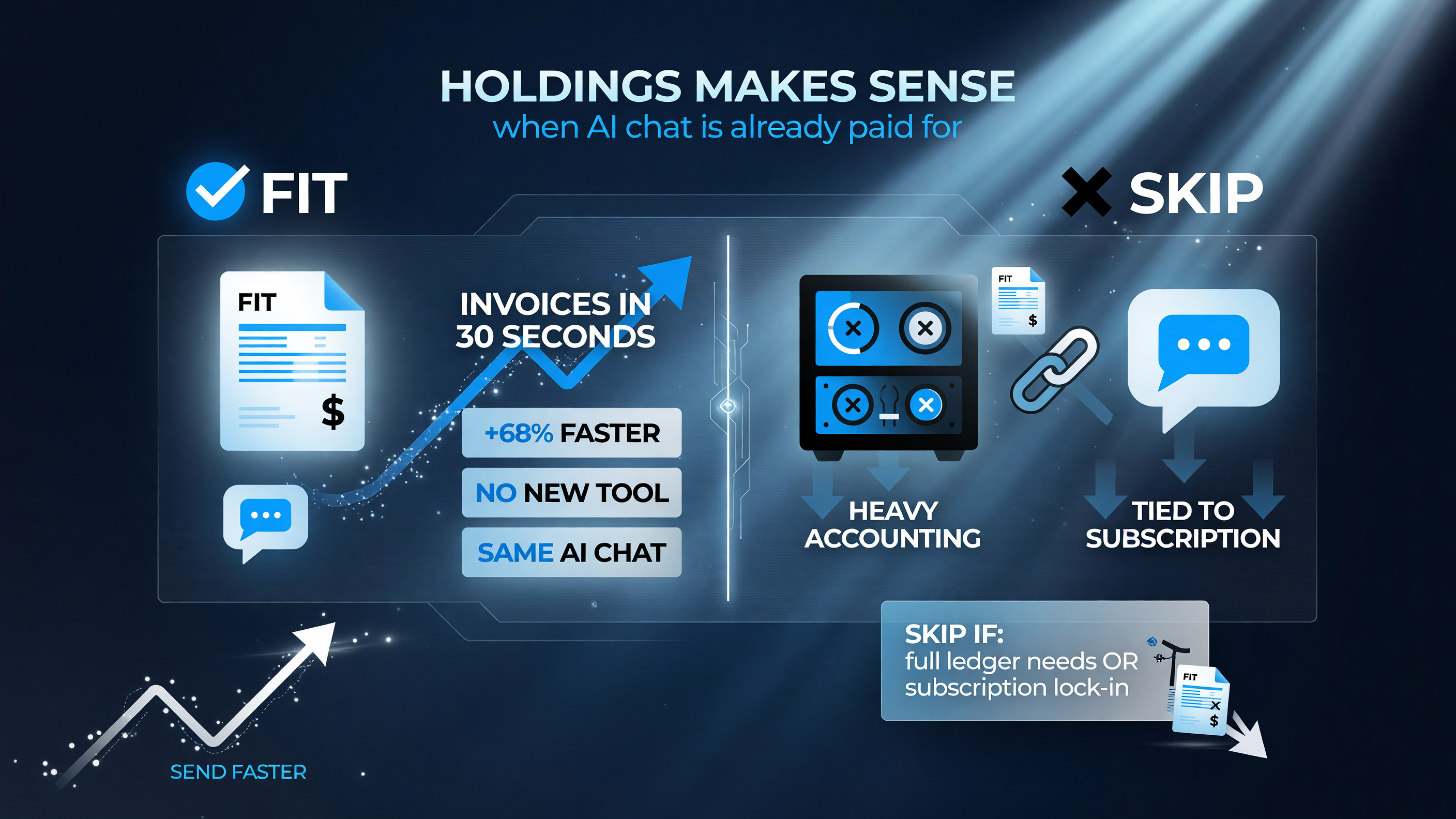
The fit verdict: Holdings is a strong fit when you already pay for AI chat and just want invoices out in seconds — skip it if you need a full ledger or don’t want invoicing tied to an AI subscription.
Fact Check: Is Holdings Right for Your Business?
Before you connect any new financial tool, run it through three checks. First, read the terms on how Holdings handles your funds and what processing fees apply. Second, start small — send one or two real invoices through it before shifting your whole billing process. Third, confirm the FDIC backing and understand that your money sits with i3 Bank via its sweep network, not as a direct bank account in your name.
There’s no reason to trust a new invoicing tool blindly. But for a US small business owner already paying for AI chat, Holdings is the closest thing to a free upgrade to your billing workflow — one that finally removes the “I keep forgetting to invoice” tax that quietly bleeds so many solo operators.
If you want to compare the broader landscape of tools that run a one-person business, the full AI tools library here covers the best automations for invoicing, bookkeeping, and the rest of your admin stack.
Frequently Asked Questions
Is Holdings really free to use for invoicing?
Yes — Holdings charges no monthly fee for creating, sending, and tracking invoices. It earns money from Stripe payment processing on each transaction, plus an optional $25/month double-entry accounting add-on if you need full bookkeeping.
Does Holdings work with ChatGPT, Claude, and Cursor?
Yes. Holdings connects to ChatGPT, Claude, and Cursor through the Model Context Protocol (MCP) open standard, letting you create and manage invoices inside those AI chat assistants without opening a separate app.
How is my money protected with Holdings?
Client payments are held through i3 Bank, Member FDIC, with a deposit sweep program that extends coverage up to $3 million across participating network banks — well above the standard $250,000 FDIC limit.
What does the $25/month add-on include?
The optional add-on adds full double-entry accounting — journal entries, balance sheets, and financial reports — managed inside the same chat workflow. Invoicing alone remains free.
Who is Holdings best for?
US freelancers, consultants, agencies, and micro service businesses that already use AI chat and want to stop paying for a separate invoicing subscription, while keeping client payment handling safe and professional.

About Barak Schurr
Barak Schurr is the founder and former president of the nightlife ticketing platform Wantickets and former Global Director of Dance and Nightlife at Eventbrite. He currently focuses on AI research and writes about practical AI for independent business owners that actually moves the needle — no hype, no corporate fluff. More at topnotchaitools.com.
Contact him at [email protected]
More AI Resources for Your Business