Get The Solo Business OS — Free
The AI workflow that replaces a part-time employee for solo operators and small business owners.
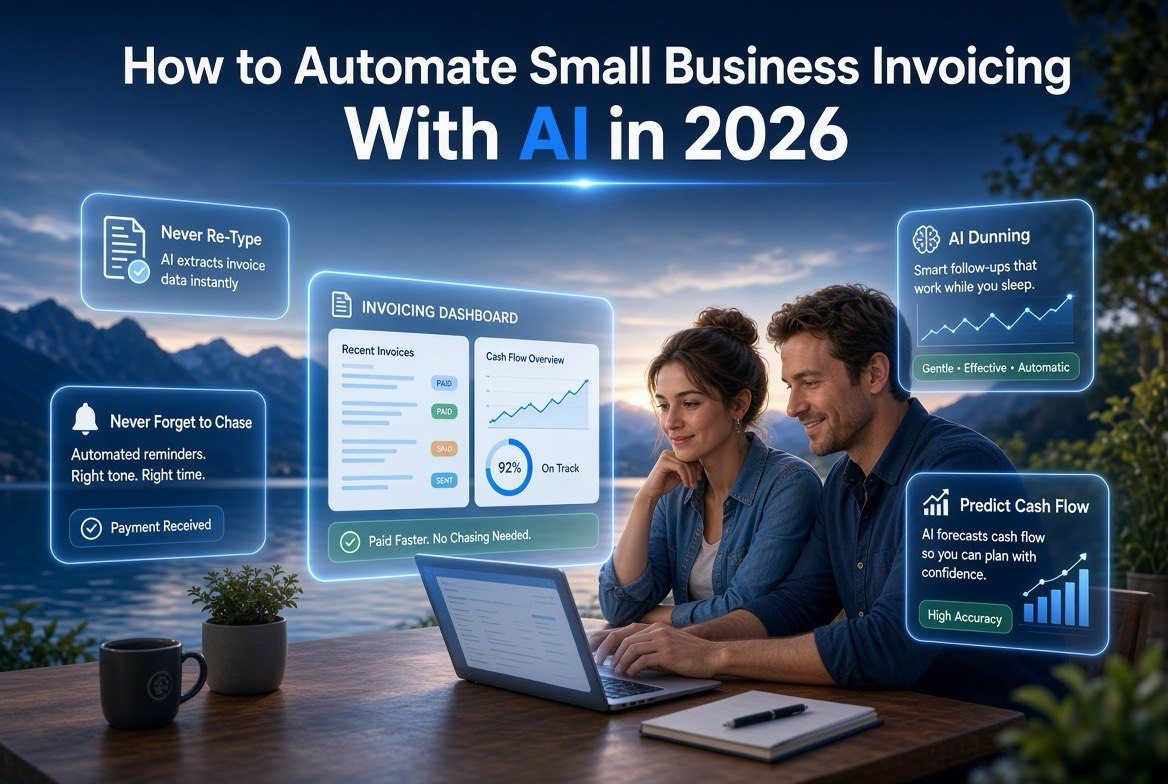
How to Automate Small Business Invoicing With AI in 2026
⚡ Expert Summary: Automating invoicing with AI in 2026 is about three things: never re-typing an invoice, never forgetting to chase a payment, and always knowing what cash is coming. The tools below turn invoicing from a weekly chore into a hands-off system — AI drafts the bill from your proposal, sends reminders at the right time, escalates late payers, and forecasts cash flow. This step-by-step guide shows exactly how to set it up in an afternoon, whether you use an accounting suite like QuickBooks or an AI-native tool like HoneyBook.
For a US small business owner, invoicing is the most repetitive task that directly touches revenue. It is also the one most likely to be let slide: you finish the work, you mean to send the bill, and suddenly it is two weeks later and you are short on cash. When you finally invoice, the client pays late, and you spend more hours chasing it. It is a cycle that quietly taxes every independent owner.
AI fixes the cycle by removing the manual steps and the forgetting. In 2026, the technology is mature enough that a solo owner can set up a fully automated invoicing pipeline in a single afternoon — and then never think about a late invoice the same way again. This guide walks through the exact process, from picking your tool to turning on the automation that gets you paid faster.
This is the practical companion to our roundup of the best AI invoicing tools for small business. Here we focus on the setup: the steps, the settings, and the habits that make AI invoicing actually save you time and money.
Why AI Invoicing Is Worth It in 2026
The shift from manual to AI invoicing is not about gadgetry; it is about where your hours go. A US small business owner who bills even a dozen clients a month can spend several hours just creating and chasing invoices. That is time taken from selling, serving, or improving the business. AI invoicing cuts the creation and the chasing to near zero, so those hours go back to revenue-producing work.
There is also the compounding value of clean data. Every invoice that runs through one automated system feeds a consistent record of revenue, payment timing, and client behavior. That record is what lets AI forecast cash flow and flag risk early. The longer you run it, the sharper the forecasting becomes — a real asset that gets more valuable every month you keep it on.
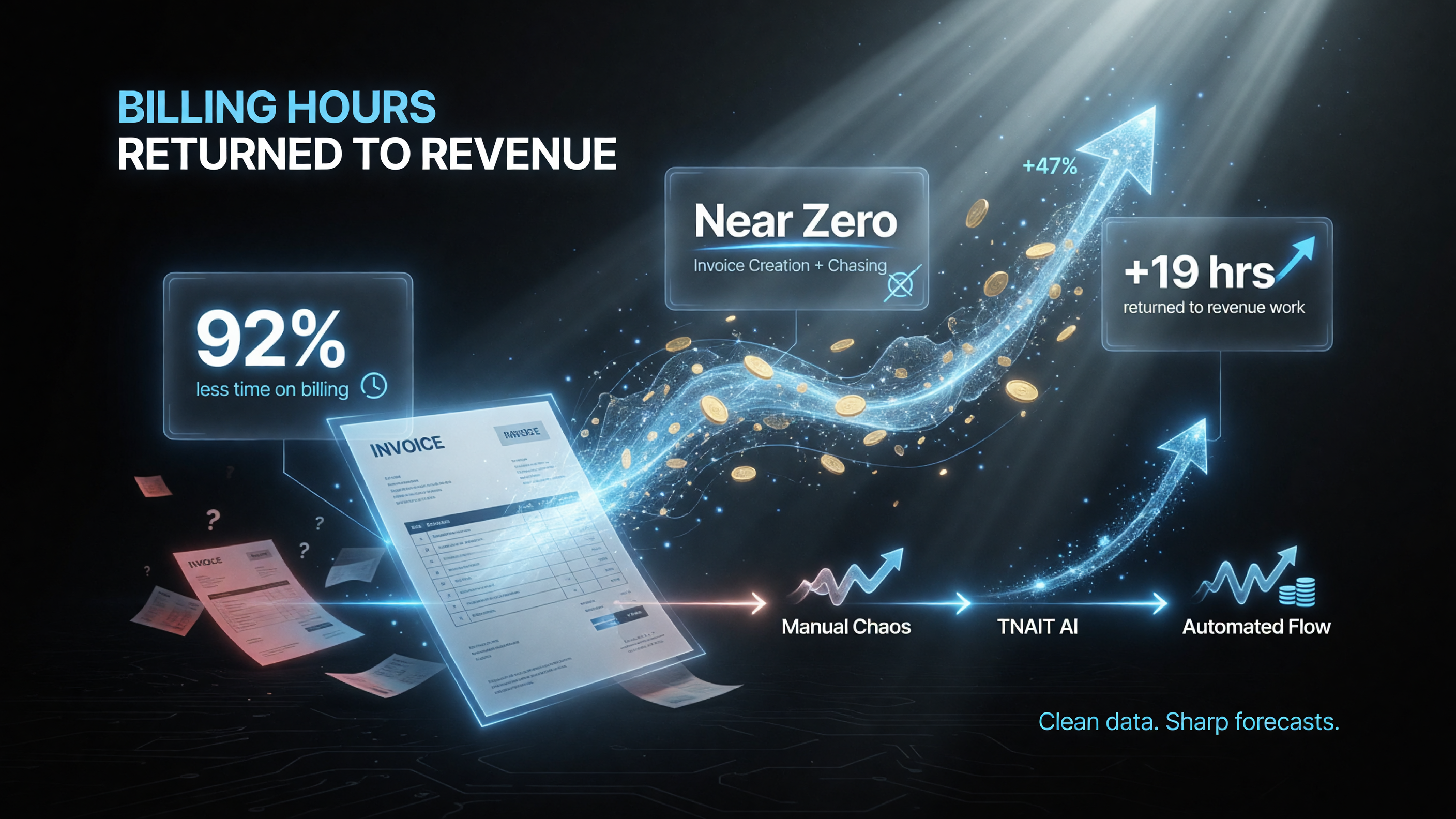
AI invoicing cuts invoice creation and the monthly chase to near zero, so the hours an owner used to spend billing go back to revenue-producing work. Every automated invoice also feeds a consistent record of revenue, payment timing, and client behavior — the data AI uses to forecast cash flow and flag risk early.
Step 1: Pick the Right AI Invoicing Tool
Your tool choice should match how you bill. If you need full accounting, start with QuickBooks Online or FreshBooks. If you work in client projects, an AI-native tool like HoneyBook or Bonsai turns a proposal into a paid invoice with less friction. If invoicing is simple and you want zero cost, PayPal Invoicing covers the basics.
The rule: match the tool to your billing pattern, not to the hype. A freelancer doing project billing will get more from HoneyBook’s flow than from a heavy accounting suite. A store sending a few simple invoices can start free with PayPal. Most tools have free trials, so test the AI invoice drafting with a real example before committing.
Step 2: Set Up Your Templates and Details
Before you automate, get the basics right. Fill in your business details, logo, payment terms, late-fee policy, and bank or card details. Set your default payment terms (Net 15 or Net 30) and decide whether to offer an early-payment discount.
Configure your payment methods so clients can pay in one click: ACH or bank transfer, credit card, or a payment link. The easier you make it to pay, the faster you get paid — and most AI invoicing tools make the payment button the most prominent thing on the invoice.
Step 3: Let AI Draft Your Invoices
This is the biggest time-saver. In AI-native tools, connect your proposal, contract, or even a short description, and the AI generates the invoice — line items, totals, and terms — in seconds. In accounting suites, use the AI-assisted create flow or templates with saved item lists so you are not re-typing line items every time.
Review the AI-drafted invoice once, set the due date, and send. The draft should be 90% ready; your only job is the final check. Over time, the AI learns your common line items and clients, making each invoice faster than the last.
Step 4: Turn On Automated Payment Reminders
Reminders are where AI prevents the cash crunch. Set the automatic sequence: a friendly reminder a couple of days before the due date, a gentle nudge on the due date, and a firmer follow-up after it is late. Many tools let you schedule these and even personalize them per client.
This is the automation most owners skip — and it is the one that gets invoices paid in fewer days. Because the AI sends the reminder at the optimal moment, you stop being the “chaser” and your clients still get politeness, not nagging.
Step 5: Set Up AI Dunning for Late Payers
For invoices that slip well past due, set up AI dunning: an escalating sequence that goes from reminder to a firmer notice to a final follow-up, timed to maximize collection. Some tools adjust send time per client or send through the channel (email or SMS) most likely to get a response.
Dunning exists so you do not have to have the awkward conversation cold. The AI keeps the pressure on professionally and consistently, which collects more without you burning goodwill on a personal confrontation with a good client who just forgot.
Step 6: Automate Categorization and Reporting
With invoices running through one tool, AI categorizes income automatically and keeps your books tidy for tax time. Turn on bank-feed syncing so paid invoices reconcile themselves, and review the AI’s categorization weekly rather than daily.
This step turns your invoicing tool into a source of truth: revenue is tracked, late invoices are visible, and you are not doing double entry. For US owners, this also means cleaner records for tax filing and fewer surprises at year end.
Step 7: Review the Cash Flow Forecast Weekly
The final automation is visibility. Most AI tools now forecast when money is likely to land, based on payment history and open invoices. Spend ten minutes once a week reviewing the forecast: see what is coming in the next two weeks, spot slow payers early, and decide whether to nudge a specific account.
This weekly review is the habit that turns automation into peace of mind. You are not chasing every invoice; you are scanning a dashboard and acting only where it matters.
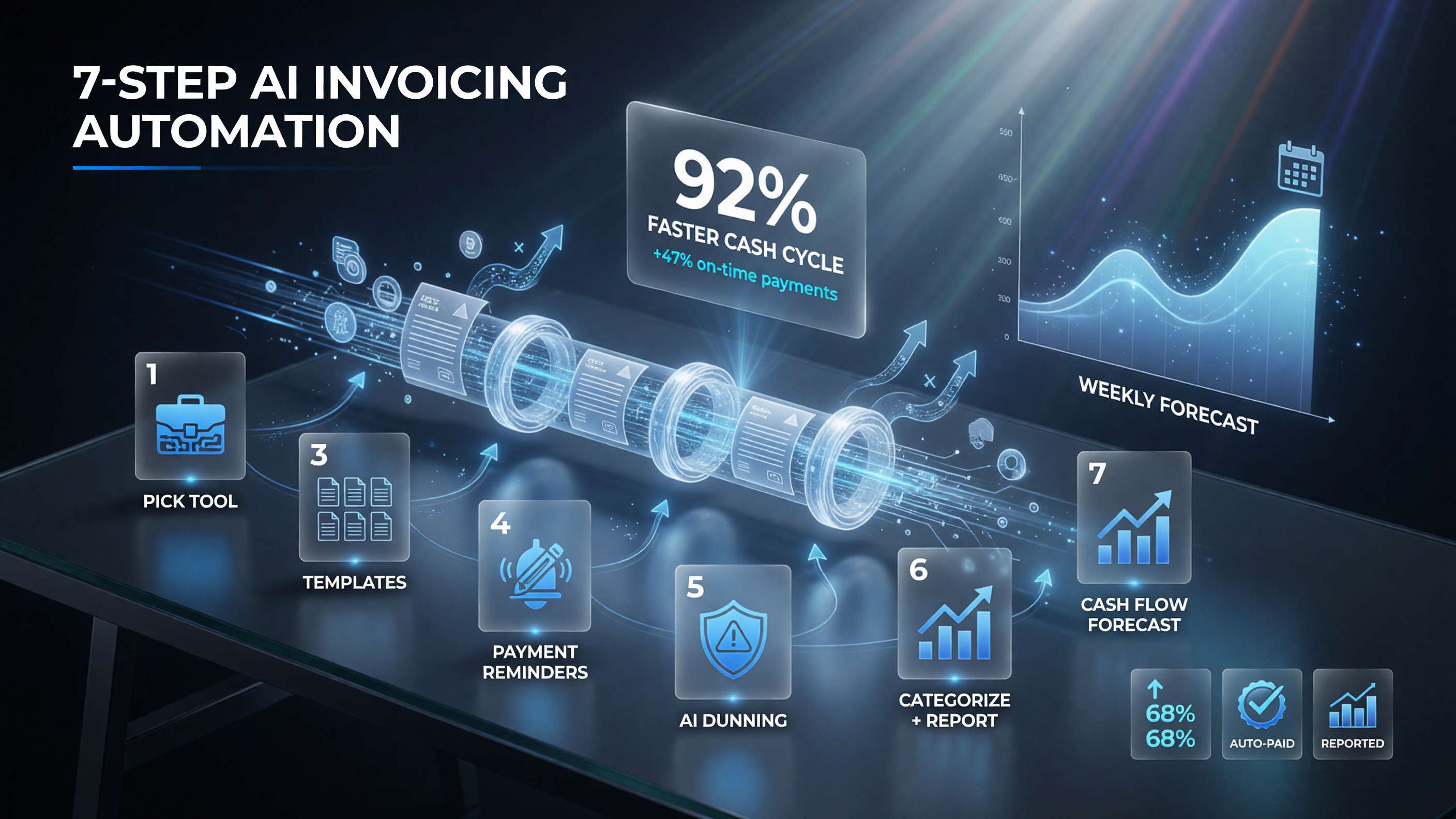
The full setup runs in seven steps: pick the right tool, set up templates and details, let AI draft invoices, turn on automated payment reminders, set up AI dunning for late payers, automate categorization and reporting, then review the cash flow forecast weekly to see a slow payer before it becomes a problem.
What Each Automation Saves You
Here is the value breakdown of the whole setup.
| Automation | What AI Does | Time Saved |
|---|---|---|
| Invoice creation | Drafts from proposal/order/description | Minutes per invoice |
| Payment reminders | Auto sequence before/after due dates | Hours of chasing/month |
| Dunning / late payment | Escalates overdue invoices automatically | Faster collection |
| Categorization | Tags income/expenses for books | Manual data entry gone |
| Cash flow forecast | Predicts when money lands | Avoids surprises |
Choosing Between an Accounting Suite and an AI-Native Tool
Both approaches work; they solve different problems. Here is the short version of which to pick.
| Tool | Type | Best Automation For | Cost Start |
|---|---|---|---|
| QuickBooks Online | Accounting + AI | Invoicing + auto-categorization + forecasts | ~$30/mo |
| HoneyBook | AI-native client flow | Proposal-to-paid-invoice automation | ~$19/mo |
| Bonsai | AI-native freelancer suite | Contracts + invoicing + follow-up | ~$25/mo |
| FreshBooks | Invoicing + accounting | Service business invoicing + reminders | ~$20+/mo |
| PayPal Invoicing | Free invoicing | Simple bill + payment link | Free |
| Collect | AI dunning | Automatic payment chasing | Usage/free tier |
Common Mistakes to Avoid
- Skipping reminders. The reminder sequence is the highest-value automation; leaving it off leaves money on the table.
- Over-automating too fast. Set up one automation at a time and test it before layering the next.
- Ignoring payment convenience. If paying is hard, no AI reminder fixes that. Make the payment button unmissable.
- Chasing every tool. Pick one tool, run it well, and only add more when a real gap appears.
- Forgetting the weekly review. Automation saves time; the weekly cash-flow scan tells you where to act.
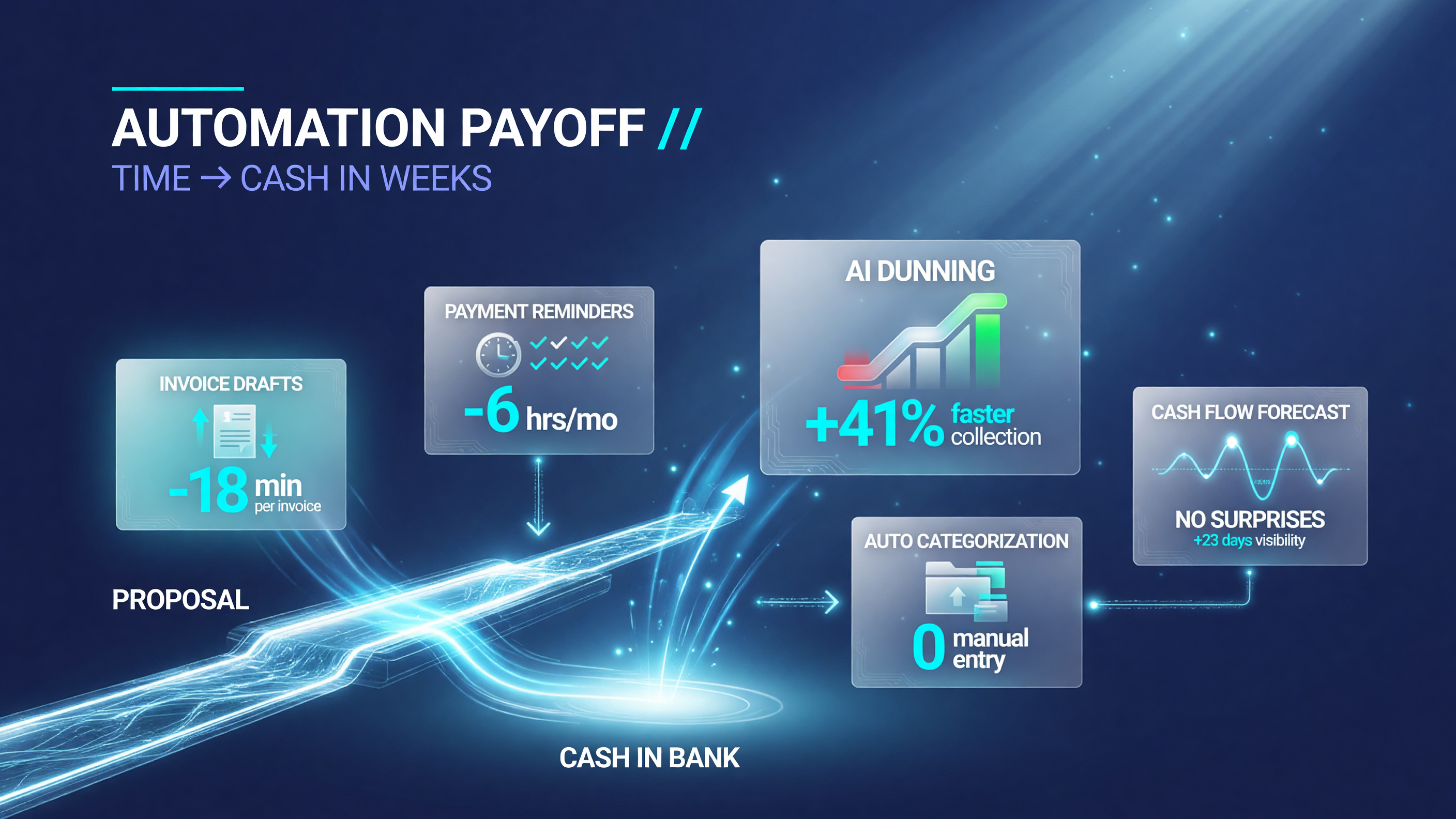
Each automation pays off differently: AI drafts cut invoice creation to minutes per invoice, reminder sequences save hours of chasing every month, dunning escalates overdue invoices for faster collection, auto-categorization removes manual data entry, and the cash flow forecast predicts when money lands to avoid surprises.
FAQ
How do I automate invoicing with AI?
Pick an invoicing tool with AI features (like QuickBooks Online, HoneyBook, or Bonsai), connect your business details and payment methods, then turn on the automations: AI-invoice drafting from a proposal or description, automated payment reminders before and after the due date, and AI dunning for late payers. You review each draft once and the tool handles the follow-up.
Which AI tool is best for automating small business invoicing?
It depends on your billing. QuickBooks Online is best if you need full accounting plus invoicing; HoneyBook is best for client-project businesses that want proposals to flow into paid invoices; Bonsai suits freelancers and small agencies; PayPal Invoicing is a solid free starting point for simple bills.
Does AI invoicing really get me paid faster?
Yes. AI automates the payment reminders and dunning that humans often skip, sending a polite nudge before the due date and escalating afterward. This consistent, well-timed follow-up settles invoices in fewer days, improving your cash flow and cutting the time you spend chasing.
Is automated invoicing safe for my small business?
Yes. AI invoicing tools are typically PCI-compliant, encrypt payment data, and automate only the invoice creation and follow-up — you retain control over terms, amounts, and approvals. Start with a reputable tool, review AI-drafted invoices before sending, and keep your books backed up.
How long does it take to set up AI invoicing?
Most small businesses complete the setup in a single afternoon: choose your tool, add your business details and payment methods, configure templates and due terms, and turn on the reminder and dunning automations. The weekly cash-flow review then takes about ten minutes.
Can I automate invoicing if I only use free tools?
Partially. PayPal Invoicing is free and covers sending invoices and payment links, though it has limited AI automation. Free tiers of tools like Bookipi include some AI-assisted drafting. For full automation — auto reminders, dunning, and forecasts — a paid tier (often $19-$30/month) is usually worth it.

About Barak Schurr
Barak Schurr is the founder and former president of the nightlife ticketing platform Wantickets and former Global Director of Dance and Nightlife at Eventbrite. He currently focuses on AI research and writes about practical AI for independent business owners that actually moves the needle — no hype, no corporate fluff. More at topnotchaitools.com.
Contact: [email protected]
More AI Resources for Your Business