
HyperWrite Review 2026: The AI Agent That Types and Clicks for You
⚡ Expert Summary: HyperWrite is two products wearing one price tag. The first is a writing assistant that lives inside your browser and finishes your sentences as you type. The second — and the reason a US small business owner should care in 2026 — is Agent Mode, a browser agent that opens tabs, clicks buttons, fills forms, and runs a multi-step task you recorded once. Premium runs $19.99/month with 250 AI messages; Ultra runs $44.99/month with unlimited messages and priority agent access. If your week is drowning in copy-paste between a CRM, an inbox, and a supplier portal, this is the cheapest way to buy back those hours without hiring anyone.
Here is the math that matters. You run a business with five to fifty people in it. Somewhere between four and eleven hours of your week disappears into work that is not work: retyping the same customer details into two systems, copying a lead out of an email into a spreadsheet, chasing the same invoice PDF down a portal that was clearly designed by someone who has never run a business. None of it grows revenue. All of it has to happen.
Every automation pitch you have heard in the last two years answers this with a bigger platform. Connect everything. Migrate your stack. Learn a new dashboard. That is why most small business automation projects stall — the setup costs more than the hours it saves. HyperWrite takes the opposite route. It does not ask you to move anything. It sits in the browser you already have open and does the clicking for you.
What HyperWrite Actually Is in 2026
Most people who have heard of HyperWrite think of it as an AI writing tool. That reputation is earned but incomplete. The product splits into two distinct layers, and confusing them is the number one reason owners either overpay or dismiss it too fast.
Layer one: the writing assistant. It runs as a Chrome extension, which means it works inside Gmail, Google Docs, LinkedIn, Notion, and any text box on any site you use. Two features do the heavy lifting. TypeAhead is an autocomplete that watches what you are writing and offers the next sentence — it reads your open tabs for context, so if you have a customer email open, the suggestion matches it. AutoWrite and the tool library go further: you give it a task (“reply to this complaint professionally but keep it warm”) and it drafts the whole thing. You also get custom personas — three on Premium, ten on Ultra — which lock in your tone so the output does not read like it came out of a template.
Layer two: Agent Mode. This is the part worth your attention. Agent Mode is a browser agent. You describe a task — or record yourself doing it once — and the agent takes over: it navigates to the site, fills the fields, clicks through the steps, and reports back. Repeat the same workflow next week with different inputs and it runs again. There is no code, no API key, and no integration project.
For a small business, that distinction is the whole story. Layer one makes you faster at writing. Layer two makes you stop doing certain tasks at all. Layer two is where the hours are.

One Agent Mode run, broken into its four repeatable steps. HyperWrite drives a real browser — no API and no code — which is what makes recurring chores like inbox triage and supplier price checks worth automating.
What Agent Mode Can Actually Do for a Small Business
The honest answer is: more than you would expect, and less than the vendor implies. The way to evaluate it is not “is this impressive?” but “does my week contain this exact shape of task?”
Agent Mode is strongest where a task is repetitive, browser-based, and structured. It is weakest where a task requires judgment, negotiation, or a phone call. Here is how that lines up against the actual jobs owners delegate:
| Task You Do Every Week | Doing It Manually | With HyperWrite Agent Mode |
|---|---|---|
| Inbox triage and first-pass replies | 45-90 minutes every morning reading, sorting, and drafting | Agent organizes the inbox and drafts responses; you approve and edit before anything sends |
| Moving leads from email into a spreadsheet or CRM | Copy, switch tab, paste, repeat — 15-20 minutes a day, error-prone | Recorded once, replayed on new leads; the field mapping stays consistent |
| Pulling supplier invoices off vendor portals | Log in, find the order, download the PDF, save it somewhere sensible | Agent logs in, downloads, and files each invoice; you still spot-check |
| Competitor pricing checks before a quote | Half an hour of tab-hopping, usually skipped when you are busy | Agent visits each site and returns the numbers in one pass |
| Negotiating a supplier contract | A relationship task — calls, judgment, reading the room | Not this. The agent can prep the numbers; you still make and hold the call |
Read that table honestly and the buying decision gets simple. If two or more rows on the left describe your week, Agent Mode pays for itself at $19.99 a month inside the first afternoon. If none of them do — if your bottleneck is deciding what to sell and to whom, not moving data between screens — this tool will sit unused, and no amount of features fixes that.
HyperWrite vs the Automation Stack You Were Sold
The obvious objection: why not just use Zapier or Make? Both are excellent and both are already used by hundreds of thousands of small businesses — including plenty of the ones reading this. The honest answer is that they solve a different problem, and picking wrong is how owners end up with a subscription they never open.
Zapier and Make are integration platforms. They connect two systems through official APIs. Zapier starts free and moves to paid tiers by task volume; Make is cheaper at volume but assumes you think in scenarios and branches. Both need the app on the other end to expose an API, both need someone to build and maintain the connection, and both break when a vendor ships a new API version.
HyperWrite Agent Mode is a browser agent. It does not care whether an API exists. It works the same way you do: it loads the page and interacts with what is on it. That is simultaneously its advantage and its weakness. Advantage: any portal, any legacy vendor site, any tool with no integration support suddenly becomes automatable. Weakness: it runs in a browser, so speed and robustness depend on pages loading the way they did when you recorded the task.
| Factor | HyperWrite Agent Mode | Zapier / Make |
|---|---|---|
| Entry price | $19.99/month (Premium), $44.99/month (Ultra) | Free tier with task limits; paid tiers scale with volume |
| Setup effort | Describe or record the task once — no code | Build a zap or scenario; mapping fields takes real effort |
| Works without an API | Yes — drives the page like a person does | No — the app must expose an official integration |
| Reliability profile | Depends on page layout; needs occasional review | Deterministic when the API holds; breaks on version changes |
| Best at | Portal work, form filling, research passes, inbox drafting | High-volume system-to-system sync with clean APIs |
| Writing built in | Yes — TypeAhead, AutoWrite, personas, cited research | No — that is a separate subscription |
Plenty of businesses will end up running both. Use Zapier where a clean API exists and the volume is high; use HyperWrite for the awkward middle — the portals and websites that will never get an integration because your vendor has forty customers, not forty thousand.

HyperWrite’s three tiers side by side: Premium at $19.99/month is the realistic starting point for a small business, while Ultra at $44.99/month unlocks unlimited messages and 10 custom personas.
Pricing: What You Actually Pay
The pricing is refreshingly short, which matters when so many 2026 AI tools hide behind “contact sales.”
- Free: limited messages and a capped version of the writing tools — enough to test whether TypeAhead fits how you write. No meaningful agent work.
- Premium — $19.99/month (about $16/month billed annually at $192/year): 250 AI messages per month, citations with real-time info, 3 custom personas, the full tool library, unlimited TypeAhead.
- Ultra — $44.99/month (about $29/month billed annually at $348/year): unlimited AI messages, 10 personas, and priority access to experimental and agent features.
Run the comparison against what you already pay. A single freelance writer costs more for one blog post than a year of Ultra. An hour of your own time, priced at even a modest rate, is worth more than the monthly Premium fee. The question is never whether $19.99 is a lot — it is whether you will actually run the agent. My read: buy Premium for one month, record your three most annoying weekly tasks, and let the results decide. That is a $19.99 experiment with a clear answer at the end, and very few software decisions are that cheap to reverse.
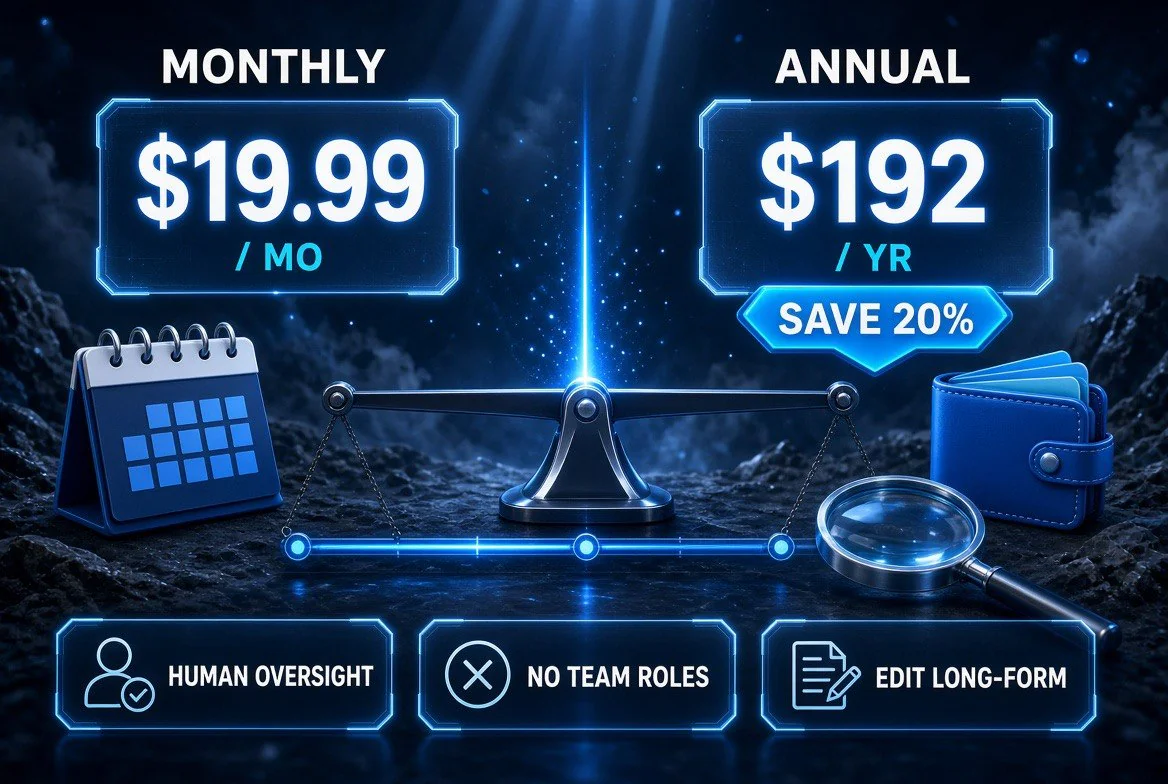
The real cost math: $19.99 a month or about $192 a year once you take the annual rate — roughly 20% off — and the three caveats that still apply, chiefly the oversight time every agent run needs.
Limitations You Should Know Before You Buy
Three things will decide whether this sticks in your business, and the vendor’s own material is quieter about them than it should be.
It is English-first and individual-first. HyperWrite is built around one person working in a browser. If you need a shared team workspace with roles, permissions, and an audit trail, this is not that product, and pretending otherwise will cost you a month of confusion.
The agent needs oversight. Anything that clicks and types on your behalf in a logged-in browser deserves a review step, and you should keep one — especially on anything touching money, customer data, or a message that sends without you. The right pattern is agent drafts, human approves. Treat any workflow that fires without a human checkpoint as a bug in your setup, not a feature of the tool.
Long-form quality still needs you. The writing layer is strong on short and medium pieces — emails, replies, product descriptions, social copy, proposals. On a 3,000-word piece that has to sound like you, the draft is a starting point, not a finish line. That is a real limitation and it is also true of every AI writer on the market in 2026.
How to Run Your First Agent Task (Without Wasting the Month)
The failure mode with browser agents is not that they do not work. It is that owners buy one, poke at a demo, and never convert it into a real workflow. Here is the sequence that avoids that.
Step 1 — Pick one task you did more than three times last week. Not the most impressive task. The most repeated one. Three repetitions in a week is the threshold where recording the agent is worth the setup time.
Step 2 — Record it once, slowly, doing exactly what you normally do. Do not improvise a cleaner path. Record the path you actually take, because that is the path the agent will need to replay.
Step 3 — Run it on the next real instance and watch the whole thing. Do not look away. The first two runs reveal the fields that need correcting — a dropdown that defaults wrong, a date that needs to be tomorrow rather than today.
Step 4 — Add a review checkpoint before anything irreversible. Drafts get reviewed. Downloads get spotted-checked. Sends wait for you. This single habit is the difference between a tool you trust and one you turn off after a bad week.
Step 5 — Keep it only if it saved you at least 30 minutes per week. Measure it. A browser agent that saves ten minutes a week is a hobby; one that saves two hours a week is a hire you did not have to make.
The Bottom Line for US Small Business Owners
In 2026 the American small business owner does not have an AI problem. They have an adoption problem — a stack of subscriptions that were supposed to save time and instead added dashboards, passwords, and monthly charges. The tools that actually get used are the ones that attach to work you were already doing, in the window you already had open.
HyperWrite fits that description better than most. At $19.99 a month it competes with a single lunch, it needs no migration, and Agent Mode attacks a category of work — the tab-switching, form-filling, portal-visiting grind — that most automation platforms cannot touch because there is no API to connect to. It will not run your business. It will stop you from being the integration layer between your own tools.
If you want the broader playbook for picking which tools are worth keeping, our breakdown of the one-person AI back-office stack covers how these pieces fit together, and our review of SmallBiz.ai tackles the stack-audit question from the other direction.
Frequently Asked Questions
What is HyperWrite used for?
HyperWrite has two jobs. As a writing assistant it drafts, rewrites, and completes text inside Gmail, Google Docs, LinkedIn, and any browser text field via its Chrome extension. As a browser agent — Agent Mode — it performs multi-step tasks on websites: filling forms, pulling invoices from portals, triaging an inbox, and gathering competitor pricing.
How much does HyperWrite cost in 2026?
There is a free tier with limited messages. Premium is $19.99 per month (about $16 per month billed annually at $192 per year) and includes 250 AI messages, 3 custom personas, cited research, and unlimited TypeAhead. Ultra is $44.99 per month (about $29 per month annually at $348 per year) with unlimited AI messages, 10 personas, and priority agent access.
Is HyperWrite’s Agent Mode safe to use on business accounts?
It works inside a browser session you are already logged into, so the same caution applies as with any automation touching your accounts. The practical safeguard is a human checkpoint: let the agent draft, download, and fill, but require your approval before anything sends, pays, or submits. Treat an unreviewed agent workflow on a financial or customer-facing action as a configuration error, not a feature.
How is HyperWrite different from Zapier or Make?
Zapier and Make connect systems through official APIs, which makes them excellent for high-volume, well-supported integrations — and useless for tools that have no integration. HyperWrite drives the page the way a person does, so it reaches legacy portals and small vendor sites that will never publish an API. Many small businesses will run both.
What are HyperWrite’s main limitations?
It is built for individuals rather than collaborative teams, so it lacks deep role and permission management. The browser agent depends on page structure and needs occasional review when a site changes. And while the writing layer handles short and medium content well, a long piece that must sound like you still needs a human editing pass.
Who should not buy HyperWrite?
Skip it if your bottleneck is strategy — what to sell, to whom, at what price. Agent Mode automates execution, not judgment. It is also the wrong tool if you need an enterprise team workspace with audit trails. It fits owners who already lose hours each week to repetitive browser work and want those hours back for $19.99 a month.

About Barak Schurr
Barak Schurr built and sold a major ticketing platform, ran global nightlife operations at Eventbrite, and now spends his time figuring out which AI tools actually move the needle for independent business owners — and which ones are just noise. No hype. No fluff. Just what works.
Email: [email protected]
More AI Resources for Your Business