Get The Solo Business OS — Free
The AI workflow that replaces a part-time employee for solo operators and small business owners.
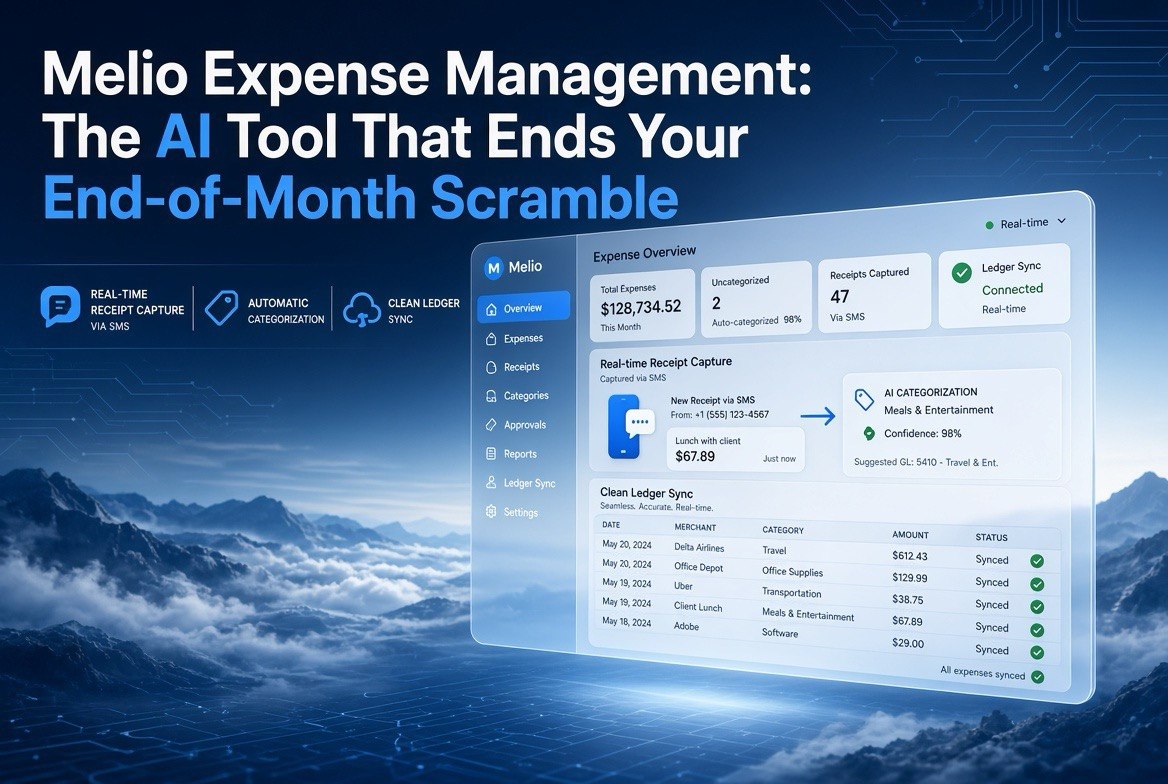
Melio Expense Management: The AI Tool That Ends Your End-of-Month Scramble
⚡ Expert Summary: Melio just launched an AI-powered Expense Management tool that lets US small business owners track and categorize card expenses in real time without switching credit cards. You keep your existing cards, snap a receipt via SMS or email, and Melio’s AI extracts the data, categorizes the expense, and syncs it to your accounting software. It’s a direct challenge to the card-first model from Brex and Ramp, and it targets the ~90% of US SMBs that already pay expenses with their own business cards.
Every month, the same thing happens in thousands of American small businesses. Receipts pile up in a shoebox, a cup holder, or a folder in your email. Your bookkeeper sends a message asking for the missing coffee receipt from three weeks ago. And you spend a full afternoon matching transactions to categories, praying the numbers add up before your accountant’s deadline.
That’s the end-of-month scramble. And it’s exactly what Melio’s new AI-powered Expense Management tool is built to eliminate. Announced August 18, 2026, and formalized at Xerocon 2026 (the annual conference of its parent company Xero), the tool turns expense tracking into something that happens in real time, automatically, without forcing you to swap your credit cards or learn a new app.
What Melio Expense Management Actually Does
Melio is a financial operations platform built specifically for small and midsize businesses, headquartered in New York. It’s best known for helping businesses pay suppliers and manage cash flow. Now it’s extending into the expense side with a simple premise: most expense tools want you to adopt their corporate card. Melio says you shouldn’t have to.
Here’s how the workflow works in practice:
- You make a purchase with the business credit card you already use.
- Melio sends you an instant notification via SMS or email requesting a receipt.
- You snap a photo of the receipt and upload it. No app to download, no new account to create.
- Melio’s AI extracts the relevant data from the receipt, categorizes the expense, and synchronizes it directly with your accounting software, alongside your existing bills and payments.
The result is that your books stay current throughout the month instead of requiring a panic session at the deadline. The AI does the categorization work that used to eat your afternoons.
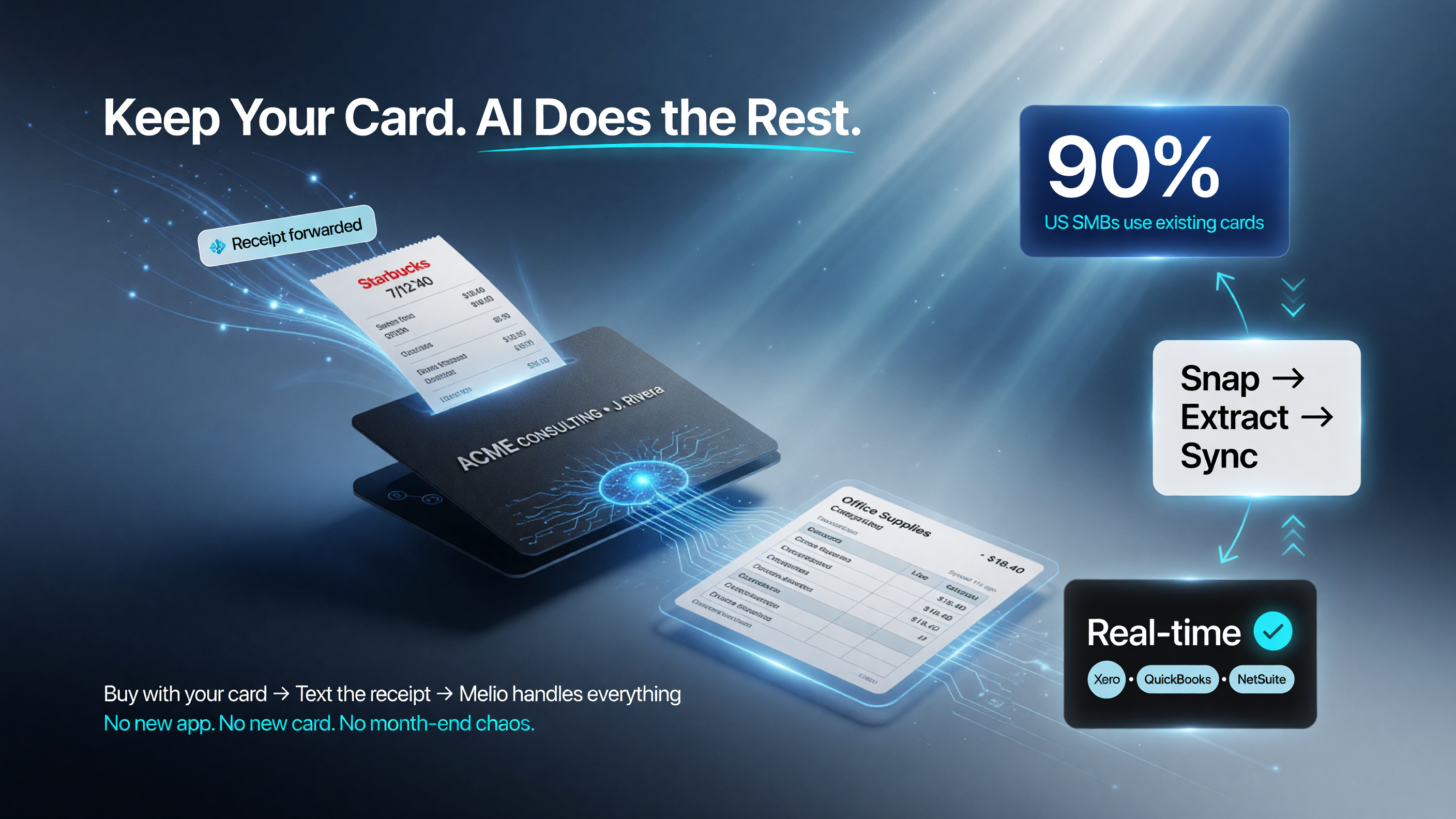
Melios AI Expense Management keeps your existing card: buy, snap the receipt via SMS or email, and the AI categorizes and syncs it to your ledger in real time.
Why Keeping Your Cards Matters More Than You Think
The most interesting part of Melio’s launch is what it doesn’t ask you to do: it doesn’t ask you to switch cards. Traditional spend-management platforms like Brex and Ramp built their model on issuing you a new corporate card. The pitch was seductive, but the trade-off was real. Switching cards means giving up the rewards, cash back, and credit lines you’ve already built with your bank.
Approximately 90% of Melio’s small business users already pay expenses with their own business cards. By building the software layer around those cards instead of around a new piece of plastic, Melio is betting that US small business owners value their banking relationships more than a shiny new card.
Melio CEO Matan Bar put it directly: “One of the most common needs we hear from accountants is having expenses and AP in one place. With Expense Management, clients keep their preferred card and their preferred ledger. Accountants get the control and automation, and everyone gets the choice they’ve been seeking.”
The AI Behind the Automation
The actual intelligence in the tool lives in the receipt-processing pipeline. When you snap a photo, the AI has to solve a genuinely hard problem: extracting structured data from a photo of a receipt that might be crumpled, faded, or angled. It identifies the vendor, the date, the line items, the tax, and the total, then maps it to the right expense category and account in your ledger.
This is the kind of task where AI genuinely shines, because it’s repetitive, high-volume, and rules-based enough to learn well but varied enough to defeat old-school automation. It’s not a chatbot pretending to be helpful. It’s a machine doing the exact data-entry work that burns hours and produces human errors every single month.
For a US small business running on QuickBooks or Xero, this means the distance between a receipt photo and a clean, categorized ledger entry collapses to seconds. The manual reconciliation work that eats bookkeeper hours and owner afternoons becomes automatic.

From photo to ledger in seconds: Melios AI extracts vendor, date, line items, tax and total from a receipt, then maps it to the right category so the entry lands clean in QuickBooks or Xero.
What This Means for Your Business Finances
Let’s be concrete about the value, because “saves time” is meaningless without numbers. Consider a typical US service business with $250,000 in annual expenses and roughly 100 expense transactions per month. Manual receipt collection and categorization, even done efficiency, takes a business owner or bookkeeper somewhere in the range of 6 to 10 hours per month, according to the American Institute of CPAs on common bookkeeping workloads. That’s up to 120 hours a year spent on pure data entry.
Now apply a realistic owner’s rate. If your time is worth $75 an hour, that’s $9,000 a year in raw labor value lost to receipt matching. If your bookkeeper charges $40 an hour, it’s another $4,800 in fees. The end-of-month scramble isn’t just annoying. It’s expensive in a way most owners never fully calculate.
| Scenario | Manual (no AI) | With Melio AI |
|---|---|---|
| Hours per month on expenses | 6-10 hours | Under 1 hour |
| Annual labor cost (owner time) | Up to $9,000 | Near zero |
| Receipt capture | Manual shoebox/email folder | SMS/email photo, AI auto-categorizes |
| Categorization errors | Common, human-made | Reduced by AI extraction |
| Card change required | N/A | None — keep your cards |
None of this requires you to abandon the rewards and cash back you already earn from your existing business cards. Melio’s whole bet is that the software layer, not the card, is where the value lives. You keep your Chase or Amex or local bank card, and Melio quietly handles everything around the transaction.
How Melio Compares to the Card-First Giants
To understand why this is a meaningful shift in the spend-management market, it helps to compare Melio’s approach against the platforms that popularized the category: Brex and Ramp. Both built their businesses on issuing corporate cards and then selling you the software on top. Melio flips that model.
| Factor | Melio Expense Management | Card-first platforms (Brex/Ramp) |
|---|---|---|
| Card strategy | Card-agnostic — use your existing card | Issue their own corporate card |
| Rewards impact | Keep your existing rewards and cash back | Start fresh on their card’s rewards |
| Onboarding friction | Low — no new card, no new app | Requires switching payment rails |
| Core value prop | Software layer over existing banking | Card + software bundle |
| Typical early adopter | SMB attached to current bank relationships | VC-backed startups, growth companies |
The strategic implication is bigger than one product. It signals that the next phase of the fintech war isn’t about who issues the card, but who controls the data flow and the accounting ledger. Traditional banks may eventually partner with platforms like Melio to defend their card portfolios against neo-banks that want to own the customer relationship.

Melio challenges the card-first model: Brex and Ramp require switching to their own card, while Melio targets the ~90% of US SMBs that already pay with their own business cards.
Who Should Use Melio Expense Management
This tool is aimed squarely at the American small business owner who is tired of manual bookkeeping but hasn’t wanted to rip out their existing financial setup. The ideal user has three things: an existing business credit card they like, an accounting system they trust (whether Xero, QuickBooks, or a bookkeeper managing it), and a monthly pile of expenses that currently demands manual attention.
If that describes you, the practical upsides are clear. You keep the card and the rewards. You keep the ledger and the accountant. And you hand the receipt data-entry grind to an AI that never gets tired, never miscategorizes on a Friday afternoon, and never asks you to log into a separate app you’ll forget about.
What to Watch Before You Sign Up
Melio announced the product on August 18, 2026, and plans its formal unveiling at Xerocon 2026 later in August. As with any fresh launch, you should verify three things before committing:
First, pricing. Melio hasn’t published full pricing details for Expense Management yet. Watch for whether it’s bundled into the existing Melio platform or priced separately.
Second, accounting integrations. Confirm your specific software (especially QuickBooks Desktop vs. QuickBooks Online vs. Xero) is fully supported before you build a workflow around it.
Third, receipt capture limits. If you process a very high volume of low-dollar transactions, check whether there are any monthly limits on AI receipt processing, since those can change the cost-benefit math.
How to Get Started
When the product opens up after Xerocon, the path forward is simple:
- Keep using the business credit card you already have.
- Connect your existing accounting software to Melio.
- Buy something. Snap the receipt when Melio pings you via SMS or email.
- Watch the AI categorize and sync it to your ledger.
- Hand your bookkeeper a clean, current set of books at the end of the month instead of a shoebox.
Melio Expense Management won’t turn your business into a giant. But it will kill one of the most tedious, error-prone, and silently expensive tasks on your plate. For the US small business owner who values their time and their existing banking relationships, that’s a genuinely useful trade.
Frequently Asked Questions
What is Melio Expense Management?
Melio Expense Management is an AI-powered tool that lets small businesses track and categorize card expenses in real time using their existing business credit cards. When you make a purchase, you get an SMS or email asking for a receipt; you snap a photo, and Melio’s AI extracts the data, categorizes the expense, and syncs it to your accounting software.
Do I need to switch to a Melio credit card?
No. Melio Expense Management is card-agnostic. It works with the business credit cards you already use, so you keep your existing rewards, cash back, and credit lines.
Is Melio Expense Management available to US small businesses?
Yes. Melio is headquartered in New York and built for US small and midsize businesses. The product was announced August 18, 2026, with a formal unveiling planned at Xerocon 2026 later in August.
What is Xerocon?
Xerocon is the annual conference hosted by Xero, the cloud accounting software company that owns Melio. It’s where Xero and its subsidiaries announce and showcase new financial products for small businesses.
How is Melio different from Brex and Ramp?
Brex and Ramp issue their own corporate cards and build software around them. Melio’s Expense Management takes a software-layer approach, working with your existing cards and integrating with your existing accounting workflow instead of requiring you to switch payment rails.

About Barak Schurr
Barak Schurr is the founder and former president of the nightlife ticketing platform Wantickets and former Global Director of Dance and Nightlife at Eventbrite. He currently focuses on AI research and writes about practical AI for independent business owners that actually moves the needle — no hype, no corporate fluff. More at topnotchaitools.com.
Contact: [email protected]
More AI Resources for Your Business