Get The Solo Business OS — Free
The AI workflow that replaces a part-time employee for solo operators and small business owners.
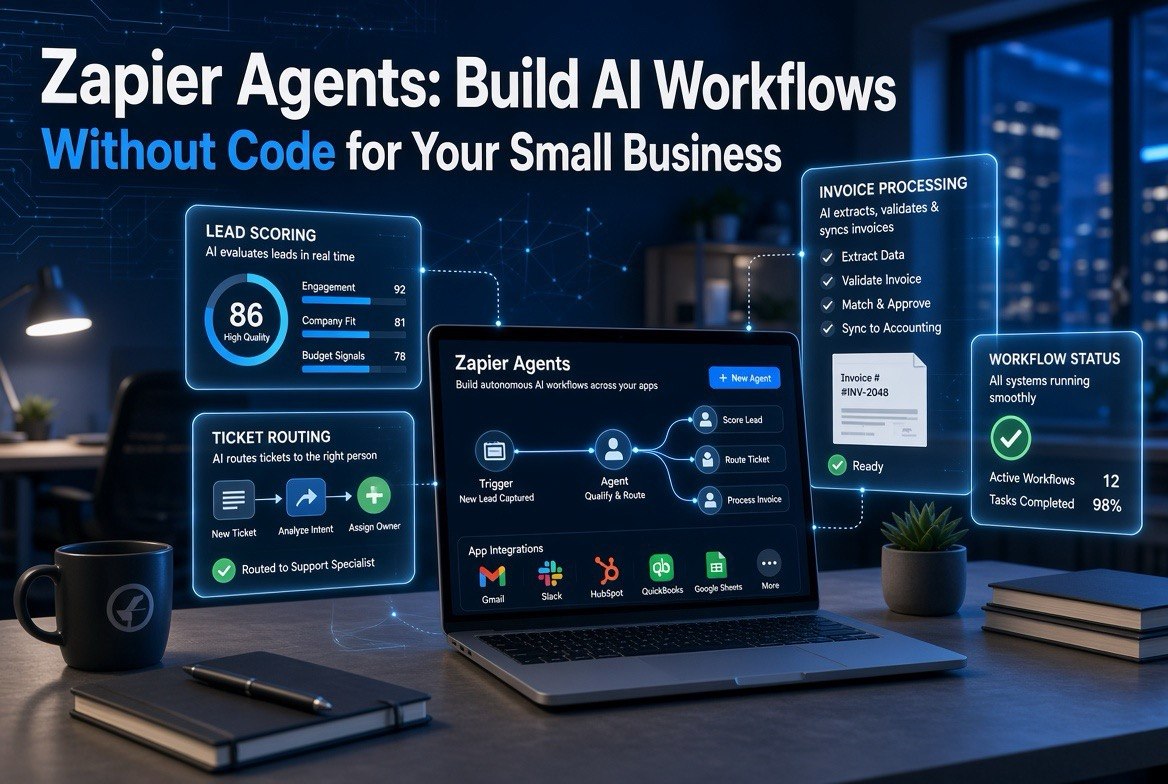
Zapier Agents: Build AI Workflows Without Code for Your Small Business
⚡ Expert Summary: Zapier Agents now let a small business build autonomous AI workflows across more than 9,000 connected apps without writing a single line of code. In plain English: a solo founder or a five-person team can teach an AI agent to score leads, route support tickets, process invoices, and chase late payments while they sleep. For a US small business owner drowning in repetitive admin, this replaces a part-time hire and closes the loop on the AI tools you already pay for — no developers, no DevOps, no six-figure implementation.
What Are Zapier Agents and Why Should You Care?
You already know Zapier. It is the tool that lets you connect your apps so that “when this happens in this app, do that in that app.” The classic example: a new row in Google Sheets triggers an email to a new lead. That has been around for over a decade, and it is genuinely useful. The problem is that traditional Zaps are rigid. Every step is predefined, every condition has to be spelled out, and if the data arrives in a slightly different shape, the whole thing breaks silently.
Zapier Agents, expanded through 2026, remove that rigidity. Instead of you mapping every click, you describe the outcome you want in plain English and the agent figures out the steps. You tell it, “when a new lead comes in, score it against our ideal customer profile and route it to the right rep, or send a follow-up if it is unqualified,” and the agent handles the reasoning, the data lookups, and the multi-step execution across your connected apps. It browses the web, reads your data sources in Google Drive or Notion or Zapier Tables, and takes real actions in your CRM, email, and support tools.
For a small business owner, the shift is enormous. You stop buying another tool and start teaching an agent to be a workflow worker. That is the difference between automation as a passive connector and automation as an actual member of the team. And it does not require a technical hire. You build it in natural language. As more US small businesses adopt AI — Thryv’s 2026 report put adoption at 66% — the ones wiring it to their actual operations instead of just using a chatbot are the ones seeing the revenue upside (70% of AI users report revenue increases).
Zapier Agents vs. AI by Zapier vs. Classic Zaps: What Is the Difference?
This confuses a lot of owners, so let me lay it out cleanly. Zapier now has three layers, and they are not interchangeable.
| Capability | Classic Zaps | AI by Zapier | Zapier Agents |
|---|---|---|---|
| How you build | Step-by-step manual mapping | AI step inside a Zap | Describe goal in plain language |
| Reasoning | None — fixed logic | Per-step AI reasoning | Full agentic reasoning, adapts |
| Web browsing | No | Limited | Yes |
| Data sources | Direct app triggers | Zap context only | Drive, Notion, Tables, live web |
| Best for | Simple fixed automation | AI enrichment in a flow | Judgment-based multi-step work |
The rule of thumb: if the task is “move data from A to B every time,” a classic Zap is cheaper and more reliable. If the task involves judgment — deciding whether this lead is worth a phone call, summarising a document, routing a ticket to the right person — that is where the AI agent earns its keep. You do not replace your Zaps; you add agents for the work those Zaps could never handle.
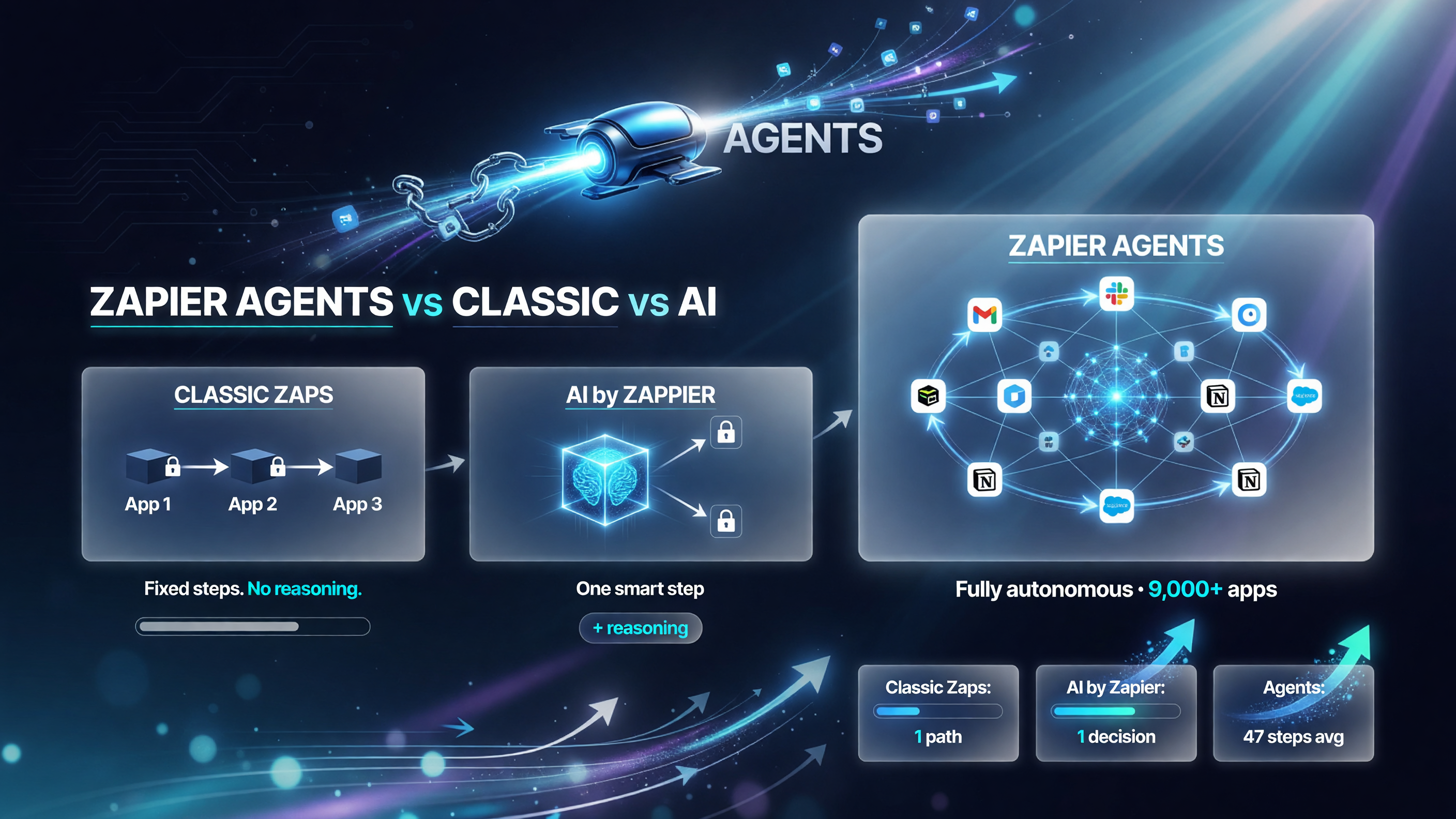
Classic Zaps follow one fixed path; AI by Zapier adds reasoning to a single step; Zapier Agents run fully autonomous multi-step workflows across 9,000+ connected apps.
Five Real Small-Business Workflows You Can Build Today
Here is where the rubber meets the road. These are not hypotheticals. They are the workflows small teams are actually deploying as Zapier pushes Agents to general availability through 2025 and 2026.
1. Lead Scoring and Routing
Every new lead lands in your CRM. The agent reads the company profile, checks the budget signals, scores it against your ideal customer profile, and routes hot leads to your closers while sending qualifying questions to cold ones. This is the exact task a sales development rep used to do by hand, and it never sleeps.
2. 24/7 Support Ticket Triaging
Support emails come in at 2 a.m. The agent reads each ticket, classifies the issue, checks your knowledge base, drafts a response, and either resolves it or escalates it with full context to the right human. Your customer gets an answer while you sleep instead of an angry “get back to me tomorrow.”
3. Invoice Processing and Late Payment Follow-Up
Invoices, receipts, and statements land in your inbox as PDFs. The agent extracts the amounts, dates, and vendor names into your accounting software, flags discrepancies, and sends polite but firm follow-ups to clients whose invoices are past due. Cash flow is the lifeblood of a small business, and this directly protects it.
4. Content and Proposal Drafting
Your team needs a proposal, a follow-up email, or a client-facing summary. The agent pulls context from your past projects and CRM notes, drafts it in your voice, and drops it into Docs for a quick human review before sending. It cuts the hour-long “everything from scratch” task down to ten minutes of editing.
5. Expense Tracking and Reporting
Receipts, mileage logs, and bank statements feed the agent. It categorises expenses, builds a weekly spending summary, and flags anything unusual before it becomes a tax headache. For a business owner who hates bookkeeping, this is the closest thing to hiring a part-time accountant for a fraction of the cost.
The Real Math: What Does This Actually Save You?
Let me put numbers on it, because vague promises are worthless. A typical US small business owner spends roughly 10 to 15 hours a week on repetitive admin — following up on leads, chasing invoices, entering data, answering the same customer questions. At even $25 an hour of your own time, that is $250 to $375 a week, or $1,000 to $1,500 a month, going to work that creates no revenue.
Zapier Agents run on paid plans. The Professional plan starts around $19.99 per month and Team plans scale from there, with AI features generally available on Professional and up. So for roughly a couple of hundred dollars a month — less than a single day of your own time — you get an autonomous worker covering the manual side of your operations. The return on investment is not subtle: most owners who deploy a lead-qualification agent alone report the cost is covered the first time it routes a high-value lead they would have missed.
Anthropic’s Claude for Small Business and Google’s Gemini Enterprise offer similar agentic promise, but Zapier’s edge is the existing integration fabric. It already connects to the apps you use today, from QuickBooks and HubSpot to Slack and Gmail. You are not ripping out your stack; you are making it work together. That is the difference between an AI tool you visit and an AI layer that lives inside your operations.
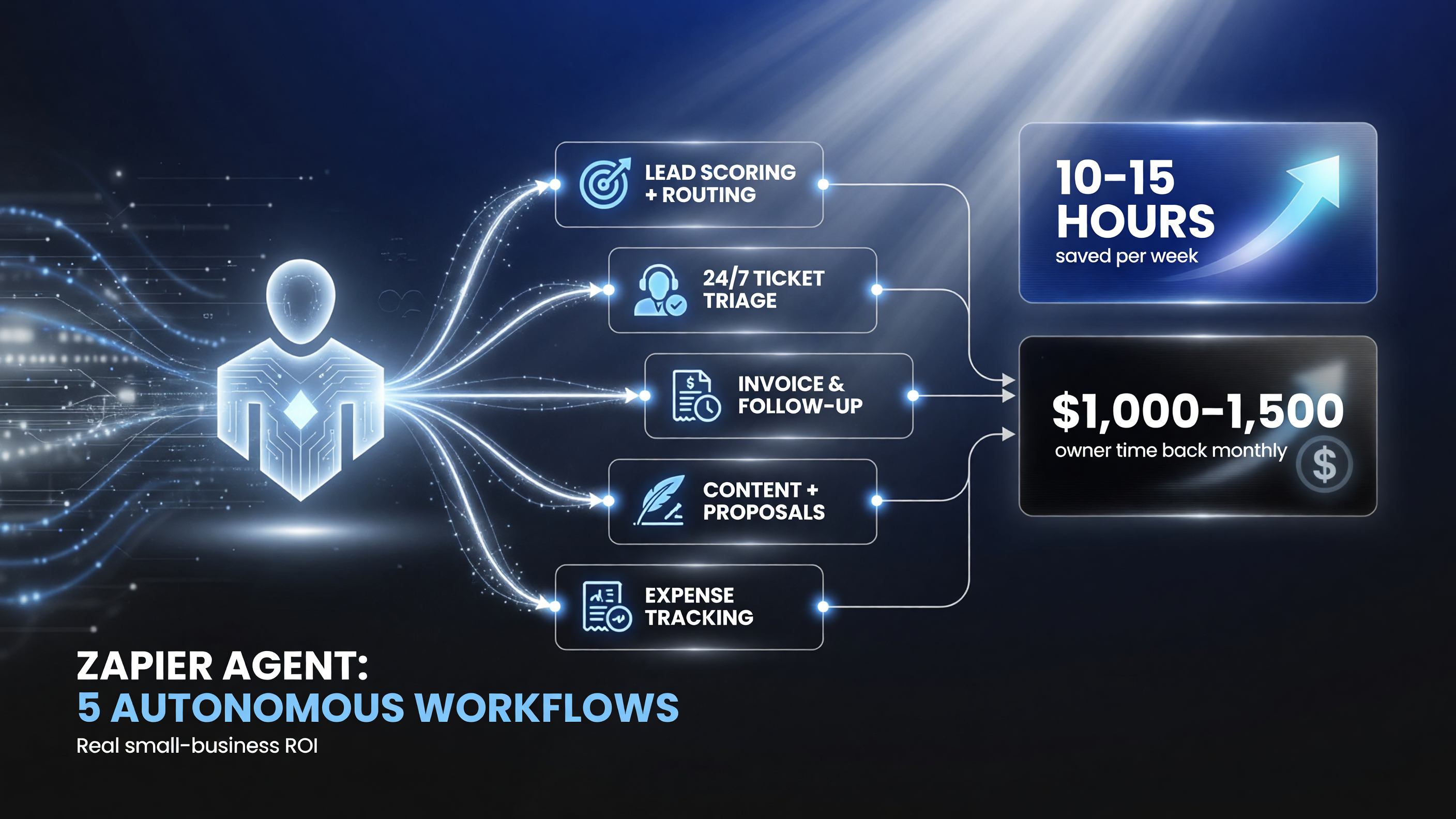
Zapier Agents run five common small-business workflows autonomously — lead scoring, support triage, invoice follow-up, proposal drafting, and expense tracking — putting roughly 10–15 hours a week back in your hands.
How to Get Started in Three Steps
Do not overthink this. The barrier is lower than you think.
First, pick one repetitive task that annoys you the most — one single task, not five. The instinct to automate everything at once is how automation projects die. Choose the one that eats the most of your week and has clear, measurable input and output.
Second, describe it to the agent in plain English. Start with one of Zapier’s templates if one fits, then refine the instructions. Tell it what a “good” outcome looks like, what data to pull, and when to hand off to a human. Zapier Copilot can even help you build the flow by describing what you want.
Third, run it on a few real examples and check the work. Give the agent real leads or real tickets and review how it handles them. Zapier logs every agent action for human oversight, so nothing runs blind. Once it is right on a sample, turn it loose and let it take the load off. You can always tighten the instructions later.
Common Mistakes That Waste Your Money
Let me save you the pain of learning these the hard way.
The biggest mistake is expecting an agent to be perfect on day one. It will not be. It needs real examples and a few rounds of refinement before it is reliable. Budget for that. The second mistake is skipping human oversight in the beginning. Zapier’s audit logs exist for a reason — use them for the first few weeks and only then let the agent run fully autonomous. The third is automating a broken process. If your lead follow-up is a mess manually, an agent will just produce a mess faster. Fix the process first, then automate it.
And do not ignore governance. Zapier has added guardrails around sensitive data, including PII detection, and you should be deliberate about which workflows handle customer data and who can build them. For a compliance-conscious small business, that matters more than people think until a customer data incident forces the conversation.
Why This Matters More Than a Chatbot
Here is the perspective you should hold onto. A lot of the “AI for small business” coverage is really about chatbots — tools that answer questions when you type at them. Useful, but passive. They only work when you remember to use them. Zapier Agents flip that. They are the first generation of AI that acts on its own, in the background, across the tools you already pay for, and they do the work you would otherwise hand to a new part-time hire.
That is the definition of leverage for an independent business owner. You are not getting better at typing; you are getting your time back. And the businesses that get their time back are the ones that reinvest it into the work that actually grows revenue — closing deals, serving customers, and building the product. The rest of the market is still deciding whether to build agents. The ones who decide now get the compounding advantage.
Is Zapier Agents Right for Your Business?
The honest answer is: it depends on how much repetitive administrative work you have. If you are a one-person shop that already runs efficiently on a few tools, the agent may be overkill until you scale. But the moment you are hiring an assistant, a sales rep, or a bookkeeper, or the moment you are personally burning more than a few hours a week on follow-ups and data entry, that is your trigger. An agent at a couple hundred dollars a month does not replace the human relationship work — it replaces the manual drudgery around it, so the human you do hire spends their time on judgment calls and relationships instead of copy-paste.
Zapier Agents Pricing: What Does It Cost?
Zapier’s paid tiers start at $19.99 per month for Professional, $49 per month for Team, and scale up from there depending on tasks and features. AI-powered features like Agents and AI by Zapier are generally available on the Professional tier and above, with higher-volume plans available for teams that need more agent runs. There is no separate, eye-watering enterprise license for a small team to use agents — you pay for the plan that fits your task volume. That pricing discipline is a big reason Zapier has become the default automation layer for US small businesses rather than a boutique tool for enterprises.
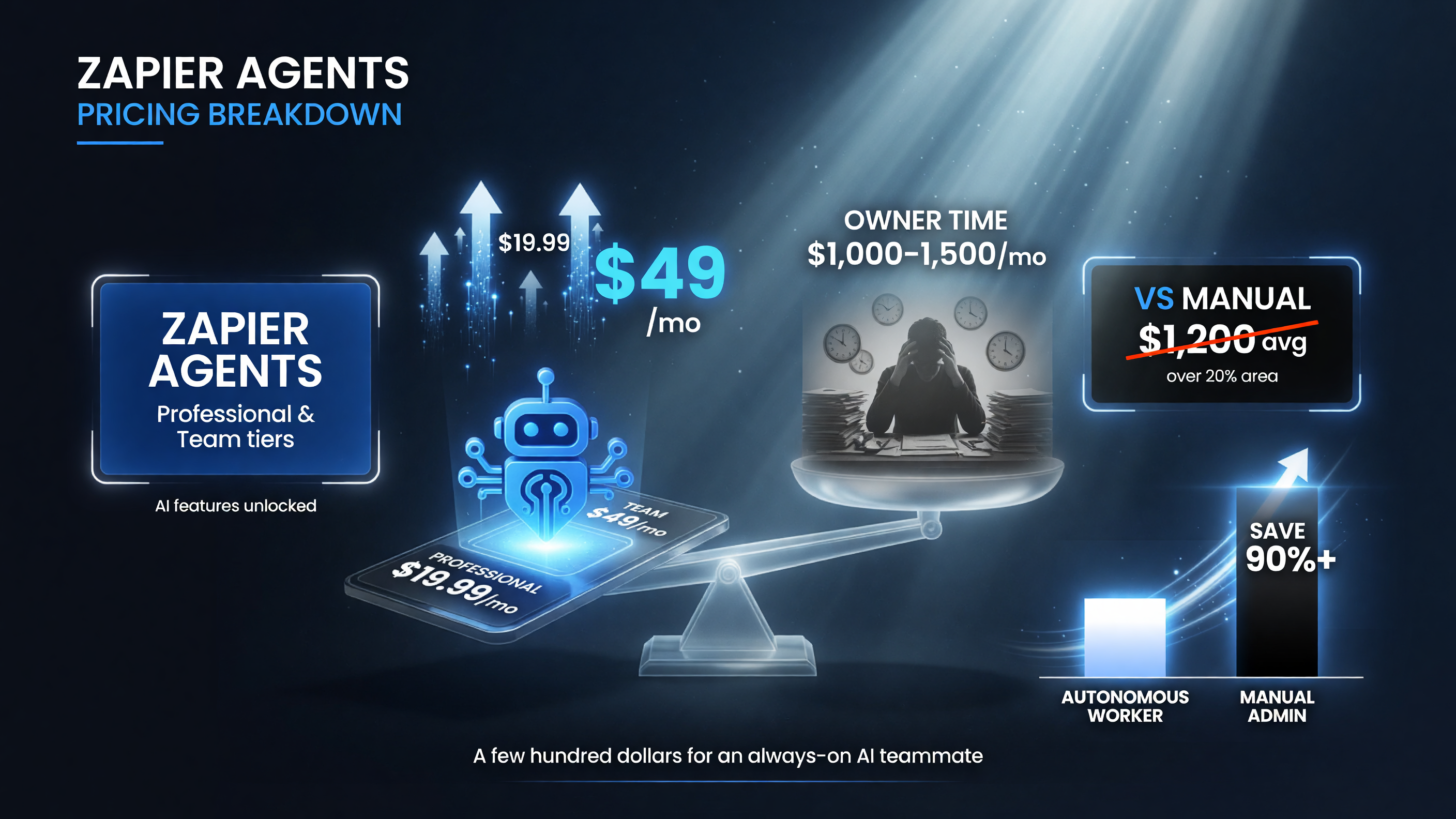
Zapier Agents start at $19.99/month (Professional) and $49/month (Team), with AI features unlocked on those tiers — versus $1,000–$1,500 a month of manual admin time, a 90%+ saving for owners who deploy them.
Frequently Asked Questions
Do I need to know how to code to use Zapier Agents?
No. You describe the outcome you want in plain English and the agent builds and runs the workflow. No code, no developer required. If you can write a clear instruction, you can build an agent.
How is Zapier Agents different from a normal Zap?
A classic Zap follows fixed, pre-mapped steps. A Zapier Agent reasons about the task, adapts when data arrives in different formats, browses the web, and makes judgment calls — deciding which leads are hot or how to route a ticket — rather than just moving data from one app to another.
Which apps does Zapier Agents connect to?
Zapier connects to more than 9,000 apps, from QuickBooks, HubSpot, and Salesforce to Slack, Gmail, Google Drive, and Notion. Your agent can pull data from these sources and take real actions inside them.
Is Zapier Agents safe for handling customer data?
Zapier has added governance guardrails including PII detection, and every agent action is logged for human oversight. You set who can build workflows and which data agents can access. As with any tool, you should be deliberate about which sensitive workflows you automate.
How much does Zapier Agents cost?
Zapier’s paid plans start at $19.99 per month for Professional and $49 per month for Team, with AI features generally available on those tiers. You pay for the plan that fits your task volume, not a separate enterprise fee.
What is the fastest way to get started?
Pick one repetitive task, describe it in plain English using one of Zapier’s agent templates, run it on a few real examples, review the logged actions, then turn it loose. Start with a single workflow, not five.

About Barak Schurr
Barak Schurr is the founder and former president of the nightlife ticketing platform Wantickets and former Global Director of Dance and Nightlife at Eventbrite. He currently focuses on AI research and writes about practical AI for independent business owners that actually moves the needle — no hype, no corporate fluff. More at topnotchaitools.com.
Contact: [email protected]
More AI Resources for Your Business