Get The Solo Business OS — Free
The AI workflow that replaces a part-time employee for solo operators and small business owners.
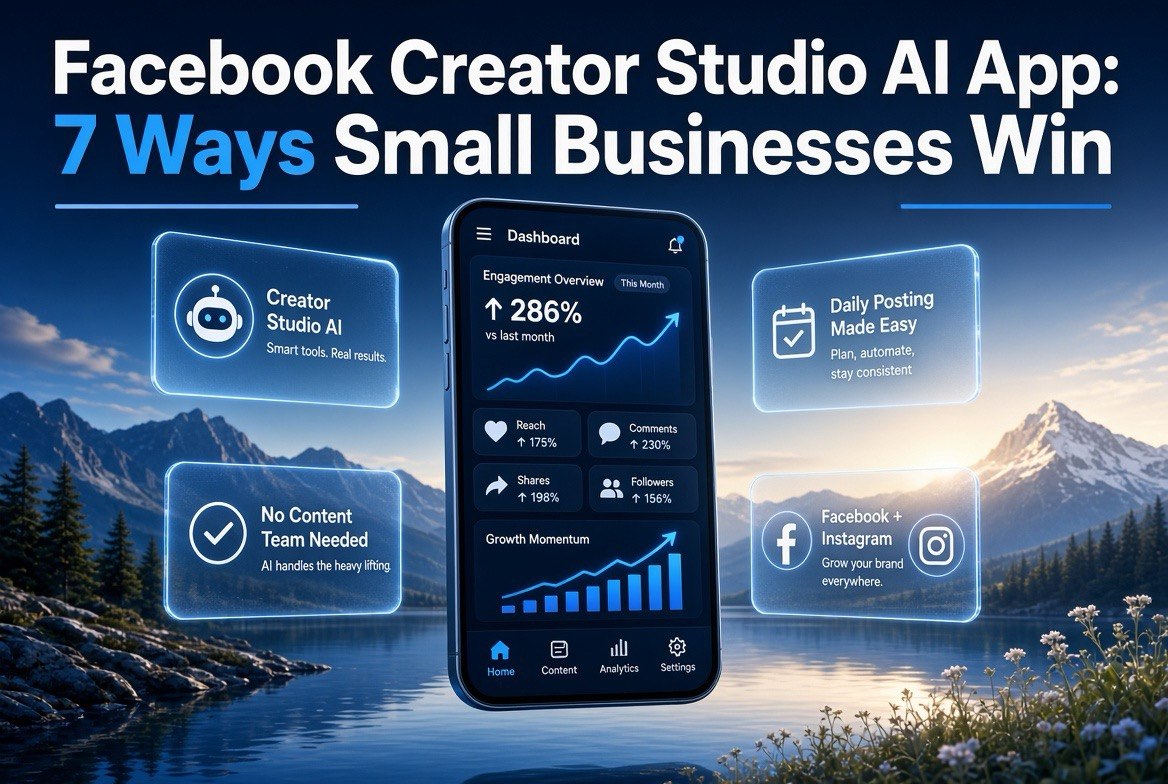
Facebook Creator Studio AI App: 7 Ways Small Businesses Win
u26a1 Expert Summary: Meta has rolled out its standalone Creator Studio app with AI tools built in u2014 and small US businesses that ignore it are handing their competitors an edge. This app puts planning, drafting, and posting for Facebook and Instagram in one place, with AI doing the heavy lifting on captions, content ideas, and scheduling. It’s not a toy for influencers; it’s a free publishing system for a business that needs to show up daily without hiring a content team.
Your competitors are posting on Facebook and Instagram every day. You’re not. That’s the gap u2014 and it’s costing you money.
Meta just made the divide unfair. On August 12, 2026, Meta officially rolled out its standalone Creator Studio app, packing in AI tools aimed squarely at people who create content constantly. TechCrunch confirmed the rollout the same day. For a US small business owner, this is the closest thing to a free social media department you’ll ever get.
Here’s what changed and what it does for you.
What Is the Facebook Creator Studio App?
Creator Studio has existed as a desktop dashboard for years. The problem was it felt like a back-office admin tool u2014 clunky, buried, and built for the old days of at-a-glance scheduling. The new standalone app is a different animal. It’s mobile-first, designed for daily use, and it wraps AI assistance directly into the content workflow instead of bolting it on as an afterthought.
Think of it as the difference between managing your business from a cluttered inbox versus a clean command center. One frustrates you into ignoring it. The other makes posting feel like checking a to-do list that practically completes itself.
The AI layer handles the parts of content creation that eat up your hours: writing captions, generating post ideas from your niche, drafting hooks, and suggesting posting times. You’re not replacing your judgment. You’re removing the blank-page problem that stops most small businesses from posting at all.
| Feature | What It Does for Your Business | Time Saved Per Week |
|---|---|---|
| AI caption writing | Drafts on-brand captions from your raw idea in seconds | 2-3 hours |
| Content idea generator | Proposes post angles based on your niche and past posts | 1-2 hours |
| Unified scheduling | Plans Facebook + Instagram posts in one calendar | 1 hour |
| Analytics dashboard | Shows what posts actually drive reach and action | 30 min |
Why This Matters More for Small Business Than Big Brands
Big brands already have content teams, agencies, and shoot crews. They don’t need an AI assistant to draft a caption u2014 they have six people arguing about it in a Slack channel. You have a business to run and a handful of employees who are busy doing actual work.
That’s exactly why Creator Studio’s AI is a leveling tool. A two-person landscaping company in Ohio can now produce the same posting cadence as a national chain u2014 not because they got bigger, but because the friction that stopped them got removed. Posting daily goes from a chore you dread to a task you can knock out in fifteen minutes while your coffee cools.
The data backs the urgency. As of 2026, Facebook still sits near the top of US social platforms for monthly active users, and its older-skewing, purchase-ready audience remains one of the most valuable for local and B2B businesses. When you publish content consistently, you stay in front of that audience. When you don’t, they forget you exist and buy from whoever posted that day.
7 Ways a US Small Business Can Use Creator Studio’s AI Today
1. Kill the blank page with AI-drafted captions
Stop staring at an empty text box. Give the app your topic u2014 “we just installed a new patio” u2014 and let it draft three caption options in your tone. Pick the best, tweak it, post it. That’s the entire content-writing process reduced to a two-minute decision, not a two-hour struggle.

Creator Studio’s AI maps a full week of post ideas u2014 from a patio install before-and-after to a customer win story u2014 and schedules them for you. That’s a week of daily posting with no content team and no typing a single caption.
2. Plan a month of content in one sitting
Tell the AI your niche and upcoming events. It suggests a calendar of post ideas covering promotions, behind-the-scenes, customer wins, and educational content. You get a month of posts scheduled in a single session instead of scrambling every morning.
3. Publish to both Facebook and Instagram from one place
Your audience lives on both. Creator Studio schedules to both from a single post. No more logging into two apps, writing twice, or forgetting one platform entirely. One idea, two channels, zero extra effort.
4. Let AI rewrite your best-performing posts
Your analytics show which posts worked. Feed those winning topics back and let the AI generate fresh variations with new hooks and angles. You’re not guessing what works anymore u2014 you’re systematically compounding your best content.
5. Draft responses to customer comments and DMs
Replying to every comment is the most skipped task in small business. The AI drafts quick, on-brand responses you can approve and send. Your customers feel heard, and you’re not spending your evening glued to a comment thread.
6. Turn one piece of content into many
A single blog post or product update becomes a week of social posts. The AI pulls the key points and spins them into captions, questions, and quick tips. One hour of creation becomes five days of posts.
7. Post at the times your audience is actually online
The app suggests optimal posting windows based on your audience activity. You’re not guessing when to post u2014 you’re publishing when eyes are on the feed, which is the cheap version of paid reach.
| Old Way (No AI) | Cost | With Creator Studio AI | Cost |
|---|---|---|---|
| Hire an agency for social content | $1,000-3,000/month | Self-serve with AI drafting | $0 (app included in FB tools) |
| Freelance copywriter for captions | $30-80/post | AI drafts, you approve | $0 |
| Social media manager | $1,500-3,500/month | You + AI on your schedule | Your time only |
What the AI Layer Actually Does Under the Hood
To use this well, you need to understand what the AI is and isn’t doing. It’s not generating photos of your products or writing your website. It’s a text-and-structure assistant trained to produce social content that sounds human and matches your input. That distinction matters because it tells you where to trust it and where to keep the human in charge.
When you type “we just finished a big kitchen remodel, before and after,” the AI reads your business category, your previous posts, and the platform’s best practices, then returns caption options with different tones u2014 one casual, one punchy, one story-driven. You pick the direction. You add the specific details only you know, like the contractor’s name or the exact material you used. The AI gives you the skeleton; you provide the truth that makes it resonate.
This is the correct division of labor, and it’s why small businesses get real value here instead of a wall of generic slop. The AI removes the mechanical work u2014 the blank page, the comma-chasing, the “how do I phrase this” spiral. It cannot know your customer’s name, your upcoming sale, or the joke your staff told in the walk-in. That’s your job, and it always will be.
Where the AI Wins
Brainstorming hooks, rewriting drafts, generating post ideas, suggesting posting times, drafting replies. Every one of these is a volume task where speed beats perfection, and AI is brutally fast.
Where You Must Stay in Control
Facts about your business, pricing, claims about your product, responses to angry customers, compliance and legal language. Never let an AI caption state something about your business that isn’t true u2014 you’re the one who answers for it.
Creator Studio vs. a Facebook Business Page Manager: What’s the Difference?
You may be thinking, “I already have Meta Business Suite u2014 do I need this?” Fair question, because Meta’s tooling has been a maze of overlapping apps for years. Here’s the honest breakdown.
Meta Business Suite is the operational hub for ads, page management, and commerce. It’s where you run campaigns and manage the nuts and bolts of your business presence. Creator Studio, in its new standalone form, is aimed specifically at the person producing content u2014 the one who plans, writes, and schedules posts. The two overlap on scheduling, but they’re built for different jobs. Business Suite is the back office; Creator Studio is the content studio.
If you run ads heavily, you’ll use both. If your business lives and dies by organic social content u2014 think local restaurants, contractors, shops, coaches, service providers u2014 Creator Studio becomes your daily driver, and you can keep Business Suite for the occasional campaign.
| Capability | Creator Studio App | Meta Business Suite |
|---|---|---|
| AI caption drafting | Built in | Limited |
| AI content idea generation | Yes u2014 central feature | No |
| Facebook + Instagram scheduling | Yes | Yes |
| Ad campaign management | No | Yes |
| Commerce / shop management | No | Yes |
When to Use One Over the Other
Use Creator Studio for the daily organic content loop u2014 ideas, captions, scheduling, analytics. Use Business Suite when you’re running ads or managing your shop. Most small businesses should keep both, but make Creator Studio the default tab you open when it’s time to post.
Why Consistent Posting Beats Viral Luck
Every small business owner knows the dream post u2014 the one that randomly explodes and brings a thousand followers overnight. It’s real, and it happens. But building a business on viral luck is like planning your payroll around winning the lottery.
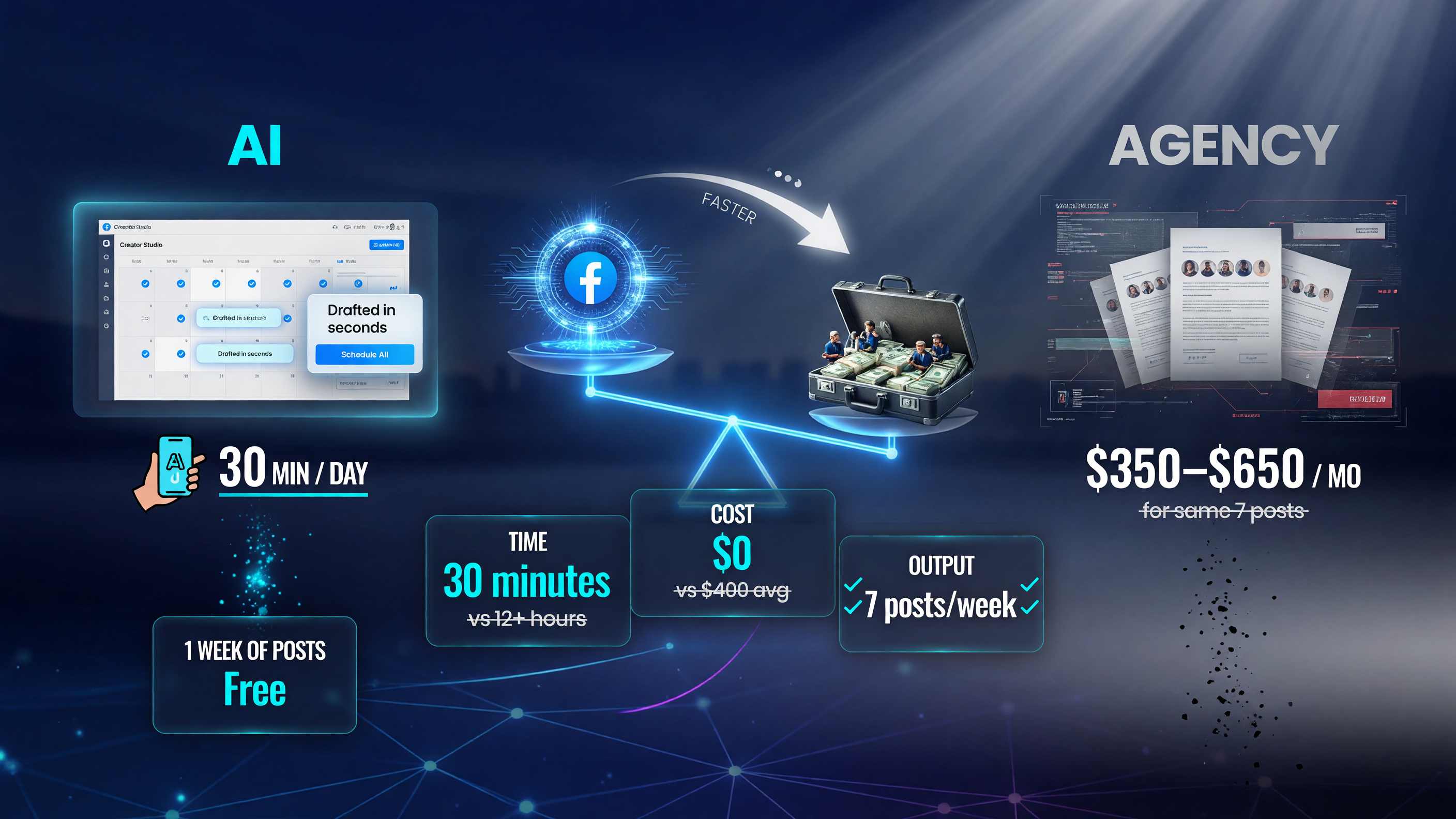
Creator Studio AI turns a few hundred dollars a month and hours of busywork into roughly 30 minutes a day in a free app. That’s the gap that lets a one-person shop out-post a small agency.
What actually moves revenue is consistency. The posts that convert are the ones that show up week after week, building familiarity and trust until the right person, at the right moment, needs exactly what you sell. That’s when they remember you. Viral posts are a bonus; consistency is the strategy. Creator Studio exists to make consistency cheap enough that you’ll actually maintain it.
This is where most small businesses fail not because they lack ideas, but because the friction of production stops them. By the time scheduling and caption-writing take an hour or more per post, you’ve abandoned the plan by Thursday. AI removes that friction, which means you stop quitting and start compounding.
The Competitive Threat Angle
Here’s the uncomfortable truth: the tools that used to cost thousands a month are now free in an app Meta handed to everyone. The only difference between you and a competitor who’s crushing it on Facebook is that they post consistently and you don’t.
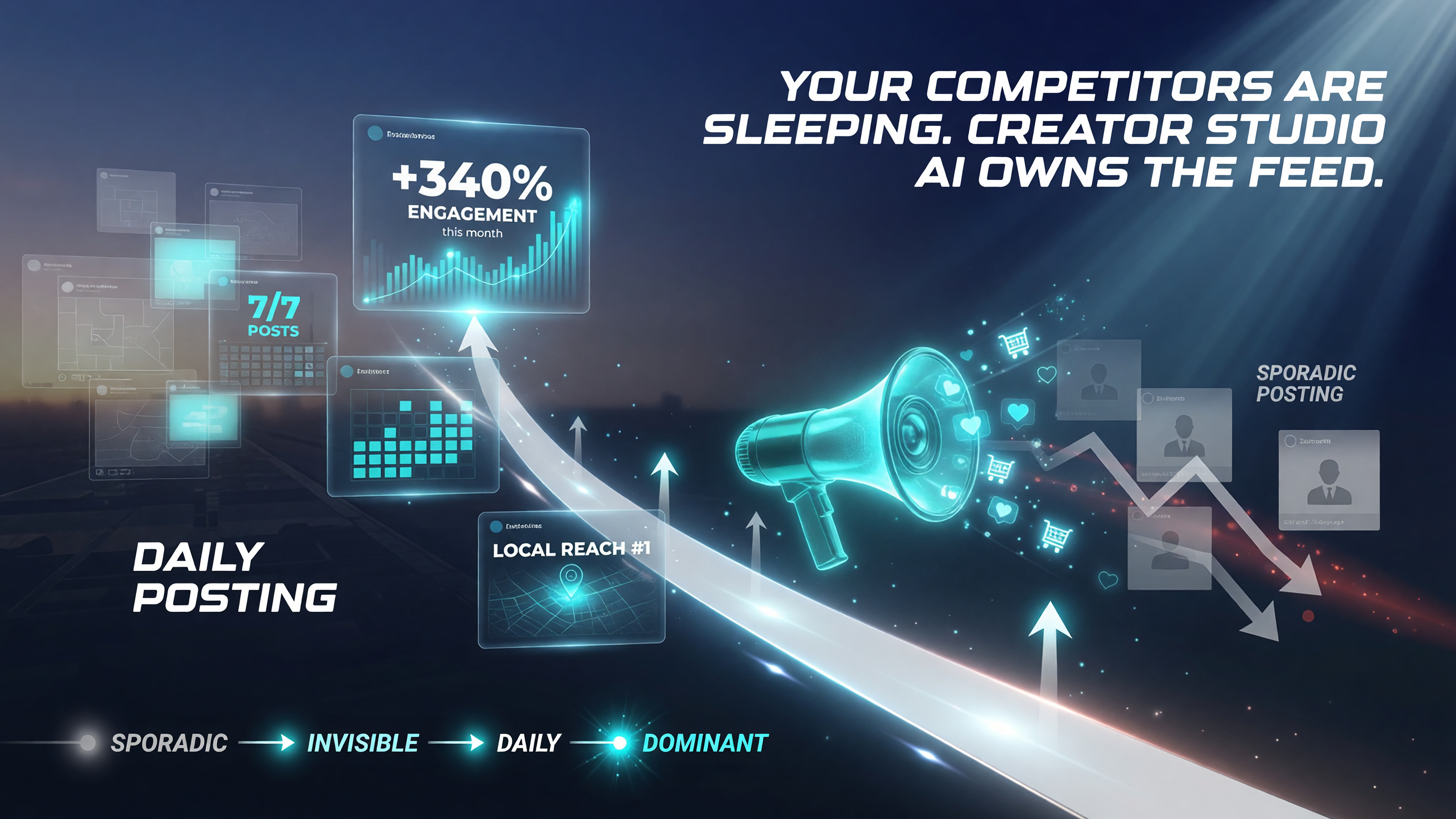
In a crowded feed, daily presence wins. Creator Studio AI turns “we should post more” into a scheduled reality u2014 and the business that shows up every day is the one customers remember.
That competitor just got the same AI you can get. If they start posting daily with AI-written captions and you’re still telling yourself “social media isn’t for my business,” the gap stops being about strategy. It becomes about who bothered to show up.
Show up. This app removes every excuse you’ve been hiding behind.
How to Get Started in 15 Minutes
- Download the app. Search for Creator Studio in your app store and sign in with your business Facebook account. It’s free.
- Connect your pages. Link your Facebook Page and Instagram professional account so both flow into one dashboard.
- Set your niche. Tell the AI what your business does so its suggestions match your brand.
- Generate your first week. Use the AI idea generator to build seven posts, then schedule them.
- Check analytics weekly. See what lands, feed winners back to the AI, and repeat.
Frequently Asked Questions
Is the Facebook Creator Studio app free?
Yes. The standalone Creator Studio app is free to use with a Facebook business account and a connected Instagram professional account. The AI tools are bundled in, so you’re not paying a per-feature fee.
Do I need a certain number of followers to use it?
No. Creator Studio works for pages of any size, including small local businesses with modest followings. You do not need to be a big creator to access the scheduling or AI features.
Does Creator Studio replace my social media manager?
It can reduce the need for one, but it works best as a force multiplier for existing effort. If you currently pay for content creation and scheduling, this app can remove that line item u2014 though a human eye on strategy and engagement is still valuable.
Can I schedule posts to both Facebook and Instagram?
Yes. That’s one of the core features u2014 you plan and schedule to both platforms from a single dashboard, rather than managing them separately.
What does the AI actually write for me?
It drafts captions, hooks, and post ideas, and can help with comment and DM responses. You always review and approve before anything goes live u2014 the AI assists, it doesn’t run your page.

About Barak Schurr
Barak Schurr is the founder and former president of the nightlife ticketing platform Wantickets and former Global Director of Dance and Nightlife at Eventbrite. He currently focuses on AI research and writes about practical AI for independent business owners that actually moves the needle — no hype, no corporate fluff. More at topnotchaitools.com.
Contact: [email protected]
More AI Resources for Your Business