Get The Solo Business OS — Free
The AI workflow that replaces a part-time employee for solo operators and small business owners.
AI Invoicing Tools for Small Business: 7 Compared (2026)
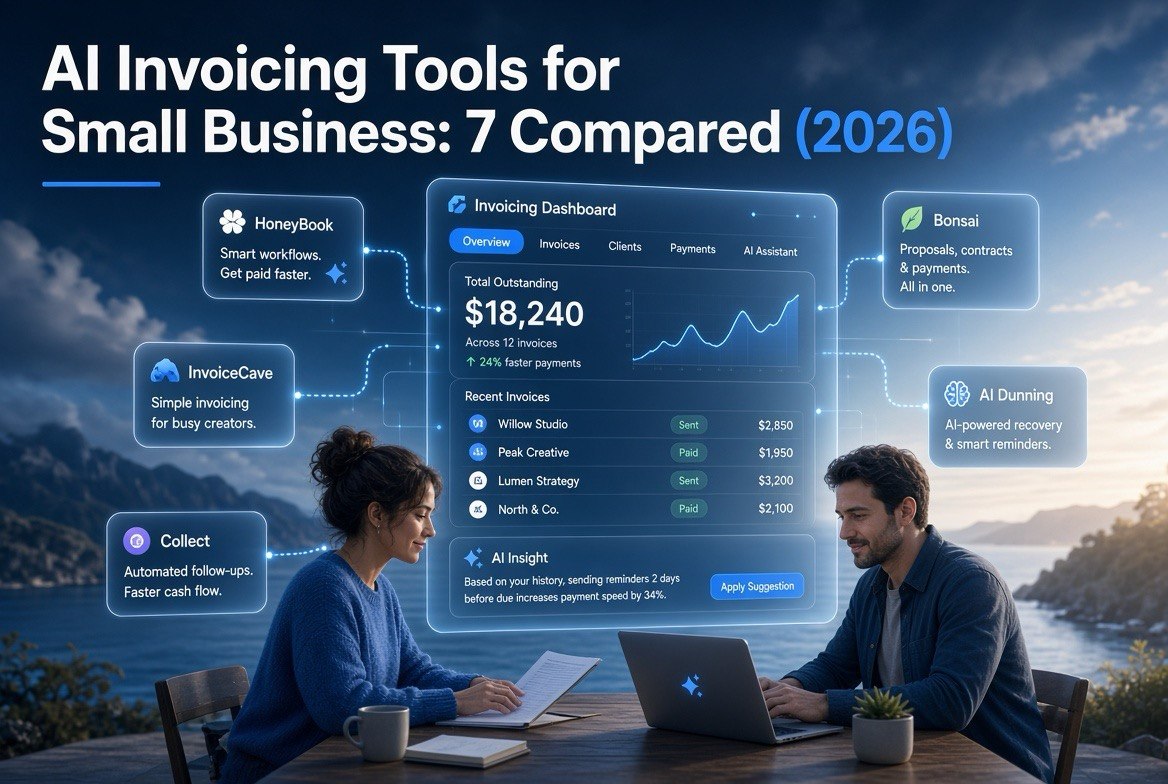
⚡ Expert Summary: Sending an invoice is easy; getting paid on time is where small businesses lose. In 2026 the smartest invoicing tools are AI-native: they draft the invoice from your proposal, send reminders at the optimal moment, chase late payers automatically, and forecast cash flow — so you get paid faster without chasing clients. This comparison covers 7 top tools, from the free PayPal option to full client-workflow platforms like HoneyBook, and shows which one fits your business model.
For a US small business owner, late payments are not a minor annoyance — they are a cash-flow emergency. A 2026 survey of American SMBs found that a majority chase invoices past their due date every single month, and the average late invoice sits unpaid for weeks beyond terms. Every week a bill sits unpaid is a week your payroll, rent, or supplies are financed by your own patience.
The old-school fix is more manual follow-up: call the client, re-send the invoice, hope. The 2026 fix is an AI-native invoicing tool that does the chasing for you and gets money in the door faster. This guide compares the leading options so you can pick the one that matches how you actually work — and start getting paid on time.
This is part of our coverage of practical AI tools for small businesses, where we separate hype from what actually pays for itself. If you already use a full accounting suite like QuickBooks or Xero, you will still get value here: we show where the AI-native tools differ, and why a dedicated invoicing/collection layer can beat the built-in reminders of an accounting package.
Why AI Invoicing Beats Manual Follow-Up
Traditional invoicing is reactive: you create the invoice, wait, and remember to chase it. AI-native tools flip that. They pull the due amount and client details straight from your proposal or contract, build the invoice for you, and then run an automated collection sequence — a polite reminder before due date, a firmer nudge after, and an escalation if it slips too far.
The result is measurable. AI-driven dunning gets invoices paid in fewer days, which directly improves the two numbers that keep small businesses alive: cash on hand and days sales outstanding (DSO). You stop spending your evenings re-sending invoices and start getting paid on the schedule you set.
This matters even more in 2026 as payment terms stretch. AI tools re-engage late payers automatically and help you spot, early, which clients are becoming risky — before a big receivable turns into a write-off.
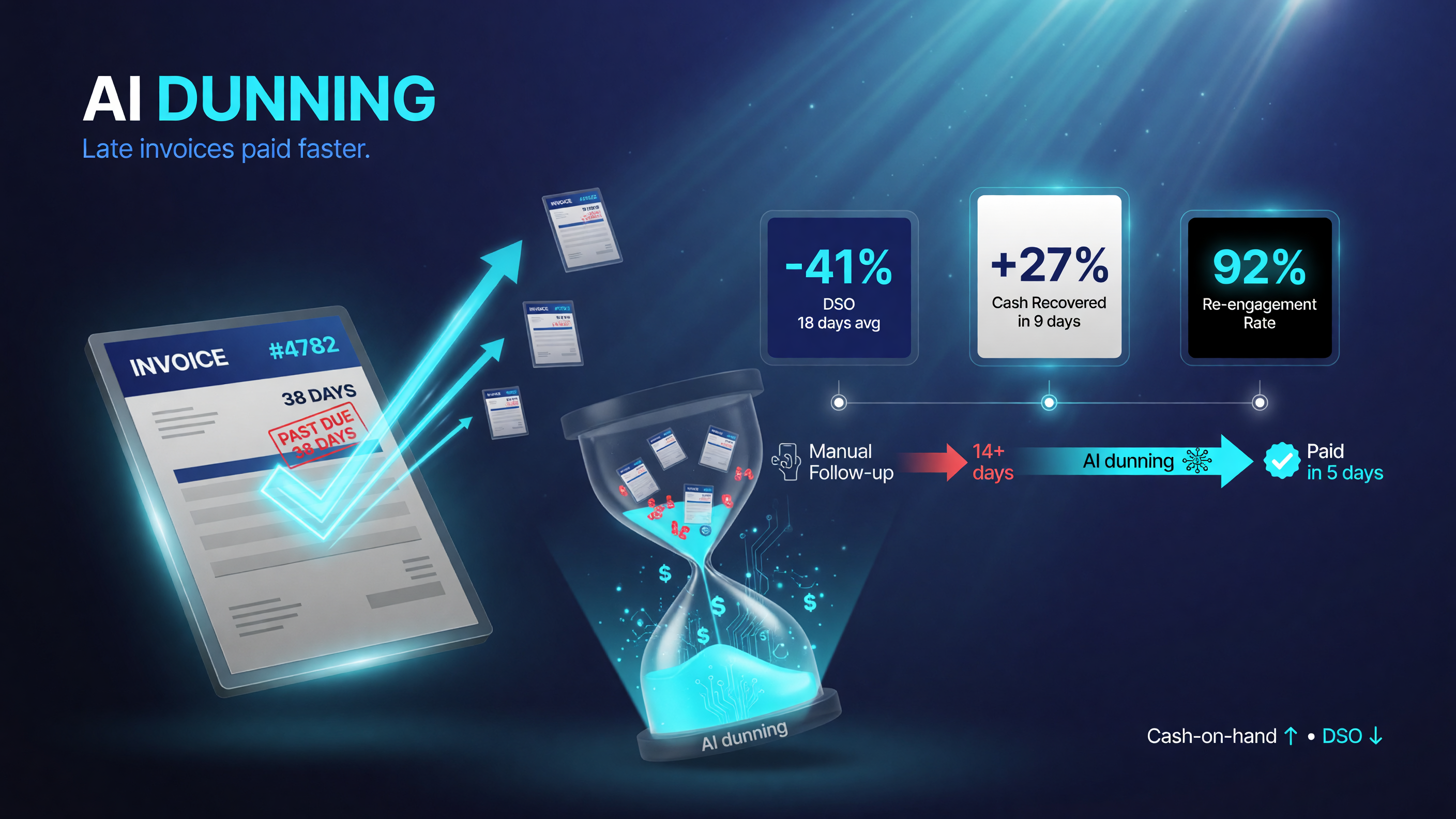
AI-driven dunning replaces the reactive chase-after-invoices routine: a polite reminder before the due date, a firmer nudge after, and an escalation if it slips too far. The payoff is measurable — invoices get paid in fewer days, which moves cash on hand up and days sales outstanding (DSO) down.
The 7 Best AI Invoicing Tools Compared
These are the tools worth your attention in 2026. Prices are starting points and change, so confirm current plans before committing.
| Tool | Starting Price | AI Core | Best For |
|---|---|---|---|
| HoneyBook | ~$19/mo | Proposals + invoicing + client automation in one flow | Freelancers & service pros with client projects |
| InvoiceCave | Usage-based | AI extraction + contract-to-cash automation | Usage/complex billing, contract-heavy firms |
| Bookipi | Free tier + paid | Mobile-first all-in-one with AI-assisted proposals | On-the-go SMB owners |
| Bonsai | ~$25/mo | Contracts, proposals, invoicing + AI assistant | Freelancers & agencies |
| Collect | Usage/free tier | AI dunning & smart payment reminders | Cash-flow-focused SMBs |
| PayPal Invoicing | Free core | Basic templates + fast payment links | New/small businesses already on PayPal |
| Ramp | Free spend mgmt + add-ons | AI bill pay + spend controls | Growing startups & teams |
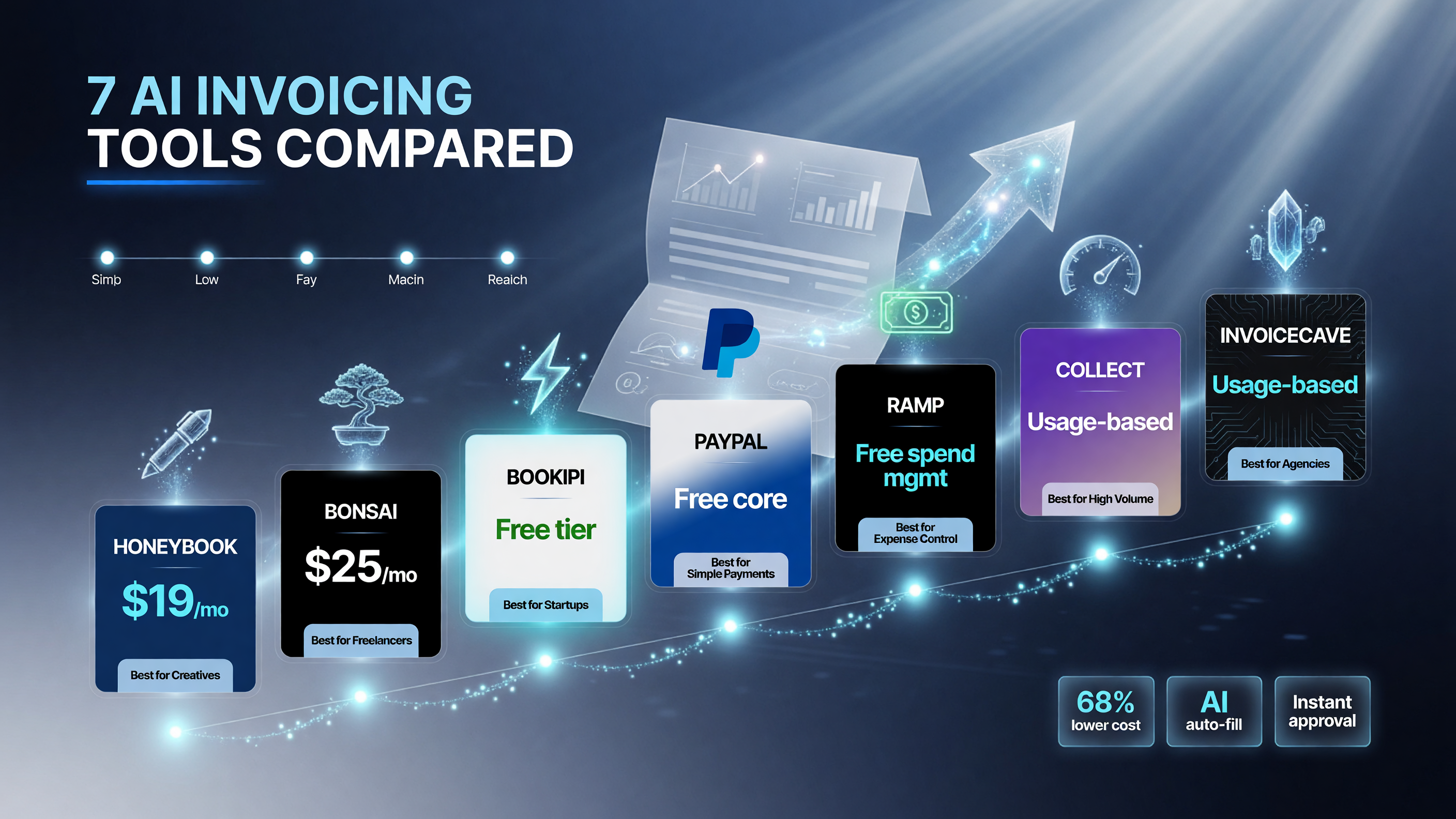
Starter pricing across the seven tools spans a free core (Bookipi, PayPal, Ramp) to roughly $19/mo on HoneyBook and $25/mo on Bonsai, with usage-based plans on Collect and InvoiceCave. Prices are starting points — confirm current plans before committing.
How AI-Native Tools Differ From Your Accounting Suite
QuickBooks and Xero (already covered in detail here) add AI to accounting. The AI-native tools below are built differently — client- and collection-first rather than ledger-first. Here is the practical difference:
| Capability | Traditional (QuickBooks/Xero) | AI-Native (HoneyBook/InvoiceCave etc.) |
|---|---|---|
| Invoice creation | Manual entry + templates | AI drafts from description/proposal |
| Client data | Ledger you maintain | Auto-captured from proposals & contracts |
| Reminders | Manual follow-ups | AI dunning sequence, send-timing |
| Cash flow view | Reports you run | AI forecasts & issue alerts |
| Setup complexity | Full accounting setup | Minutes, project/client-first |
Deep Dive: Who Each Tool Is For
HoneyBook — best all-around for client-project businesses
If you invoice as part of client projects (photographers, designers, consultants, event pros), HoneyBook is the standout. It ties proposals, contracts, invoices, and payments into one flow, so an accepted proposal can auto-generate the invoice. Its AI assists with the busywork of client communication. The downside: it is project-centric, so a simple product invoice is more tool than you need.
InvoiceCave — best for complex or usage-based billing
InvoiceCave automates the contract-to-cash pipeline and extracts data from PDFs and contracts with AI. It suits firms billing on usage, retainers, or complex terms that break a standard invoice. It is more powerful than most small businesses need, and it shows: the leaning is toward contract-heavy operators.
Bookipi — best mobile-first option
Bookipi is an all-in-one you can run from your phone — proposals, invoices, e-signatures, and a CRM in one app with AI-assisted drafting. It has a genuinely free tier, which makes it a low-risk starting point for an owner who works on the move. Advanced workflows live in paid tiers.
Bonsai — best for freelancers and agencies
Bonsai bundles contracts, proposals, invoicing, and time tracking with an AI assistant, geared to freelancers and small agencies. It keeps client work in one dashboard and automates follow-up. Pricing climbs as you add team members, so single operators get the most value.
Collect — best for relentless payment chasing
Collect focuses purely on getting you paid: automated reminders, smart send-timing, and dunning sequences tuned to maximize collection. If your only pain is chasing and cash flow, this is laser-focused. It is narrower than an all-in-one, which is exactly the point.
PayPal Invoicing — best free starting point
If you already take payments through PayPal, its free invoicing is the simplest possible start: send an invoice, get a payment link, track it. It lacks the AI depth and automation of the others, but the price is right for a brand-new or very small business testing the waters.
Ramp — best for teams managing spend + payables
Ramp is more finance platform than pure invoicing: corporate cards, bill pay, and AI spend controls with payables automation. It shines for growing startups that want their outgoing bills managed alongside invoicing. It is overkill for a solo freelancer just sending invoices.
Quick Verdict
HoneyBook is the winner for most small businesses because it is the only tool that turns your proposal into a paid invoice in one automated flow, handling client projects and follow-up end-to-end. Choose InvoiceCave for complex/usage billing, Bookipi for a free mobile start, Collect if chasing is your only problem, and PayPal Invoicing if you just need a free way to send a bill today.
Who Should Use Which
- Solo freelancers & consultants: HoneyBook or Bonsai — project + client automation in one.
- Mobile / on-the-go owners: Bookipi — free tier runs from your phone.
- Agencies & teams: Bonsai (small) or Ramp (growing, spend-focused).
- Contract-heavy / usage billing: InvoiceCave.
- Cash-flow emergency, chasing only: Collect.
- Brand-new / lowest budget: PayPal Invoicing (free).
How to Pick (Step by Step)
- Define your billing pattern. Simple per-project invoices, or recurring/usage/retainer?
- Identify your real pain. Is it the chasing, the invoice creation, or the cash-flow visibility?
- Set a budget. Free (PayPal/Bookipi) to ~$25+/mo (Bonsai/HoneyBook), higher for complex billing.
- Check integrations. Does it talk to your payment processor and accounting tool?
- Use the free trial. Test AI invoice drafting and the reminder sequence with real client data.
- Commit to one. Run your next few invoices through it before expanding.
Tips to Get Paid Faster With AI
- Connect your proposal/contract so invoices auto-generate — no re-keying.
- Turn on the full reminder sequence — before-due-date soft nudge, after-due firm follow-up.
- Offer fast-payment incentives (small discount for paying early) via the AI offer engine.
- Set up automatic deposit — ACH or card, whichever your clients use most.
- Review the AI cash-flow forecast weekly so you see a problem before it bites.
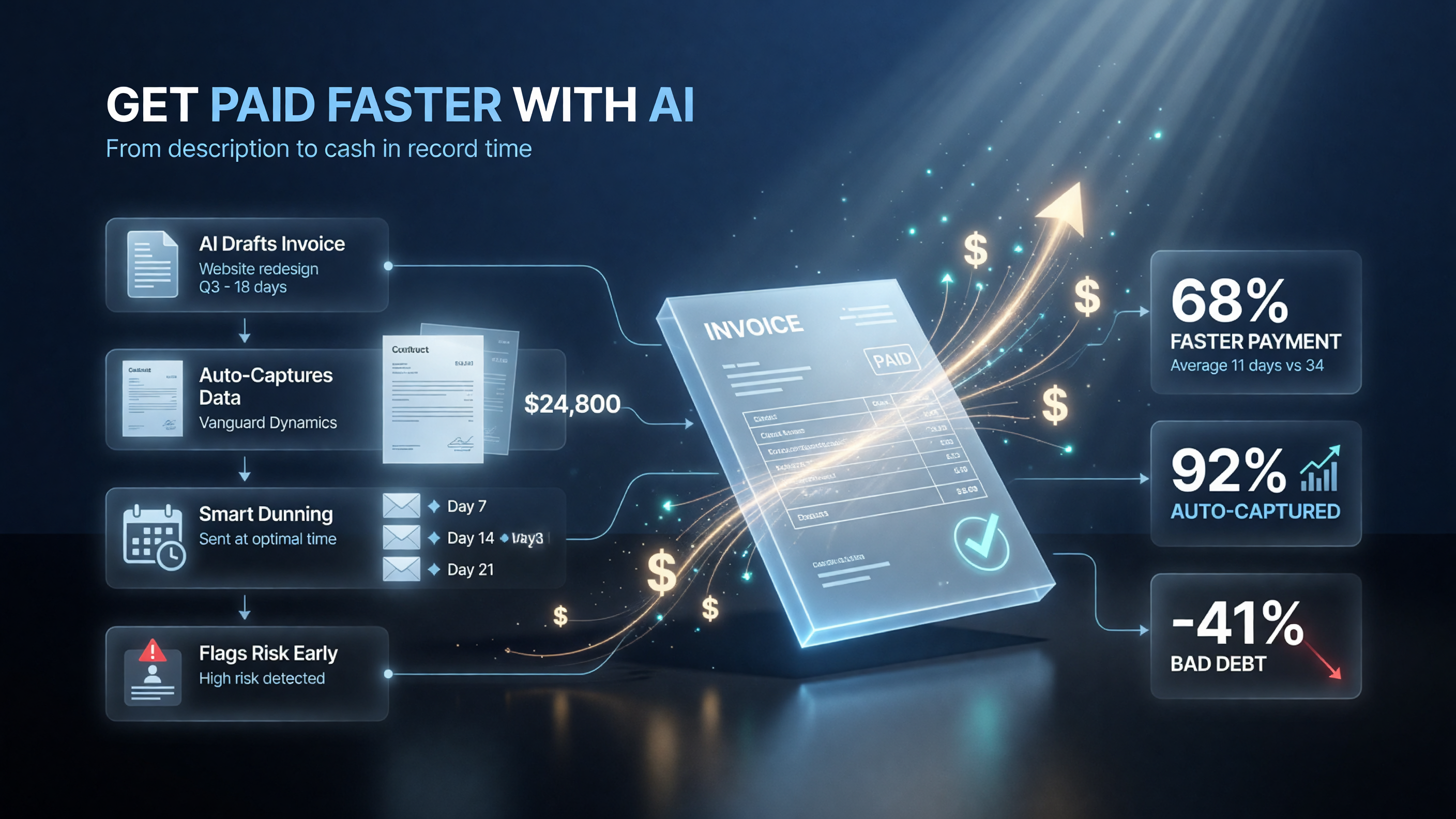
The fastest path starts before an invoice is ever sent: connect your proposal or contract so invoices auto-generate, turn on the full before-and-after reminder sequence, offer a small early-payment discount, set up automatic ACH or card deposit, and review the weekly AI cash-flow forecast to catch a slow payer before it becomes a write-off.
Why This Beats Sticking With Manual Invoicing
Many owners stay on manual invoicing because the switch feels like overhead. But the math favors AI-native tools fast. If late invoices cost you even a few hours of follow-up a month, a 0 tool that chases automatically pays for itself immediately. The compounding win is data: every AI-native tool captures who pays late, who ignores reminders, and which clients are risky, giving you a cash-flow view a spreadsheet cannot.
FAQ
What is the best free AI invoicing tool for a small business?
PayPal Invoicing is the best free starting point if you already accept PayPal, with no monthly cost for sending invoices and taking payments. Bookipi also has a genuinely free tier with AI-assisted proposal drafting, ideal for mobile-first owners. Both are great low-risk ways to start before paying for deeper AI automation.
Is HoneyBook worth it for invoicing alone?
HoneyBook is worth it if invoicing is part of client projects — it links proposals, contracts, and payments into one flow so an accepted proposal auto-generates the invoice. If you only need to send a simple invoice with no client-project workflow, a cheaper tool like PayPal or Bookipi is enough.
How does AI invoicing actually get me paid faster?
AI invoicing automates the follow-up that humans skip: it drafts the invoice from your proposal, sends a polite reminder before the due date, a firmer nudge after, and escalates if payment slips. By timing these messages optimally and removing manual chasing, invoices settle in fewer days, which improves your cash flow and days-sales-outstanding.
Can AI invoicing tools replace QuickBooks or Xero?
For most small businesses, no — and they do not need to. Tools like HoneyBook, Bonsai, and Collect focus on client project, invoicing, and collection workflow, while QuickBooks and Xero are full accounting suites. The smart setup is an AI-native invoicing layer for getting paid plus your accounting suite for books and taxes, with integrations bridging them.
What does AI dunning mean for invoicing?
AI dunning is the automated sequence of payment reminders a tool sends on your behalf, tuned per client. Instead of you remembering to chase, the software sends a soft reminder before the due date, a firmer follow-up after, and an escalation for seriously late invoices — all at optimal send times to maximize the chance of collection without annoying your best clients.
Which AI invoicing tool is best for a freelancer?
For a freelancer, Bonsai and HoneyBook are the strongest. Bonsai bundles contracts, proposals, invoicing, and time tracking with an AI assistant at a solo-friendly price. HoneyBook excels when you work in client projects and want proposals to flow straight into paid invoices. Both beat manual follow-up and both have free trials to test before paying.

About Barak Schurr
Barak Schurr is the founder and former president of the nightlife ticketing platform Wantickets and former Global Director of Dance and Nightlife at Eventbrite. He currently focuses on AI research and writes about practical AI for independent business owners that actually moves the needle — no hype, no corporate fluff. More at topnotchaitools.com.
Contact: [email protected]
More AI Resources for Your Business