Get The Solo Business OS — Free
The AI workflow that replaces a part-time employee for solo operators and small business owners.
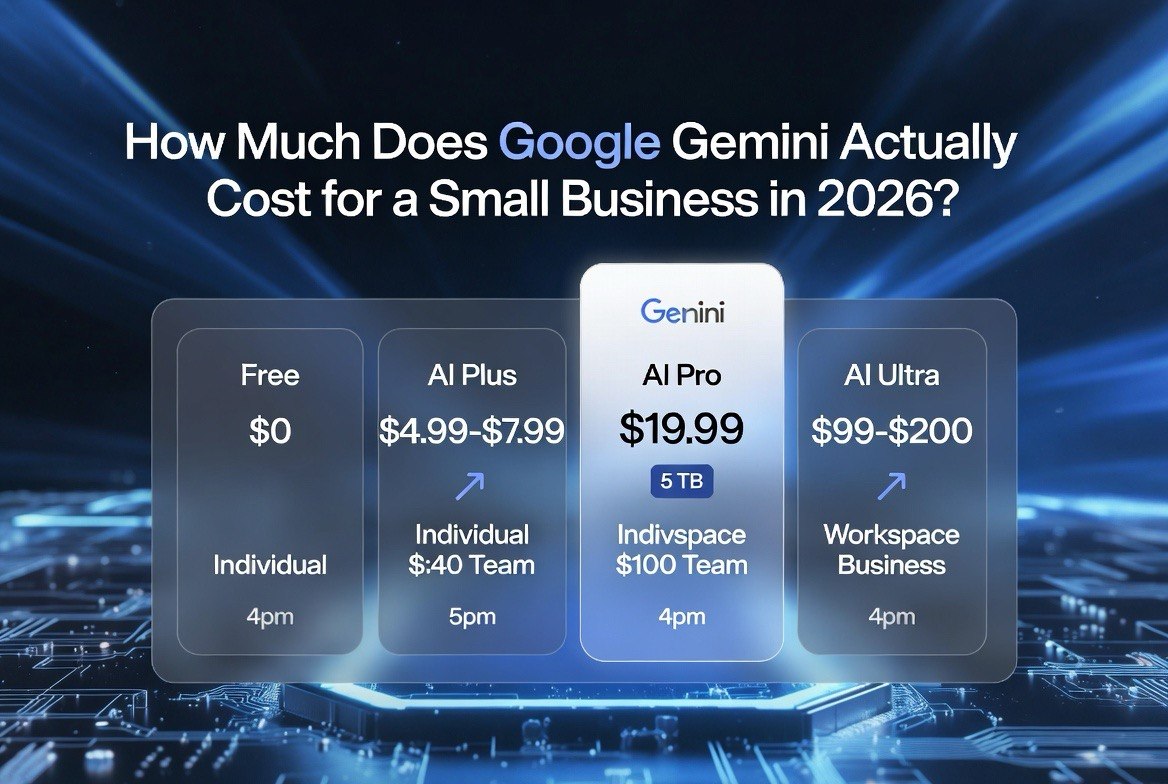
How Much Does Google Gemini Actually Cost for a Small Business in 2026?
⚡ Expert Summary: Google Gemini costs $0 to $200 per month in 2026, but the $19.99 Google AI Pro plan is the money answer for most US small businesses. The real twist: Gemini is now bundled into Google Workspace — so if you already pay for Gmail, Docs, and Drive, you may already have AI access you’re not using. Here’s exactly what each tier costs, when Workspace beats a standalone subscription, and how to avoid paying twice for the same AI.
Google Gemini Plan Pricing at a Glance (2026)
Here’s the full pricing picture for Google’s AI plans in 2026. It has more tiers than ChatGPT or Claude because Google splits consumer AI from business Workspace — and that split is where most owners get confused.
| Plan | Price (per month) | Who it’s for |
|---|---|---|
| Gemini Free | $0 | Casual use, limited daily queries |
| Google AI Plus | $4.99-7.99 | Lighter users, storage bundled |
| Google AI Pro | $19.99 | Solo operators, daily use |
| Google AI Ultra | $99.99-200 | Heavy power users, developers |
| Workspace Business | $7-22/user | Teams using Gmail, Docs, Drive, Meet |
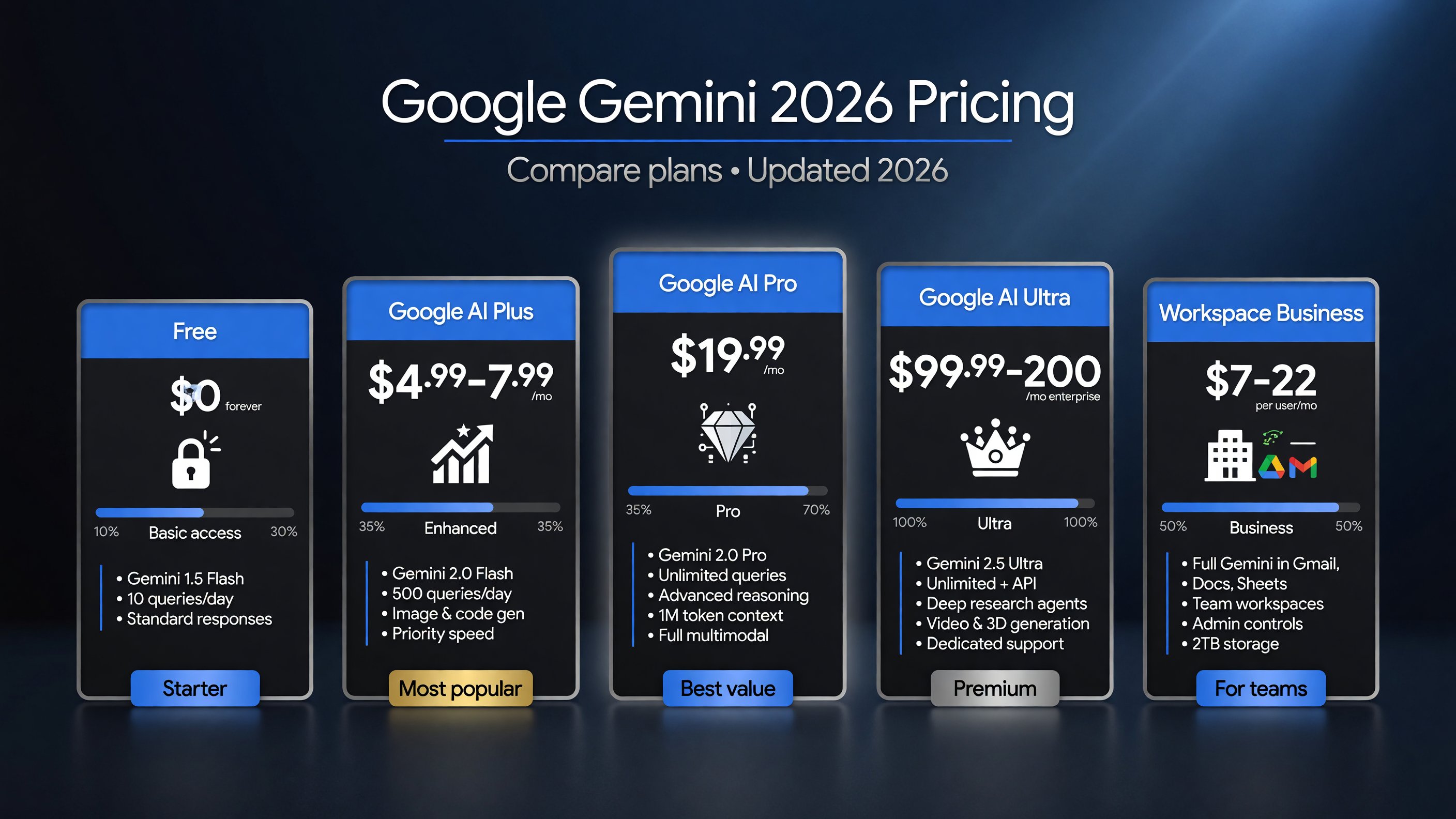
The full Gemini plan lineup for 2026 — note how the Workspace Business tier attaches to users, not AI seats.
The headline numbers look familiar — $20, $100, $200 — same shape as ChatGPT and Claude. But Gemini’s pricing has a structural difference that changes the buying decision for a US small business.
The Free Plan: A Real Starting Point, Not Just a Demo
Gemini’s Free tier is more useful than its rivals’ free tiers. You get access to the Gemini models with daily usage limits — enough for real, everyday work, not just a test drive.
For a solo operator who uses an AI assistant a few times a day — a quick email rewrite, a lookup, a rough draft — Free may genuinely be enough. That’s the biggest difference from ChatGPT and Claude, where the free tier hits a wall fast.
But “enough for light use” isn’t “enough to run a business.” The moment you need sustained output, integration with your documents, or higher usage quotas, you’re upgrading. Free is where you confirm Gemini’s answers fit your work — not where you build on it.
Google AI Plus at $4.99-7.99: The Bargain Tier Most People Skip
This is the tier nobody talks about, and it’s a steal. Google AI Plus runs $4.99 to $7.99 a month and bundles expanded Gemini access with cloud storage.
For the owner whose AI use is real but moderate — a few hours a week, not every day — Plus undercuts ChatGPT and Claude at $20 by half or more. If you’re already paying for Google storage, the AI upgrade on top is a few dollars.
The honest caveat: Plus has lower usage limits than Pro. If you’re a heavy daily user, the savings evaporate the moment you hit those limits mid-task. Plus is for the light-to-moderate user who’s honest about their volume.
Google AI Pro at $19.99: The Sweet Spot — and the Catch
Google AI Pro is $19.99 a month — a dollar cheaper than ChatGPT and Claude at $20, and it comes with 5 TB of storage and full integration across Gmail, Docs, and Drive.
For a solo operator, Pro is the plan that makes Gemini dangerous to its rivals. Same price point, but you get the assistant wired directly into the tools you already work in. Ask Gemini to summarize a thread, draft a reply in Gmail, or analyze a spreadsheet in Docs — it just works, because it lives there.
Here’s the catch that catches people: Pro is a consumer plan. It’s tied to one Google account. If you run a business on a team account, or you need admin controls and shared access, Pro is the wrong tool — you need Workspace instead. Buying Pro for individual employees while also paying for Workspace is the classic double-pay trap this article is warning you about.
Google AI Ultra at $99.99-200: Only for Power Users
Google AI Ultra runs $99.99 for the entry tier (5x Pro limits) and $200 for the top tier (20x Pro limits). This is the same shape as Claude’s Max plans — and it’s overkill for nearly every small business.
Ultra is for developers, researchers, and operators running heavy AI workloads all day. If you’re a solo freelancer or a 1-10 person company, you will almost certainly never touch 5x, let alone 20x, of Pro’s usage in a month.
Same framework as Claude: if you’re hitting Pro’s limits every single day, Ultra becomes rational. If you hit them once a week, it’s a waste of $100. Don’t let the “I want the best” instinct talk you into a subscription your usage won’t justify.
Free vs Paid: The Line Most Owners Cross Without Noticing
The Free tier is genuinely useful, which makes the upgrade decision harder — and more important. Here’s the honest breakdown of when staying free stops working.
Free gives you real Gemini access with daily limits. You’ll notice three things as you push it: the responses get slower as you approach your quota, you start rationing “important” prompts, and integration with your documents and tools is limited.
The moment you start rationing questions, you’re past free. Rationing means you’re already relying on the tool enough that the $4.99-19.99 upgrade pays for itself. The owners who stay on free forever are the ones treating it as a curiosity — that’s fine, but it’s not running a business on AI.
My rule: if AI saves you one hour a month, even the $19.99 Pro plan is worth it. One hour of a solo owner’s time is worth far more than $20 in most US markets. The free tier is a trial, not a destination.
The Storage Bonus Nobody Budgets For
Here’s a hidden line item that shifts Gemini’s value equation: the AI plans bundle real Google storage.
Google AI Pro at $19.99 comes with 5 TB of storage. For a small business backing up files, photos, and documents, that’s a substantial chunk of cloud storage included in the price you’re already paying for AI.
If you’re currently paying Google separately for storage AND you need AI, Pro does double duty — one subscription covers two tools you’d otherwise buy separately. This is why comparing Gemini purely on AI price against ChatGPT and Claude misses half the equation. The storage bundled in is real money.
To state the obvious: only count this if you actually use Google storage. If your files live in Dropbox or a local server, the storage bonus is worth $0 to you — and ChatGPT or Claude may be the better $20.
The Game Changer: Gemini Is Bundled Into Google Workspace
This is the part that makes Gemini different from every other assistant, and it’s where most US small businesses are leaving money on the table.
In 2026, Gemini features are bundled directly into Google Workspace plans — no separate AI add-on required. If your company already pays for Gmail, Docs, Sheets, and Drive, you may already have AI access built into what you’re paying for.
| Workspace Tier | Price (per user/month) | Gemini Access |
|---|---|---|
| Business Starter | ~$7 | Basic (Gmail side panel + core apps) |
| Business Standard | ~$14 | Full Gemini across Gmail, Docs, Sheets, Meet |
| Business Plus | ~$22 | Full Gemini + higher storage & security |
Here’s the buying logic most owners miss: if you’re already on Workspace Business Standard at ~$14/user, you already have Gemini across your whole stack. The standalone $19.99 consumer Pro plan is redundant for team use.
The trap works in reverse too. A solo operator doesn’t need Workspace — they should buy the $19.99 Pro plan and get 5 TB of storage plus Gemini in their personal Google account. Buying both is the leak.
Real-World Cost Scenarios for US Small Businesses
Scenario 1: Solo freelancer or one-person LLC
You live in Gmail, Docs, and Drive and use AI a few times a day. You need: Google AI Pro at $19.99/month. That covers your AI plus 5 TB of storage — effectively replacing a separate storage subscription too.
Scenario 2: Small team of 3-5 on Google Workspace
You already run Gmail and Docs for the team. You need: Workspace Business Standard at ~$14/user for 3 users = ~$42/month, which includes Gemini for everyone. No separate AI subscription needed.
Scenario 3: Growing business with 10+ seats
You need admin controls, shared storage, and consistent AI access. Workspace Business Plus at ~$22/user is the consistent answer, and at 10+ seats you should audit whether every seat actually uses the AI features — seat bloat in Workspace is easy to ignore.
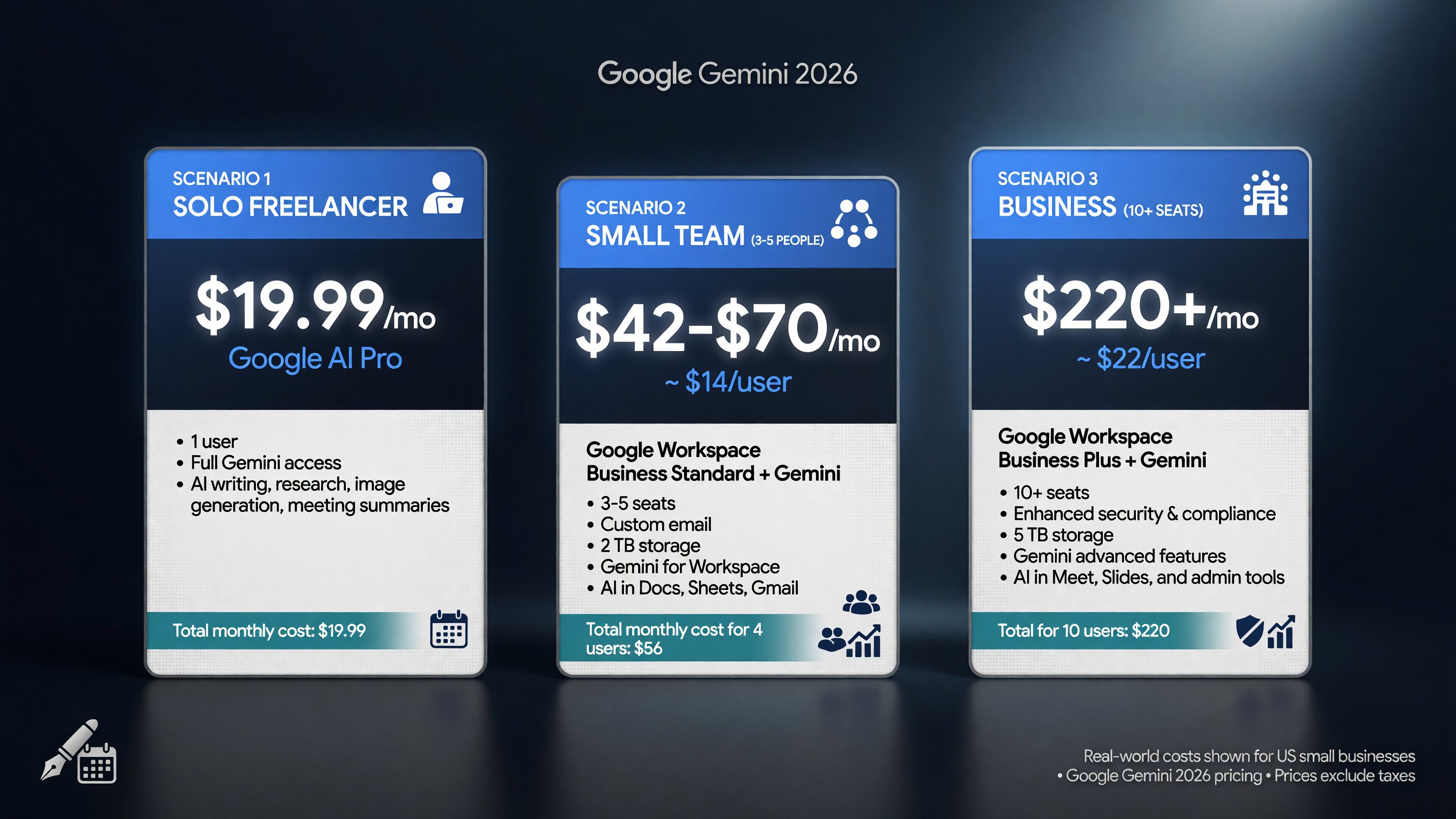
The monthly cost varies wildly by team size — the scenarios show why bundling into Workspace beats separate AI subscriptions.
Gemini vs ChatGPT vs Claude: The $20 Comparison
All three major assistants land near $20 in 2026. The differentiator for Gemini isn’t raw capability — it’s where you already do your work.
If your business runs inside Google Workspace — Gmail, Docs, Sheets, Meet — Gemini’s integration advantage is real and immediate. It’s in the tools you already use. For document-heavy writing and analysis, Claude often produces cleaner long-form output. For ecosystem breadth and agent integrations, ChatGPT holds the edge.
Don’t pick based on brand loyalty. Pick based on where your work happens. That single question settles most of this decision.
The Real Cost Trap: Paying Twice for the Same AI
Here’s the number one mistake I see US small businesses make with Gemini: double-paying.
An owner buys Google AI Pro at $19.99 for personal use, then also pays for Workspace Business Standard for the team — and the team’s Workspace already includes Gemini. Now they’re paying twice for AI access that overlaps. Or worse, they buy Pro for each employee AND Workspace, multiplying the waste.
The fix is a single audit: map every person’s AI access and every subscription. One coverage check reveals the overlap instantly. The goal is one working Gemini path per user — never two.
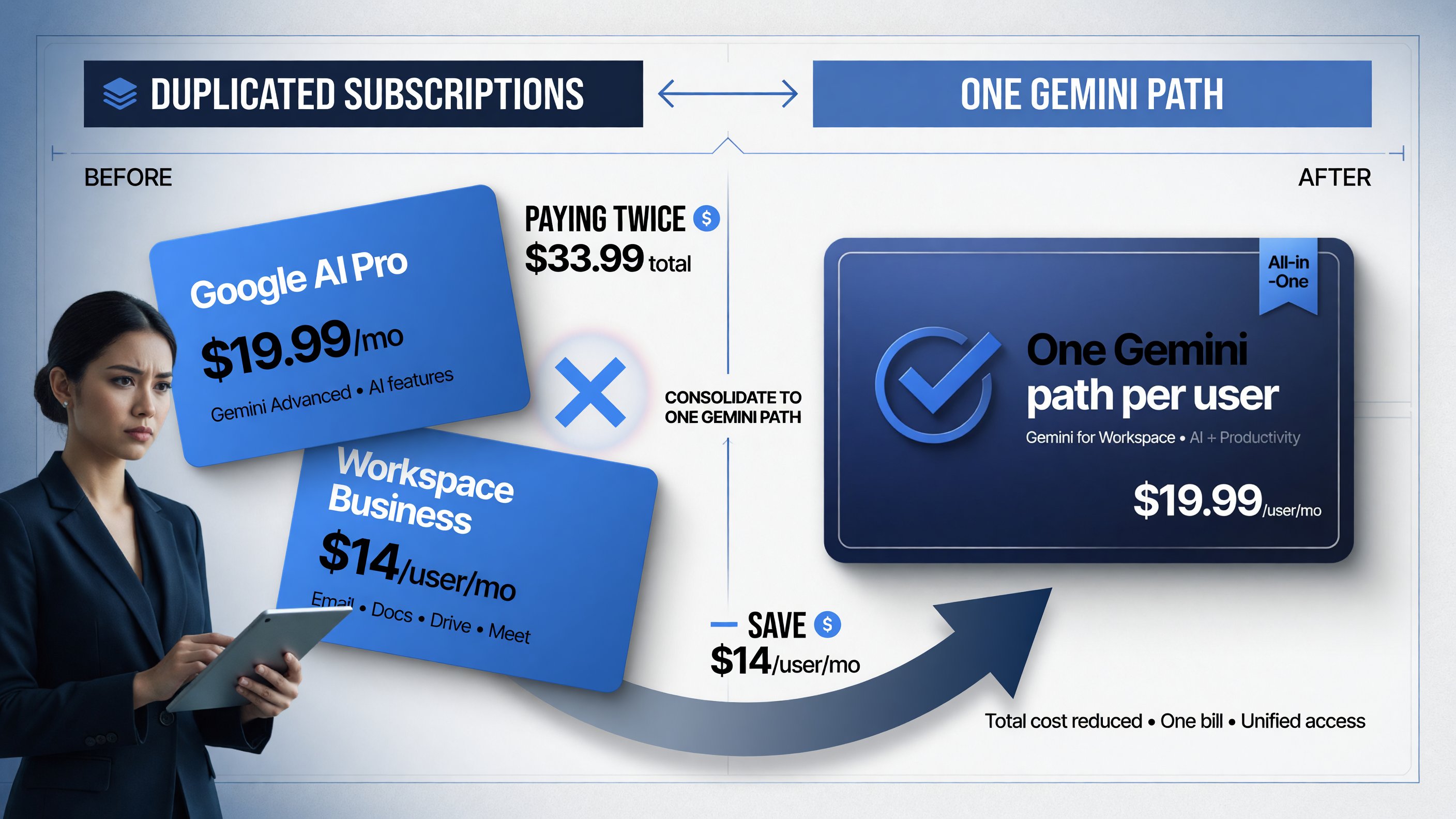
Paying $33.99 for two overlapping subscriptions when one Workspace at $19.99 already includes Gemini is the most common leak.
How to Decide: A Simple Framework
Run this checklist and stop guessing:
- Solo, light-to-moderate use? Google AI Plus at $4.99-7.99. Cheapest real option.
- Solo, daily use in Google apps? Google AI Pro at $19.99. Storage included.
- Team already on Workspace? Upgrade the Workspace tier. Don’t buy separate AI plans.
- Team NOT on Workspace? Compare Workspace Standard (~$14/user) vs individual Pro plans.
- Hitting Pro limits daily? Only then consider AI Ultra at $99.99+. Rarely needed.
Pay for one working Gemini path per user. Nothing more.
The bottom line: Gemini in 2026 is the cheapest serious AI option of the big three, and the one that’s most likely already hiding in your Google bill. The smart move isn’t finding the lowest number — it’s finding the one you’re not already paying for.
Frequently Asked Questions
How much is Google Gemini per month in 2026?
Gemini costs $0 (Free), $4.99-7.99 (Google AI Plus), $19.99 (Google AI Pro), or $99.99-200 (Google AI Ultra). Business users get Gemini bundled into Google Workspace tiers from ~$7 to ~$22 per user per month.
Is Gemini free for small businesses?
Gemini has a Free tier with daily usage limits, fine for light use. For real work, business owners typically need Google AI Pro at $19.99 or a Workspace tier that includes Gemini.
Is Google AI Pro worth $19.99 a month?
Yes for a solo operator or small team already using Google apps. At $19.99 with 5 TB of storage and full Gmail/Docs/Drive integration, it undercuts ChatGPT and Claude by a dollar while bundling storage you’d otherwise pay for separately.
Does Google Workspace include Gemini?
Yes, in 2026 Gemini is bundled into Workspace Business tiers — Standard (~$14/user) and Plus (~$22/user) include full Gemini across Gmail, Docs, Sheets, and Meet. Check what your current Workspace tier already includes before buying a separate AI plan.
Is Gemini Ultra worth $100 a month?
Only if you’re hitting Pro’s usage limits every day. Ultra entry at $99.99 gives 5x Pro limits. For most small businesses it’s overkill — stay on Pro or Workspace unless you’re a heavy daily power user.

About Barak Schurr
Barak Schurr is the founder and former president of the nightlife ticketing platform Wantickets and former Global Director of Dance and Nightlife at Eventbrite. He currently focuses on AI research and writes about practical AI for independent business owners that actually moves the needle — no hype, no corporate fluff. More at topnotchaitools.com.
Contact: [email protected]
More AI Resources for Your Business