PandaDoc AI Review 2026: Proposals That Close in Minutes, Not Days
⚡ Expert Summary: PandaDoc AI turns proposal creation from a multi-hour slog into a 5-minute workflow. AI generates tailored proposals from a single product catalog entry, e-signatures close deals faster, and real-time analytics show you exactly what prospects engage with. Best for sales teams, agencies, and service businesses that send 5+ proposals per week. Not ideal for one-off personal use — the value unlocks at volume.
You spend hours writing proposals. Customizing pricing tables. Chasing signatures. Sending follow-ups. Then you wait. And wait. And lose the deal to someone who got their proposal in first.
That delay — the gap between “they’re interested” and “here’s the proposal” — is where deals die. Every extra hour you spend formatting a document is an hour your competitor uses to close.
PandaDoc AI automates the entire proposal workflow. From generating a first draft with AI to collecting e-signatures and tracking exactly when the client opens it, what they read, and how long they spent. This review covers what it does, how it compares to alternatives, and whether it’s the right fit for your business.
What Is PandaDoc?
PandaDoc is a document automation platform that integrates AI-powered proposal generation, e-signature collection, payment processing, and real-time analytics into a single workflow. It’s built for businesses that send proposals, quotes, contracts, and invoices frequently — and want to close deals faster without manual formatting.
Founded in 2011, PandaDoc has grown to serve over 50,000 businesses globally, processing millions of documents per year. In 2025, they launched PandaDoc AI, which uses GPT-based models to generate complete proposals from your product catalog in seconds.
The core value proposition is simple: instead of copying last month’s proposal and updating the numbers, you select products from your catalog and let AI write the description, set the pricing, and format the layout. You review, adjust, and send. Total time: 5 minutes instead of 2 hours.
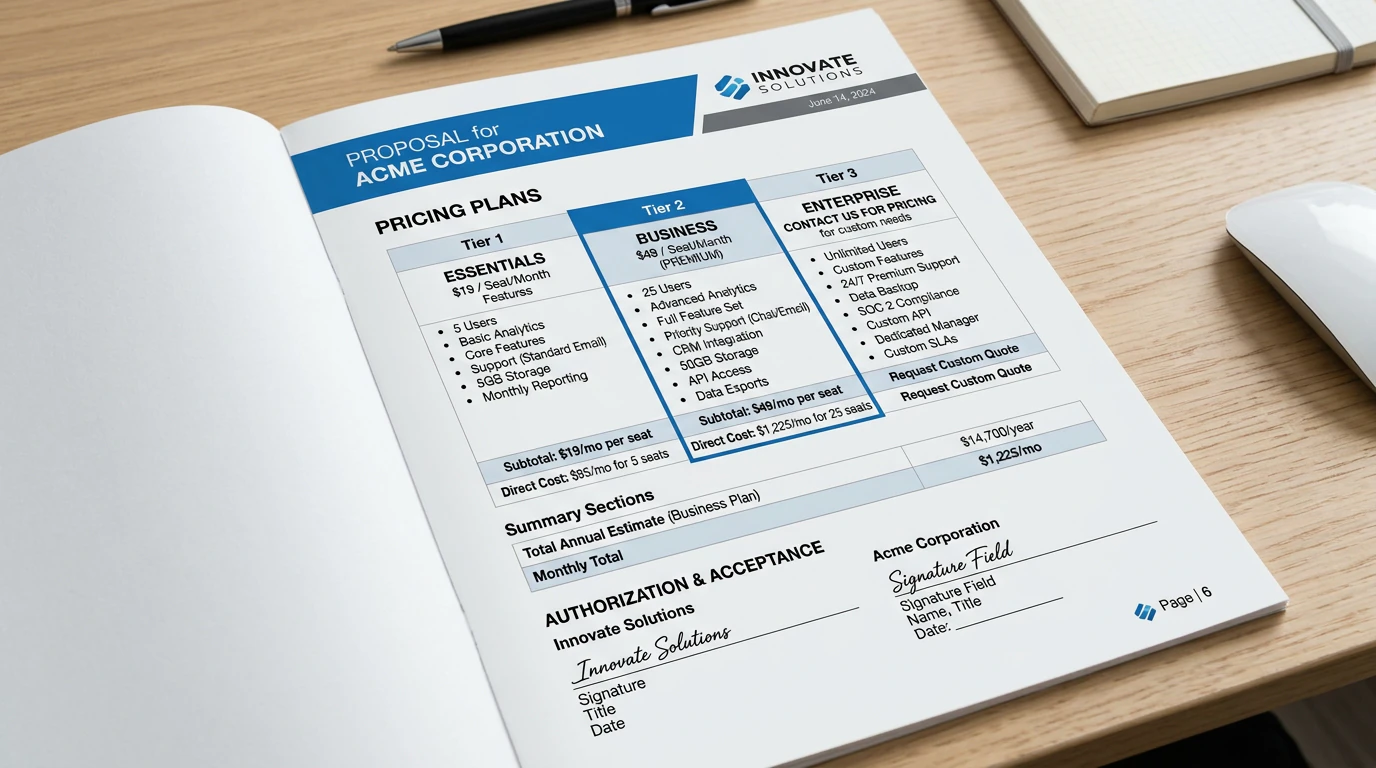
PandaDoc generates proposals with built-in pricing tables, line items, totals, and e-signature fields — all from your product catalog with no manual formatting required.
Key Features — What Makes PandaDoc Different
AI Proposal Generation (The Headliner)
When you start a new proposal, you select products or services from your saved catalog. PandaDoc AI writes the product description, inserts pricing, and formats the section. You can describe a custom line item in natural language — “Add a premium onboarding package with three 1-on-1 training sessions” — and AI generates the description and suggests a price based on your catalog history.
This isn’t a general chatbot output. The AI works within your existing product structure, so the output stays consistent with your brand voice and pricing strategy. It’s constrained generation, not open-ended creative writing.
Real-Time Document Analytics
Once a proposal is sent, you get live tracking: when the recipient opens it, how much time they spend on each page, whether they scroll past the pricing section, and what device they’re using. If a prospect opens the proposal three times and keeps reading the pricing section, you know they’re price-sensitive before you hop on the call.
This is one of PandaDoc’s strongest features. Most proposal tools tell you whether the document was opened. PandaDoc tells you what the prospect actually engaged with — and that intel changes how you follow up.
E-Signature + Payment Collection
Signatures are collected inline within the document. No redirects to DocuSign or HelloSign. The recipient signs without leaving the proposal. For service businesses, you can also embed payment collection — Stripe integration means clients can approve and pay in one action.
The e-signature is legally binding under ESIGN Act (US) and eIDAS (EU), which means it works for contracts, SOWs, and service agreements, not just informal quotes.
Template Library + Content Blocks
PandaDoc includes a library of 750+ pre-built templates for proposals, quotes, contracts, and invoices. You can save frequently used paragraphs as content blocks and reuse them across documents. For agencies that send similar proposals to different clients, this eliminates the repetitive copying and pasting.
Pricing — Is It Worth the Cost?
| Plan |
Price |
Best For |
| eSign |
$19/seat/mo ($15 paid annually) |
Simple signature collection |
| Essentials |
$35/seat/mo |
Small teams sending proposals |
| Business |
$65/seat/mo |
Growing sales teams |
| Enterprise |
Custom |
Large organizations with custom workflows |
The AI proposal generation features are available on the Essentials plan and above. The eSign-only plan is for teams that just need signature collection without the full proposal workflow. For businesses sending 5+ proposals per month, the Essentials plan at $35/seat/month is the starting point.
Compare that to piecing together a workflow: a proposal tool ($20/mo) + DocuSign ($25/mo) + a CRM ($15/mo) + a payment processor. PandaDoc replaces all of them in one platform, and the AI generation feature alone saves multiple hours per proposal.
PandaDoc vs. Competitors
| Feature |
PandaDoc |
DocuSign |
Qwilr |
Proposify |
| AI proposal generation |
✅ |
❌ |
Limited |
❌ |
| Real-time analytics |
✅ |
Basic |
✅ |
✅ |
| E-signature |
✅ |
✅ |
Built-in |
Via DocuSign |
| Payment collection |
✅ |
❌ |
✅ |
❌ |
| CRM integrations |
HubSpot, Salesforce |
Salesforce |
HubSpot, Salesforce |
HubSpot, Salesforce |
| Template library |
750+ |
Limited |
50+ |
200+ |
| Starting price |
$35/seat/mo |
$25/mo |
$35/seat/mo |
$49/seat/mo |
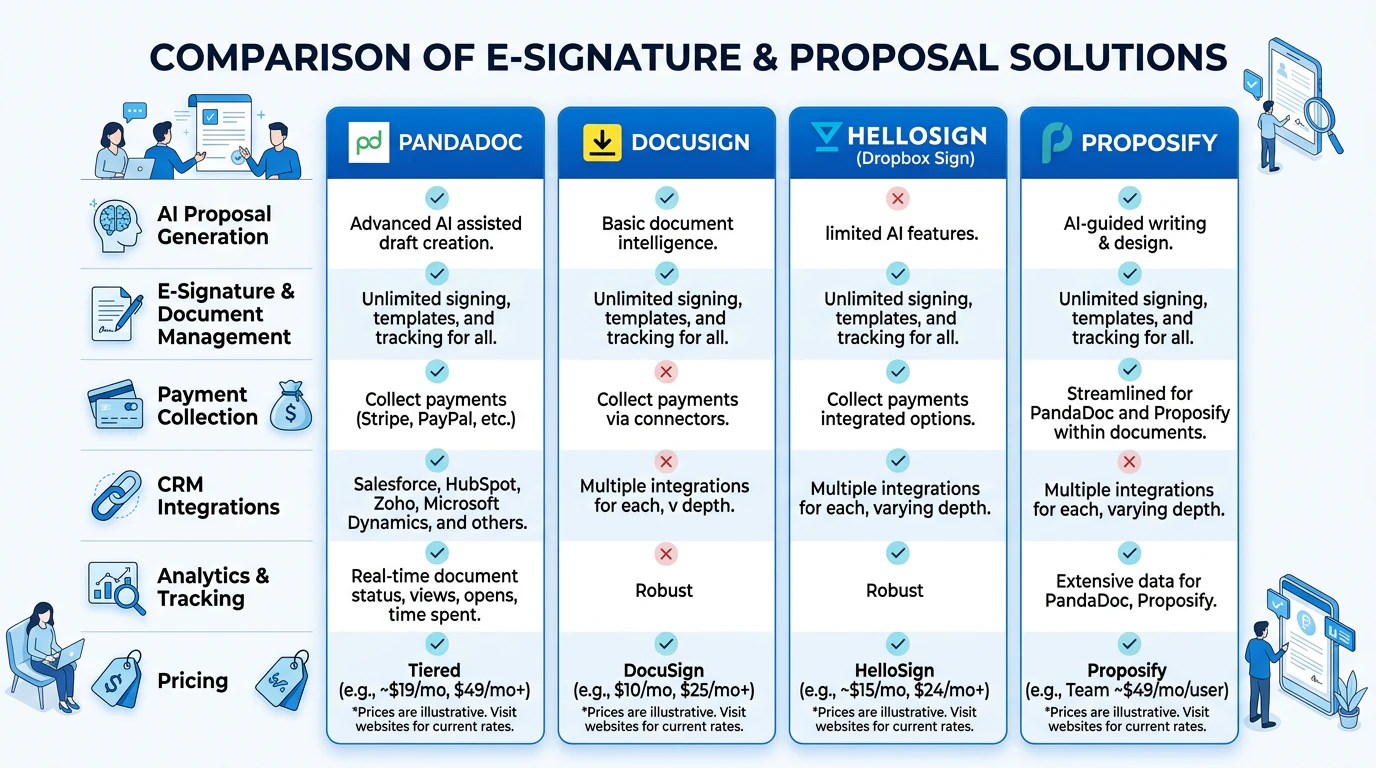
PandaDoc offers the most complete feature set at the second-lowest price point — the AI generation and built-in analytics give it a clear edge over DocuSign and Proposify for sales teams.
How PandaDoc AI Proposal Generation Actually Works
Understanding how PandaDoc AI generates proposals helps you use it effectively. The workflow is straightforward but has a few nuances worth knowing.
Step 1: Set up your product catalog. Before AI can generate meaningful proposals, you need to define your products or services in PandaDoc’s catalog. Each product entry includes a name, description, price, and optional images. The AI pulls from this catalog to build proposals automatically.
Step 2: Select items for the proposal. When creating a new proposal, you browse or search your catalog and select the items you want to include. The AI generates a description based on your catalog entry and inserts the price. You can also add custom line items by describing them in natural language. For example, typing “Quarterly social media audit with competitor analysis” generates a professional description and suggests pricing based on similar items in your catalog.
Step 3: Apply a template. PandaDoc applies your chosen template — headers, footers, color scheme, logo, and legal disclaimers are all pre-configured. The AI-generated content flows into the template automatically.
Step 4: Review and personalize. This is the step most users skip and shouldn’t. The AI output is structurally sound but generic. Add specific value propositions, case studies, or testimonials relevant to this particular prospect. Personalizing the first and last paragraph alone can double close rates.
Step 5: Send and track. Once sent, PandaDoc tracks every interaction. You get notifications when the prospect opens the document, how long they spend on each page, and whether they scroll to the pricing section. If a prospect spends 45 seconds on the pricing page and closes the document, you know the price is the blocker.
In the United States, PandaDoc’s e-signatures meet the ESIGN Act requirements for legally binding electronic signatures, which means proposals, contracts, and SOWs signed through PandaDoc are enforceable in court. This is a critical feature for service businesses and agencies that need signed agreements before starting work.
Use Cases — Where PandaDoc Adds the Most Value
PandaDoc is not a one-size-fits-all tool. Here are the scenarios where it delivers the strongest return on investment:
Marketing agencies. Agencies send proposals weekly, often with similar service packages and variable pricing. PandaDoc’s template library and content blocks eliminate the 2-3 hours of proposal formatting per pitch. One agency owner reported cutting proposal time from 4 hours to 30 minutes after switching to PandaDoc AI, adding back roughly 15 hours per week across the team.
IT services and consulting. Scope-of-work documents for IT projects are notoriously complex. Multiple line items, phased pricing, and legal terms make every proposal a formatting nightmare. PandaDoc’s structured catalog system keeps everything consistent across proposals, reducing the risk of pricing errors or missing sections that can delay deals by days.
Real estate and property management. Lease agreements, management contracts, and service quotes follow the same pattern repeatedly. PandaDoc’s content blocks allow agents to save common clauses and reuse them across documents, while the e-signature collection eliminates the back-and-forth of printing, signing, and scanning.
Freelance professionals. Freelancers benefit from PandaDoc’s professional presentation. A well-formatted proposal with inline pricing and signature fields signals credibility. For solo operators charging $5,000+ per project, the $35/month subscription pays for itself on the first proposal that closes faster.
Where PandaDoc Falls Short
No tool is perfect, and PandaDoc has limitations worth understanding before you commit to a plan:
Pricing stacks per seat. At $35/seat/month for Essentials, a team of five costs $175/month. That’s reasonable for a dedicated sales team, but expensive for a small business where one person handles everything. The AI features also require the Essentials tier or above — the eSign-only plan doesn’t include it.
Document builder has a learning curve. The drag-and-drop editor is powerful, but it’s not intuitive for first-time users. Building a custom template from scratch takes time. Most users are better off starting with one of the 750+ templates and customizing from there.
AI output still needs human review. The AI-generated proposal text is accurate and professional, but it’s generic. Descriptions like “Our premium package includes comprehensive features designed to meet your needs” won’t differentiate you. Plan to spend 10-15 minutes personalizing each AI-generated proposal before sending.
No free plan for active use. PandaDoc offers a 14-day free trial, but after that you’re paying. For businesses sending fewer than 3-5 proposals per month, the cost may not justify itself. A tool like Google Docs + a free e-signature service may be more practical at low volume.
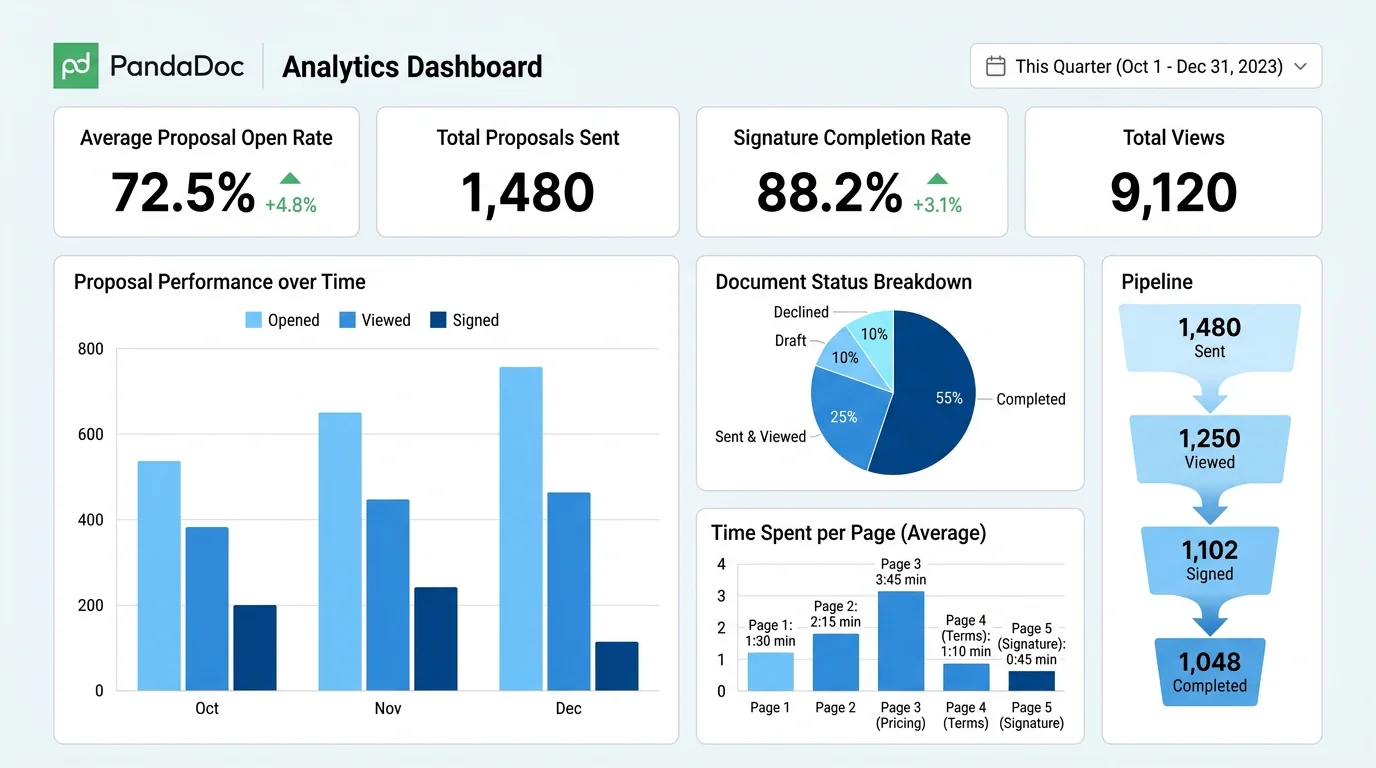
Real-time analytics show exactly how prospects engage with your proposals — open rates, per-page time, and signature status — so you know who’s interested and who’s stalling before you follow up.
Who Should Use PandaDoc?
Good fit:
- Sales teams sending 5-20 proposals per week
- Agencies that send standardized proposals with variable pricing
- Service businesses (consulting, marketing, IT services) with repeatable offerings
- Teams that need e-signature + payment collection in one workflow
- Companies that want data on which parts of their proposals work
Not a good fit:
- One-off personal use (selling a car, freelancing on the side)
- Teams that send fewer than 3 proposals per month
- Enterprises with heavily customized legal workflows that need custom development
- Solo operators who just need basic invoice templates
Frequently Asked Questions
What is PandaDoc and how does it work?
PandaDoc is an AI-powered document automation platform that lets you create, send, track, and e-sign proposals, quotes, contracts, and invoices. It uses AI to generate proposal content from your product catalog, collects legally binding e-signatures inline, and provides real-time analytics on how recipients engage with your documents.
How much does PandaDoc cost?
PandaDoc offers four pricing tiers: eSign ($19/seat/month for basic signature collection), Essentials ($35/seat/month with AI proposal generation), Business ($65/seat/month with advanced features), and Enterprise (custom pricing). Annual billing reduces the eSign tier to $15/seat/month.
Is PandaDoc better than DocuSign?
PandaDoc is better than DocuSign for sales teams that need complete proposal workflows rather than just signature collection. PandaDoc offers AI proposal generation, real-time per-page analytics, payment collection, and a 750+ template library. DocuSign is the better choice if you only need legally binding e-signatures without the proposal creation features.
Does PandaDoc have an AI feature?
Yes. PandaDoc AI generates complete proposal content from your product catalog in seconds. You select products or describe custom line items in natural language, and AI generates professional descriptions, pricing sections, and formatted layouts. The AI is available on the Essentials plan and above.
Is PandaDoc free to use?
PandaDoc offers a 14-day free trial but does not have a permanent free plan. After the trial, all features require a paid subscription starting at $19/seat/month for the eSign-only plan or $35/seat/month for the Essentials plan with AI proposal generation.
Can PandaDoc collect payments?
Yes. PandaDoc integrates with Stripe for inline payment collection. Prospects can approve a proposal and make a payment in the same action, without leaving the document. This is available on the Business plan and above.
What integrations does PandaDoc support?
PandaDoc integrates with HubSpot, Salesforce, Pipedrive, Zapier, Google Workspace, Microsoft 365, QuickBooks, Xero, Stripe, and PayPal. The CRM integrations allow you to send proposals directly from within your CRM and sync document status automatically.

About Barak Schurr
Barak Schurr is the founder and former president of the nightlife ticketing platform Wantickets and former Global Director of Dance and Nightlife at Eventbrite. He currently focuses on AI research and writes about practical AI for independent business owners that actually moves the needle — no hype, no corporate fluff. More at topnotchaitools.com.
Contact: [email protected]
More AI Resources for Your Business

AI Table Review
AI tools and strategies for independent restaurant owners and operators.

AI Video Advisor
AI-powered video creation tools and strategies for creators and businesses.