Get The Solo Business OS — Free
The AI workflow that replaces a part-time employee for solo operators and small business owners.
How to Get More Output From the AI Tools You Already Pay For in 2026
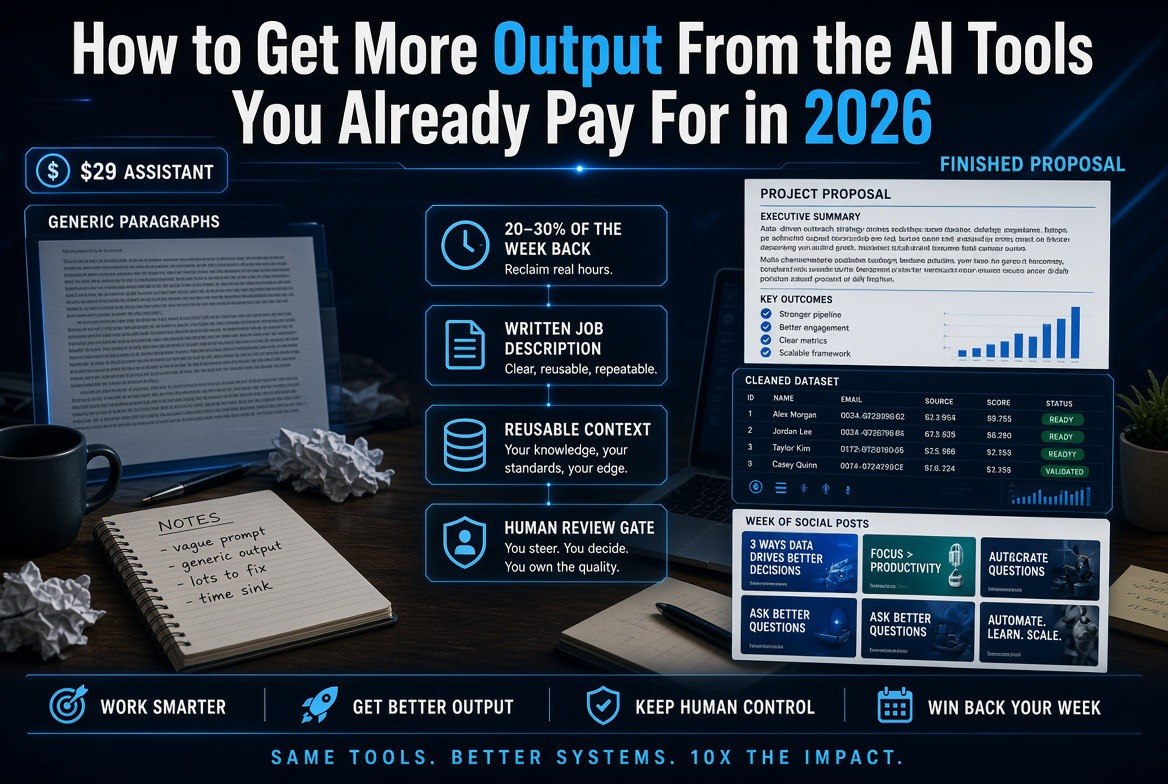
⚡ Expert Summary: Most US small businesses are not paying too much for AI — they are getting too little out of what they already pay for. The same $29 assistant subscription that returns generic paragraphs for one owner returns a finished proposal, a cleaned dataset, and a week of scheduled social posts for another. The difference is not the model and it is not the prompt secret. It is five operational habits: a written job description for every tool, saved reusable context, task-specific instructions with a defined output format, a human review gate that catches the 10% that would embarrass you, and a measured baseline so you can prove the tool paid for itself. Fix those five and the average operator recovers 20 to 30 percent of the working week without buying a single new subscription. The tools you already have are almost never the bottleneck. The way you hand them work is.
Two businesses in the same US city, same industry, same size, both paying $29 a month for the same AI assistant. One closes its books in three days instead of ten, answers every inbound lead inside five minutes, and ships a month of marketing content in an afternoon. The other gets paragraphs it has to rewrite, answers it does not trust, and a quiet suspicion that the whole thing was overhyped.
Nothing about their software is different. The gap is entirely in how the work gets handed over. This guide is the five habits that close that gap, in order, using only the tools already on your credit card statement.
Start With What You Actually Have
Before you change anything, write down two numbers. First, the total you spend monthly across every AI and software subscription in the business. Second, the number of hours per week you personally spend on work you bought those tools to do. Most owners can produce the first number in ten minutes and guess wildly at the second.
That second number is the one that matters. A tool that costs $29 a month has to give back roughly two hours a month at a $25 hourly cost of your time to break even. Nearly every AI subscription on a small business card clears that bar easily — and nearly none of them are currently being asked to.
Now write one sentence per tool describing the single recurring job it does. Not the category it belongs to. The actual task: “draft the weekly client update email,” “turn my call notes into action items,” “write product descriptions for new listings.” If a tool has no sentence, it has no job, and it is a candidate for cancellation. If two tools share a sentence, you have one job and two bills.
This exercise surfaces the real problem fast. The typical US small business is not under-tooled. It is carrying subscriptions that nobody in the building has been asked to use properly. Fixing that is the entire subject of this article.
Step 1 — Give Every Tool a Written Job Description
The first habit is the one that sounds too obvious to matter, and it is the one that changes everything: write the job description down, in the tool, permanently.
An AI assistant with no role instruction behaves like a contractor who shows up without a brief. It gives you the most average possible answer because average is what it was asked for. The moment you tell it what the business is, who the customer is, and what a good output looks like, the quality of every single response shifts upward — and it stays there.
Do it once, properly. A working job description covers four lines:
- What the business does, in plain language, including what it does not do
- Who the customer is — the actual buyer, including budget level and what they care about
- The voice — how the business sounds when it writes to a customer
- What good looks like — one example of an output you were happy with
Paste it at the top of a standing conversation, or save it as a project or custom instruction if the tool supports it. Every tool that holds a saved context system has one now, including the major assistants and most vertical tools.
Why this works: models weight whatever is closest to the request most heavily, and a persistent brief is the cheapest way to put your context in front of every request forever. It removes the single largest source of wasted output — the reply that reads fine and is useless.
Which tool: any general assistant (ChatGPT, Claude, Gemini) plus one vertical tool with a saved-context feature. Start with your primary assistant today.
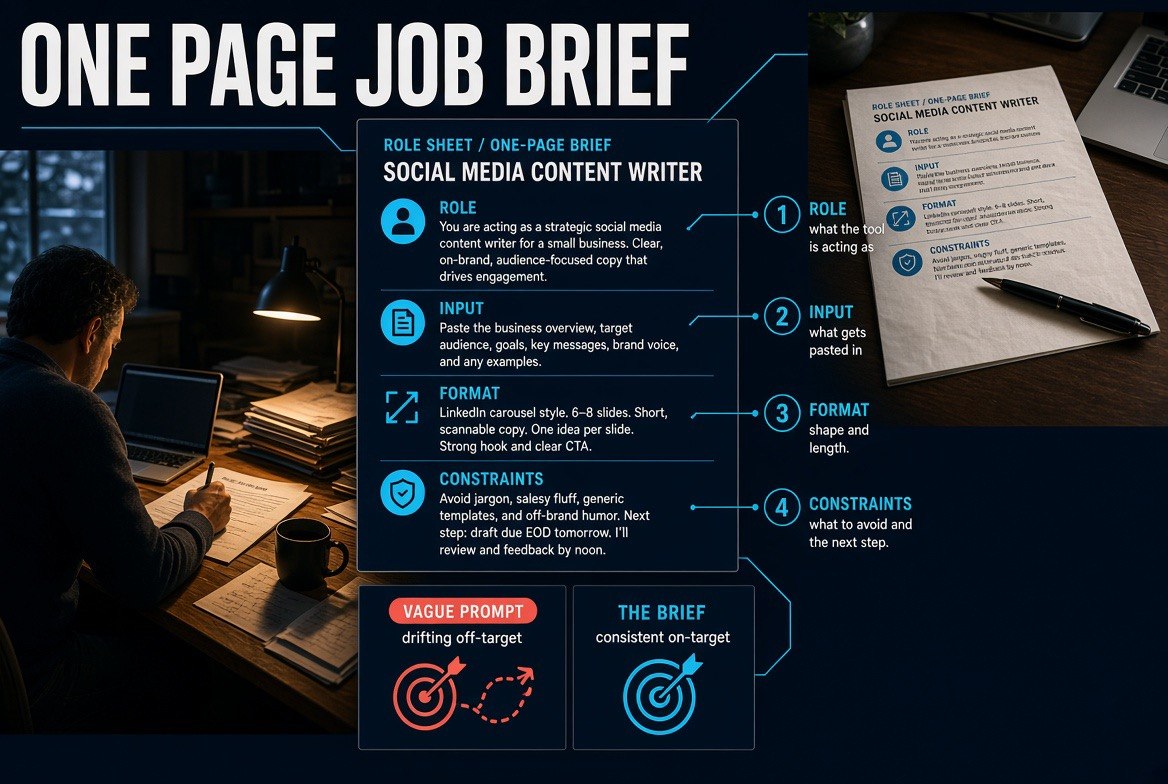
The four parts of a brief — Role, Input, Format, Constraints. A vague prompt drifts off target; the written brief produces the same on-target result every time, which is the whole reason the document is worth writing once.
Step 2 — Build a Reusable Context File and Feed Everything From It
The second habit eliminates the most common time sink in AI work: re-explaining the business on every request.
Build one document and keep it current. It holds the facts that do not change week to week — the business description from Step 1, your service list with real prices, your ideal customer profile, your tone rules, the phrases you never want to see, and your formatting defaults. Call it your context file.
Then, instead of retyping, paste the relevant slice of that file into new requests, or attach it once in a tool that supports persistent attachments. Ten seconds of pasting replaces two paragraphs of typing, and the output stops drifting.
The compounding benefit is what makes this worth the setup cost: every prompt you write afterward gets shorter and better at the same time, because the context is doing the heavy lifting instead of your typing.
Step 3 — Turn Repeated Requests Into Saved Instructions
Any request you have typed more than three times should never be typed again. That is the whole rule.
Identify the five to ten requests you repeat most: the weekly status update, the follow-up email after a no, the meeting summary turned into action items, the reply to a pricing question, the product description, the invoice reminder. For each one, write a single reusable instruction with four parts:
- Role: what the tool is acting as (“you are writing a follow-up email for a customer who said no on price”)
- Input: exactly what you will paste in
- Format: the shape of the output — how long, what sections, bullets or prose, what to lead with
- Constraints: what to avoid (“no apologising, no more than 120 words, end with one clear next step”)
Save each one where you will find it, and name it for the job rather than the tool. This is where the output format instruction earns its money. Asking for “an email” gets you a generic email. Asking for “three sentences, lead with the number, no greeting, end with a question” gets you something you can send.
The first pass takes about an hour for five instructions. That hour is repaid within the first fortnight, and it is repaid again every week after that.
| Habit | Time to Set Up | Hours Recovered per Week | What Breaks Without It |
|---|---|---|---|
| Written job description per tool | 20 minutes | 2–4 | Every reply reads average and needs rewriting |
| Reusable context file | 45 minutes | 3–5 | Constant re-explaining, drifting output quality |
| Saved instructions for repeat tasks | 60 minutes | 4–6 | The same typing, done badly, forever |
| Output format instructions | 10 minutes | 2–3 | Usable content stuck behind editing work |
| Human review gate | 5 minutes | Prevents losses, adds none | One bad send destroys the trust that makes this work |
| Baseline + monthly measurement | 15 minutes | Protects all of the above | You cannot defend a spend you cannot measure |
The ranges above reflect what US operators typically report after running the five habits for a month. Your numbers will differ — the point is the direction, and the fact that the setup cost is measured in minutes while the return is measured in weeks.
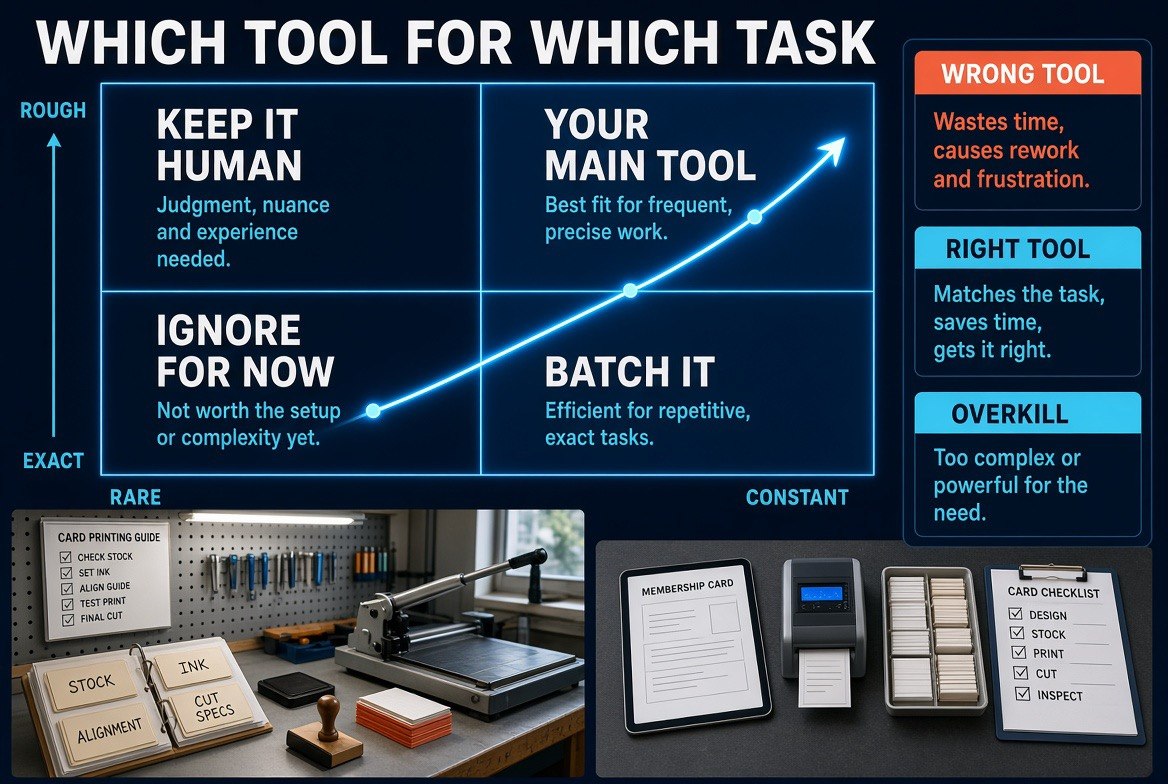
Sort every task on two axes — how often it runs and how exact it has to be — and the subscription question answers itself: keep the high-precision work human, put volume on the batch tool, and stop paying for overkill.
Step 4 — Match the Tool to the Volume, Not the Brand
The fourth habit is the one that decides whether your existing subscriptions are the right ones at all.
Every task in the business sits somewhere on two axes: how often it runs and how much precision it needs. High-volume, low-precision work belongs on a general assistant or a bulk tool. Low-volume, high-precision work belongs with a specialist or with you. Getting this wrong in either direction is where money and hours disappear.
Putting high-volume work on a general assistant to save a subscription usually backfires, because the volume exposes every inconsistency in the output. Putting low-volume, high-stakes work on a cheap specialist usually backfires too, because the tool is not built for the edge cases you actually care about.
The honest test for any tool you already pay for: run your three most common tasks through it and count how many outputs you would send without editing. Below half, the tool is misused or mismatched — usually misused. Above half, you are getting real value and the question becomes whether it could take a fourth task.
Which tool for which job: a general assistant for drafting, summarising, and structuring; a dedicated document tool for contracts and compliance-adjacent work; your accounting platform’s built-in assistant for categorisation and reconciliation; a vertical tool only where the workflow itself is the product. The US market has moved decisively in favour of fewer, better-connected tools. US Chamber of Commerce reporting on small business AI adoption found that smaller firms gain most when AI is embedded in work they already do rather than stacked on as another application, and the SBA’s small business AI guidance points to the same conclusion: the return comes from the process you wrap around the model, not from the model by itself.
Step 5 — Put a Human Gate on Anything That Leaves the Building
The fifth habit is not about getting more output. It is about keeping the output you can trust.
Every AI workflow needs one review point before anything reaches a customer, a bank, or a regulator. One person reads it. That is it. The gate takes seconds per item and it is the difference between an owner who leans on their tools and an owner who quietly stops using them after one embarrassing email.
Set the gate by consequence, not by task length. Internal notes, drafts, and research summaries can flow with a light check. Anything with your name on it, anything with a number that matters, and anything that goes to a customer, a payment processor, or a filing, gets read end to end. In accounting, legal-adjacent, and medical-adjacent work, the gate stays even when the tool is excellent — the audit trail is the point.
Once the gate is in place, you can safely widen what you hand over, which is how the volume gain actually lands. Teams that skip this step hit one bad send and retreat to doing everything by hand, which is the most expensive outcome of all.
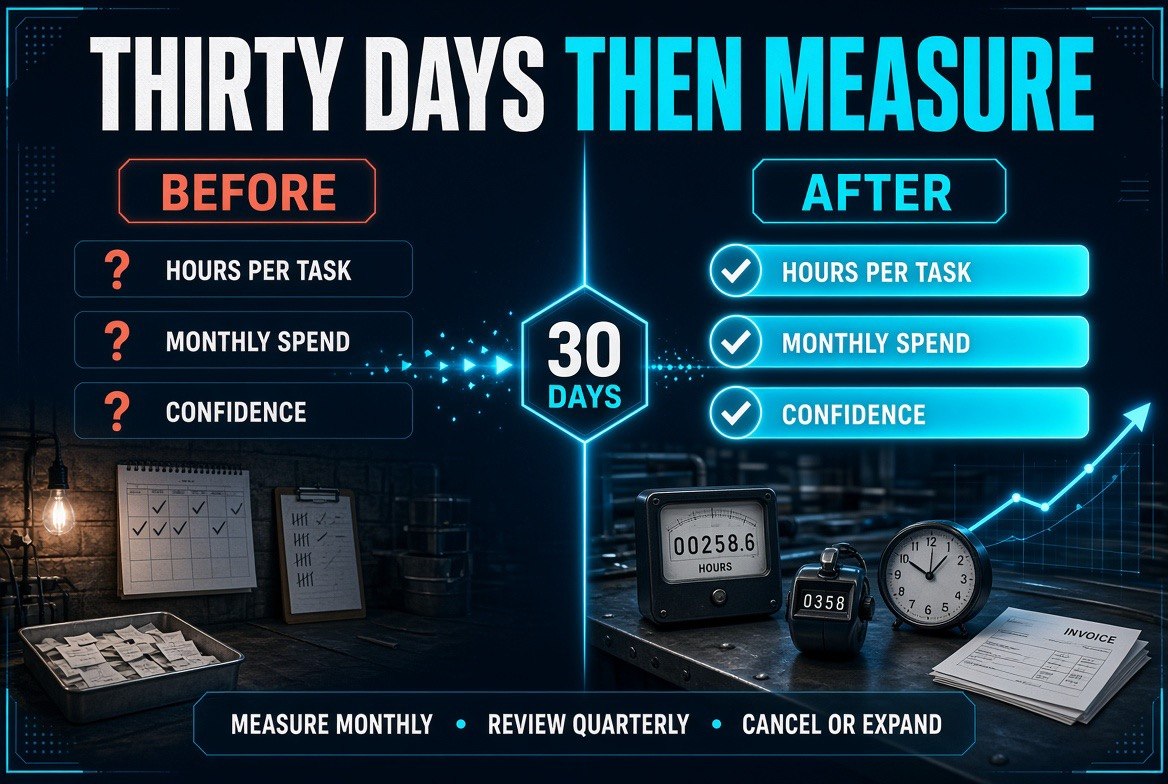
Three numbers, thirty days apart. Hours per task, monthly spend, and confidence in the output — a question mark before, a checked figure after. Measure monthly, review the tool list quarterly, and cancel or expand on evidence instead of instinct.
Step 6 — Measure It or You Will Not Believe It
The final habit is the one that turns a nice experiment into a durable part of the business: measure before and after.
Pick three tasks you are already handing to AI. Write down, today, how long each one takes and what it costs you in hours. Recheck in thirty days. Three numbers is enough — there is no dashboard required and no reporting tool to buy.
What you are looking for is not a spectacular number. You are looking for a defensible one, so that when you decide whether to keep a subscription or add a new one, you are making a decision with evidence instead of vibes. The same discipline that surfaces a tool worth cancelling also surfaces the one worth expanding.
Review the numbers monthly and the tool list quarterly. Subscriptions accumulate quietly, seats stay assigned to people who left, and a tool that earned its keep in March can be redundant by September. Fifteen minutes a quarter keeps the stack honest.
| Task | With Nothing Set Up | With All Five Habits | Net Change |
|---|---|---|---|
| Weekly client status update | 45 min (draft + rewrite) | 12 min (review only) | −33 min |
| Responding to inbound pricing questions | 20 min per reply, slow turnaround | 4 min per reply, same day | −16 min and faster close |
| Monthly bookkeeping prep | 6 hours, three passes | 2 hours, one review pass | −4 hours |
| Marketing content batch | Sketchy, often skipped | One afternoon per month, consistent | Output exists at all |
None of these numbers require a new subscription. They require the work to be briefed, formatted, gated, and measured — which is what the five habits do.
What to Do First If You Only Have One Hour
Write the job description for your primary assistant and save it as a permanent instruction. That is the whole hour. It is the single highest-return change available on this list, because it raises the quality of every other task you hand over, including the ones you have not thought of yet.
Then schedule the next hour for the context file. Then the instruction library. Do them in that order across three weeks and you will have changed how the business works without changing what it pays for.
One deliberate constraint as you go: do not add a tool to fix a process you have not yet defined. A new subscription layered on an undefined workflow produces the same disappointing output at a higher monthly cost. Define the job first. The tool decision becomes obvious once the work is legible — and sometimes the answer is that you already own the right one.
The Before and After
| Factor | Before | After |
|---|---|---|
| Monthly AI spend | $400–$900 across 9–15 tools | Unchanged — or lower, once duplicates surface |
| Time per recurring task | Draft plus full rewrite | Review only |
| Output consistency | Drifts with every prompt | Stable, because the brief is permanent |
| Confidence in the output | Low, checked twice or never used | High, because the gate is defined |
| Evidence of return | None, just a feeling | Three measured tasks, checked monthly |
The last row is again the one that decides whether any of this lasts. An owner who can name the hours recovered will keep the habits. An owner working from a feeling will drift back to doing it by hand within a quarter.
Common Mistakes That Waste the Setup Work
Writing a brief once and never updating it. Prices change, services change, customers change. A stale brief is worse than no brief, because it quietly steers every output toward last year’s business.
Optimising the prompt instead of the process. There is no secret phrasing. The visible gains come from defined jobs, saved context, and output formats — not from another round of wording.
Removing the human gate to go faster. The gate is what makes the speed safe. Lose it and you will lose the trust that lets you delegate at volume in the first place.
Buying a tool before defining the job. Every purchase decision is easier and cheaper after the process is written down. Do the writing first.
Measuring nothing. Without a baseline, you cannot tell a tool that is working from a tool you have simply stopped noticing.
Frequently Asked Questions
Do I need to buy new AI tools to get more output?
Almost never. The gains described here come from how existing subscriptions are used. In fact, defining the jobs properly usually reveals two or three tools that are duplicating each other and can be cancelled. If you want the full US small business picture on the tools themselves, start from our AI tools hub.
How long before I see a difference?
The job description alone changes output quality on the first request. Measured time savings typically show up within two to three weeks, once the saved instructions cover your most repeated tasks.
Is this different from cutting my AI spend?
Yes, and they are complements. Cutting spend reduces what you pay. This work increases what you get. The strongest position is a smaller stack that is fully briefed — which is why the two guides read well together. If reducing the bill is your priority, start with our seven-step AI spend audit, then come back here to make the remaining tools earn out.
Which tool should I set up first?
Whichever one you open every day. That is where the job description pays back fastest, and it is nearly always the general assistant.
Do I need technical skills for any of this?
No. Every step is writing, pasting, and saving. No code, no integrations, no automation platform required — though once the habits are in place, connecting the tools with an automation layer is a reasonable next project.
What if my team will not adopt it?
Start with one person and one task and measure it. Adoption follows evidence. Teams resist AI far less when the first example is a task someone hated doing by hand.
How do I know when a tool should be replaced rather than better briefed?
If it fails the three-task test after a proper brief — fewer than half the outputs usable without editing — it is mismatched. If it passes, it stays. Volume and precision, not brand, decide the answer.

About Barak Schurr
Barak Schurr built and sold a major ticketing platform, ran global nightlife operations at Eventbrite, and now spends his time figuring out which AI tools actually move the needle for independent business owners — and which ones are just noise. No hype. No fluff. Just what works.
Email: [email protected]
More AI Resources for Your Business