Get The Solo Business OS — Free
The AI workflow that replaces a part-time employee for solo operators and small business owners.
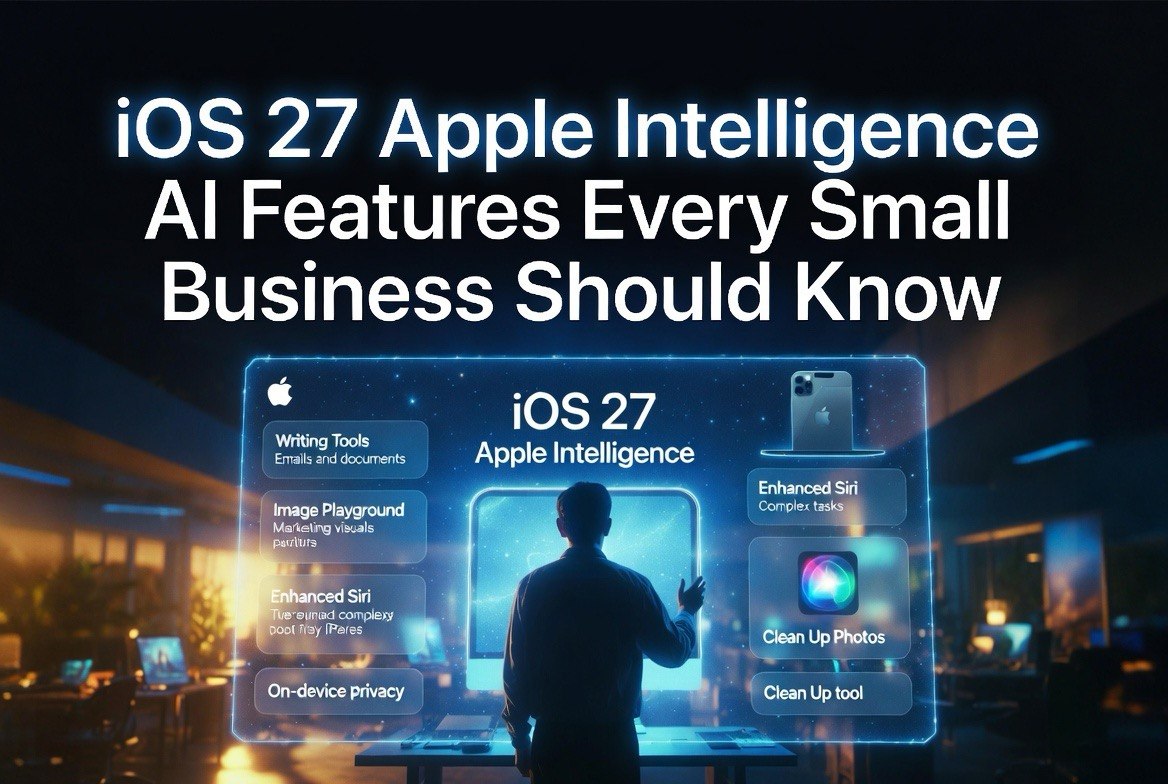
iOS 27 Apple Intelligence: AI Features Every Small Business Should Know
⚡ Expert Summary: Apple’s iOS 27, announced at WWDC June 2026 and rolling out this fall, packs the most significant Apple Intelligence upgrades yet — including a rebuilt Siri AI with app control, automated receipt scanning and bill splitting in Wallet, AI-powered Local Lists in Maps, and smarter music automation. For small business owners using iPhones as daily drivers, these features save real time on tasks like expense tracking, customer discovery, and payment processing — no extra apps or subscriptions needed.
What iOS 27 Means for Small Business Owners
Apple’s WWDC 2026 keynote focused heavily on Apple Intelligence — the company’s umbrella brand for on-device AI features. While consumer-focused features like smarter photo editing and personalized emoji generation got the headline coverage, several upgrades in iOS 27 are directly useful for small business operations.
The key distinction with Apple Intelligence vs. cloud AI: everything processes on-device. Your data never leaves your iPhone. For business owners who are (rightly) cautious about feeding customer data into cloud AI models after the privacy warnings from Signal’s Meredith Whittaker, this is a meaningful advantage.
Here is what is new, organized by practical business use.
Apple Wallet: Expense Tracking Without the Friction
The most immediately useful upgrade for business owners is in Apple Wallet. iOS 27 lets you scan receipts with your camera and automatically split bills — but more importantly for small businesses, the receipt parsing is powered by Apple Intelligence on-device processing.
This means: point your phone at a lunch receipt with a client, and iOS identifies individual items, calculates tax and tip splits, and facilitates repayment directly through Messages or Wallet. For owners who track client entertainment expenses, this eliminates the manual receipt-entry step. The data stays on your device, and the record stays in Wallet for end-of-month accounting.
Wallet also now supports digitizing physical membership and loyalty cards. For business owners who carry a stack of membership cards — supplier discounts, trade association cards, industry partner loyalty programs — point the camera at the barcode and it saves directly into Wallet. Apple Watch support means you can pin frequently used passes to the Smart Stack for faster checkout at supply stores or industry events.
For business owners who travel, the revamped hotel key experience in Wallet goes beyond unlocking rooms. Participating hotels now display trip details, activity schedules, service information, and real-time updates directly in Wallet. That is one less app to install and one less notification stream to manage on every business trip.
Apple Pay: Faster Checkout and Better Cash Flow Visibility
Apple Pay’s redesigned checkout experience lets you swipe between payment cards while viewing rewards balances, debit account balances, and available pay-later options. For business owners managing multiple accounts — a primary business card, a backup line of credit, a personal card for reimbursable expenses — this means making payment decisions with full visibility instead of guessing which account has the balance. The interface shows you what you need to know at the exact moment you need it, not after you have already committed to a payment method.
The “Tap to Share” feature for merchants, coming later this year, lets customers connect with participating businesses by tapping their phone to share loyalty accounts, shipping addresses, and contact details. For small businesses that accept Apple Pay, this reduces checkout friction — customers don’t need to type their address or loyalty number, they just tap. Lower friction means higher conversion rates, whether in-store or at events.
The ability to add funds directly to eligible debit cards during checkout is also useful for business owners who keep separate operating accounts. If a debit card is running low mid-month, you can top it up right at the checkout screen instead of switching to a banking app.
Siri AI: The Assistant That Might Finally Work for Business
WWDC 2026’s biggest announcement was a rebuilt Siri powered by on-device Apple Intelligence models. The new Siri can control individual app features — not just open apps, but perform specific actions within them. For business owners, this is where the time savings start to compound.
The practical difference: instead of “Hey Siri, open Calendar” and then manually creating an event, you can say “Hey Siri, schedule a meeting with Sarah at 2 PM on Thursday and add that we need to discuss Q3 budget.” The new Siri creates the event, sets the title, adds notes, and sends the invitation. One command, not five taps.
For business owners who manage their schedules on the go, this matters. You can dictate emails, set reminders tied to specific contacts and locations, and pull up documents by name without navigating through folders. It is still Siri — it will not write your quarterly report — but for the transactional tasks that eat 15 minutes here and 20 minutes there throughout the day, the cumulative savings add up.
The key limitation to be aware of: Siri AI runs on-device, which means older iPhones (pre-iPhone 17 Pro) may not support the full feature set. Apple typically limits on-device AI features to its latest Pro models and the current-generation standard models. If you are running an iPhone 15 or 16, some Siri AI features may be unavailable or slower.
Apple Maps: Local Discovery That Competes With Google
iOS 27 introduces “Local Lists” in Apple Maps — curated, trending recommendations for restaurants, attractions, and local spots. The feature uses Apple Intelligence to surface what is popular in an area right now.
For small business owners who spend time visiting clients, scouting locations, or entertaining prospects, this is a native alternative to Google Maps reviews and Yelp. The practical value: when you land in a new city for a client meeting and need a restaurant recommendation that is actually good — not just the first result — Local Lists gives you a signal-driven choice without switching apps.
The Flyover 3D view upgrade with more detailed visuals and smoother navigation also helps if you are scouting locations for a physical business or evaluating real estate options. The immersive view gives a better sense of an area than standard map tiles.
Find My: Flexible Location Sharing for Teams
iOS 27 adds the ability to share your location for custom durations — from a few minutes to multiple days — and to temporarily pause sharing with individual contacts until the end of the day.
For business owners with mobile teams (delivery drivers, field service technicians, sales reps on the road), this gives more granular control over location sharing during work hours. A technician can share their location for the duration of a shift, then have it automatically expire. A sales rep can pause sharing during a personal errand without disabling the whole system.
It is a small feature, but for businesses that use Find My for fleet visibility or team coordination, the granular controls reduce the friction that comes with blanket always-on location sharing.
Apple Music: Background Sound for Productivity (and Customer Experience)
Apple Music subscribers get Hi-Res Lossless Audio on Apple TV 4K, and the enhanced AutoMix feature creates smoother transitions between songs. The Lyrics Translation feature adds seven new language pairings.
For retail or hospitality business owners, the AutoMix upgrade and lossless audio are relevant if you manage in-store music. Apple Music is increasingly used as a background music source in small shops, cafes, and waiting areas. Smoother AutoMix means fewer jarring transitions, and lossless audio means better sound quality through compatible sound systems. Neither is transformative, but both improve the customer audio experience without adding a new subscription.
Should Your Business Upgrade to iOS 27?
The decision is not whether to upgrade — every iPhone running iOS 26 that supports iOS 27 will eventually get the update. The question is whether to upgrade on day one or wait for the .1 release.
Upgrade on day one if: You actively use Apple Wallet for expense tracking, you split bills with clients or colleagues multiple times per week, you rely on Apple Pay for business transactions, or you want the new Siri AI controls for scheduling and dictation. The Wallet receipt scanning alone is worth the upgrade for anyone who tracks expenses manually — a process that the Small Business Technology Institute estimates costs the average US business owner 47 minutes per week in manual data entry.
Wait for .1 if: Your business depends on specific third-party apps that might not be compatible on launch day, or you manage a fleet of company iPhones and want to avoid being a beta tester for an OS that supports critical payment and communication tools. Standard IT advice applies: let the early adopters find the bugs, then upgrade when the first patch drops.
Either way, iOS 27 represents Apple’s clearest signal yet that it is building iPhone features with practical business utility — not just consumer convenience. The Wallet, Maps, and Siri AI upgrades all solve real problems that small business owners deal with daily, and because everything runs on-device, there is no privacy tradeoff.
How iOS 27 Fits Into Your AI Stack
For business owners who deploy a multi-model AI strategy — ChatGPT for content, Claude for analysis, Gemini for research — iOS 27’s on-device Apple Intelligence fills a different role. It handles the small, frequent, context-specific tasks that cloud AI models are overkill for: scanning a receipt, scheduling a meeting, checking a balance, finding a restaurant. These are not tasks you would open ChatGPT for, but they are tasks that cumulatively consume time over a workday.
The advantage of Apple’s approach is that these actions happen without leaving your flow state. You stay within the apps you already use — Wallet, Maps, Calendar, Messages — and the AI operates in the background. It is less powerful than a frontier AI model, but it is also more available for the kinds of tasks that actually eat into your operating time.
A 2026 survey by the Small Business Technology Institute found that the average small business owner spends 4.3 hours per week on administrative tasks that could be automated or streamlined with existing tools. iOS 27’s Apple Intelligence features target exactly that bucket — the 15-minute tasks that do not justify learning a new platform but that add up to hours when left unaddressed.
FAQ
When does iOS 27 come out?
iOS 27 was announced at WWDC in June 2026 and is expected to roll out to the public in September 2026, following the standard Apple release cycle. The developer beta is available now, and a public beta typically follows in July.
Which iPhones support iOS 27 Apple Intelligence features?
Apple Intelligence features require the iPhone 17 Pro, iPhone 17, iPhone 16 Pro, or iPhone 16. Older models may still run iOS 27 but will not have access to on-device AI features like the rebuilt Siri and automated receipt scanning.
Does iOS 27 send business data to Apple’s servers?
Apple Intelligence processes everything on-device. Your data — including scanned receipts, map queries, and Siri requests — never leaves your iPhone. Apple’s privacy architecture for Apple Intelligence uses Private Cloud Compute for complex requests that exceed on-device capability, with verifiable privacy guarantees and no data retention.
Can iOS 27 replace my expense tracking app?
For basic receipt tracking and client-expense splitting, the Wallet improvements in iOS 27 are a viable alternative to apps like Expensify or Receipt Jar — especially since there is no subscription. For full bookkeeping, inventory tracking, or tax preparation, you will still need dedicated accounting software. Think of it as a front-end capture tool that feeds into your existing system.