Get The Solo Business OS — Free
The AI workflow that replaces a part-time employee for solo operators and small business owners.
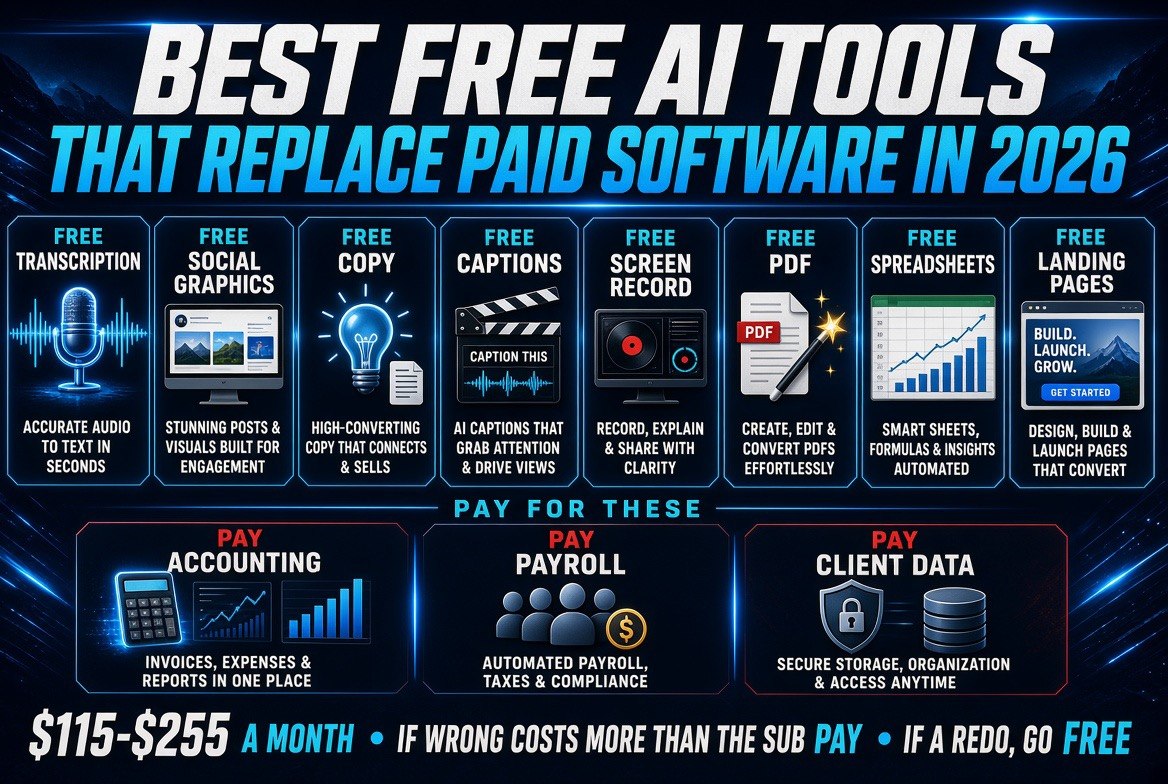
Best Free AI Tools That Replace Paid Software in 2026
⚡ Expert Summary: Free AI tools have crossed the line from “good enough for a hobby” to “good enough for the books” — but only in specific jobs. This is the honest split: eight categories where a free tool genuinely replaces a paid subscription in 2026, what each one gives up in the trade, and the three jobs where paying is still the cheaper decision. For a small business running five to ten subscriptions, the realistic saving is $120 to $400 a month.
Every small business owner has the same little graveyard of subscriptions. A design tool you use twice a month. A transcription service you signed up for in a hurry. A newsletter platform, a scheduler, a screenshot annotator, a PDF editor — each one individually defensible, collectively a bill you stopped reading three years ago.
What changed in 2026 is that the free tier of AI tools is no longer the demo. In several job categories, the free version is now better than the paid tool you are paying for, mostly because the paid tool has not added anything meaningful since 2019 while the free AI equivalent ships improvements every few weeks.
But there is a real line, and most “free AI tools” listicles refuse to draw it. Free tools win on volume and repetition. They lose on anything that needs an audit trail, a signed contract, or a phone number when it breaks at 6pm on a Friday. Here is where the line actually sits.
Where Free AI Actually Wins
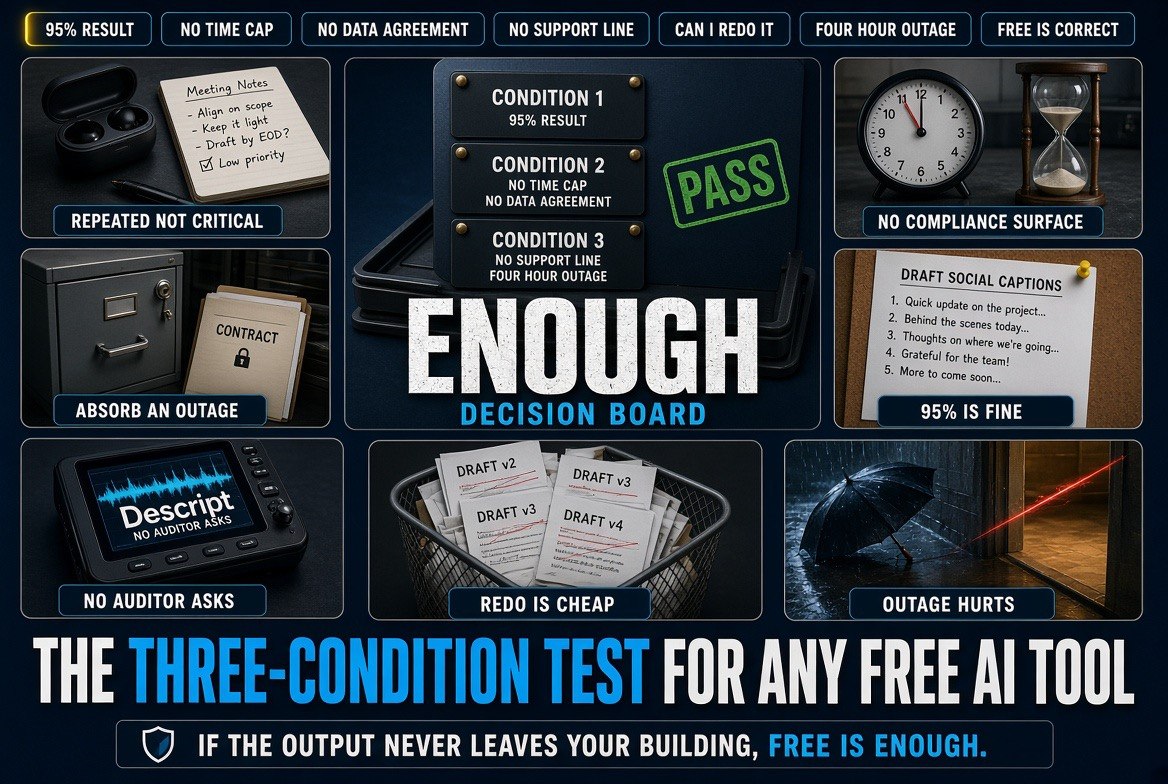
Three conditions make free the correct answer, and you can test any tool against them in about a minute.
First, the work is repeated, not critical. Drafting social captions, trimming a video, resizing an image, summarising a document — these are tasks where a 95% result is functionally identical to a 100% result, and the free tool hits 95% consistently.
Second, there is no compliance surface. If the output never touches a client contract, a tax filing, a medical record or a legal disclosure, no auditor will ever ask you how it was produced. Free tools are perfectly safe there.
Third, you can absorb an outage. A free tool going down for four hours is an inconvenience. If your invoicing runs on it, that is a business interruption with no support line to call.
The Nine Categories, Ranked by Real Savings
These are the categories where a free AI tool is a genuine replacement in 2026, ordered by how much a typical small business actually saves.
1. Transcription and meeting notes. The paid incumbents charge per seat per month for something the free tiers now do without a time cap on short recordings. Savings: $20 to $40 a month. The trade: speaker labels degrade on messy audio, so recordings with five people talking over each other still need a human pass.
2. Social media graphics. Free AI image and template tools cover 90% of what a small business posts. Savings: $15 to $30 a month. The trade: you will hit generation limits in a heavy week, and brand-perfect templates need one manual setup pass you cannot skip.
3. Copywriting assistance. Free tiers of the major assistants handle blog drafting, email sequences and product descriptions. Savings: $20 to $40 a month. The trade: the free models are worse at holding a long brand voice across a 2,000-word piece, so expect to edit more of the middle.
4. Video editing and captions. Auto-captioning, silence removal and basic trimming are now free-tier features. Savings: $15 to $35 a month. The trade: exports carry watermarks on some free plans and render times are slower.
5. Screenshots, screen recording and annotation. The paid tools in this category are among the most overpriced software on earth, and the free AI-assisted alternatives do the job. Savings: $10 to $20 a month.
6. PDF editing and form filling. Free AI document tools handle merging, splitting and extracting data from invoices. Savings: $10 to $25 a month. The trade: heavy scanned documents with poor image quality still break extraction.
7. Spreadsheet formulas and analysis. Free AI assistants write and debug formulas that used to require a paid add-on. Savings: $10 to $25 a month. The trade: never trust a generated formula on financial data without spot-checking the output against a manual calculation.
8. Website and landing page builders. Free tiers now include AI-generated layouts and copy. Savings: $15 to $40 a month. The trade: you are on their subdomain or a basic plan, and moving later takes work.
| Job | Paid Tool You Are Replacing | What You Give Up Going Free | Monthly Saving |
|---|---|---|---|
| Transcription | Per-seat meeting software | Speaker labels on messy audio | $20-$40 |
| Social graphics | Design subscription | Brand templates need manual setup | $15-$30 |
| Copywriting | Premium writing assistant | Consistent long-form brand voice | $20-$40 |
| Video captions | Editor with caption add-on | Watermark and render speed | $15-$35 |
| Screen recording | Annotation suite | Cloud storage and team sharing | $10-$20 |
| PDF editing | Document suite | Quality on poor scans | $10-$25 |
| Spreadsheets | Formula add-on | Trust on financial models | $10-$25 |
| Web pages | Builder subscription | Custom domain and portability | $15-$40 |
| Combined | Eight subscriptions | Support, SLAs and polish | $115-$255 |
Stacked together, the realistic saving for a small business running all eight is $115 to $255 a month — call it $1,400 to $3,000 a year, which is a real number for a business with fewer than twenty employees.
Where Free Still Fails — Pay For These
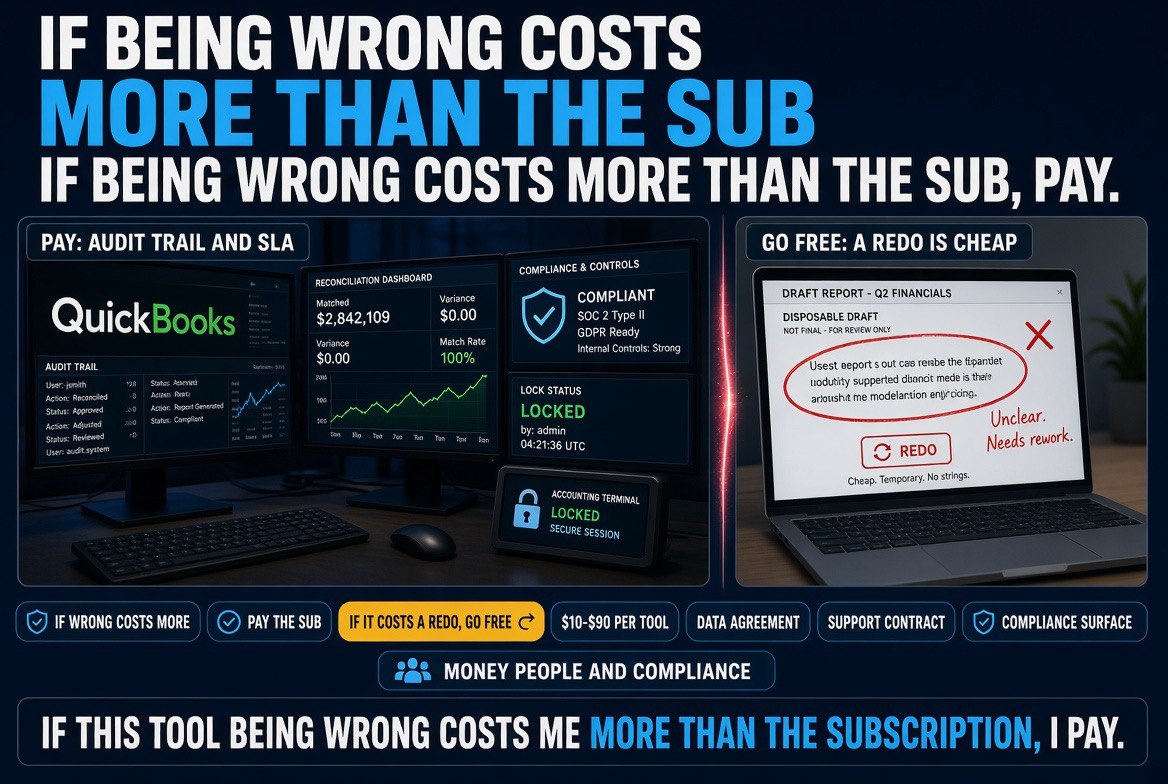
Three categories where the free tier is a false economy, and the reason is always the same: the cost of the tool failing exceeds the cost of the subscription by an order of magnitude.
Accounting and bookkeeping. Free AI is a fine second opinion on a report you already have. It is not a ledger. You need an audit trail, a reconciliation history and an accountant who can sign off on what the system produced. The subscription is $20 to $50 a month against a misfiled quarter that costs you days and a penalty.
Payroll. Same logic, harder edge. Payroll errors are not just expensive, they are a trust event with your own staff. Pay the $30 to $90 a month and get the tax filings handled by something with a support contract.
Anything holding client data with a legal exposure. If a breach means notifying customers or a regulator, you want a vendor with a signed agreement, a security page, and someone to escalate to. Free tiers almost never give you a data processing agreement, and “the tool went down” is not a defence you can use.
Put a simple filter on every other subscription: if this tool being wrong costs me more than the subscription, I pay. If it costs me a redo, I go free. That one sentence will clean out most of the graveyard.
| Factor | Free AI Tool | Paid Subscription |
|---|---|---|
| Monthly cost | $0 | $10-$90 per tool |
| Output quality | About 95% on repeated work | Higher polish, more consistent |
| Rate limits | Hit in heavy weeks | Generous or unlimited |
| Support | Community forums | Email or phone with an SLA |
| Data agreement | Rarely offered | Standard on business plans |
| Best for | Repeated, non-critical, absorbable | Money, people and compliance |
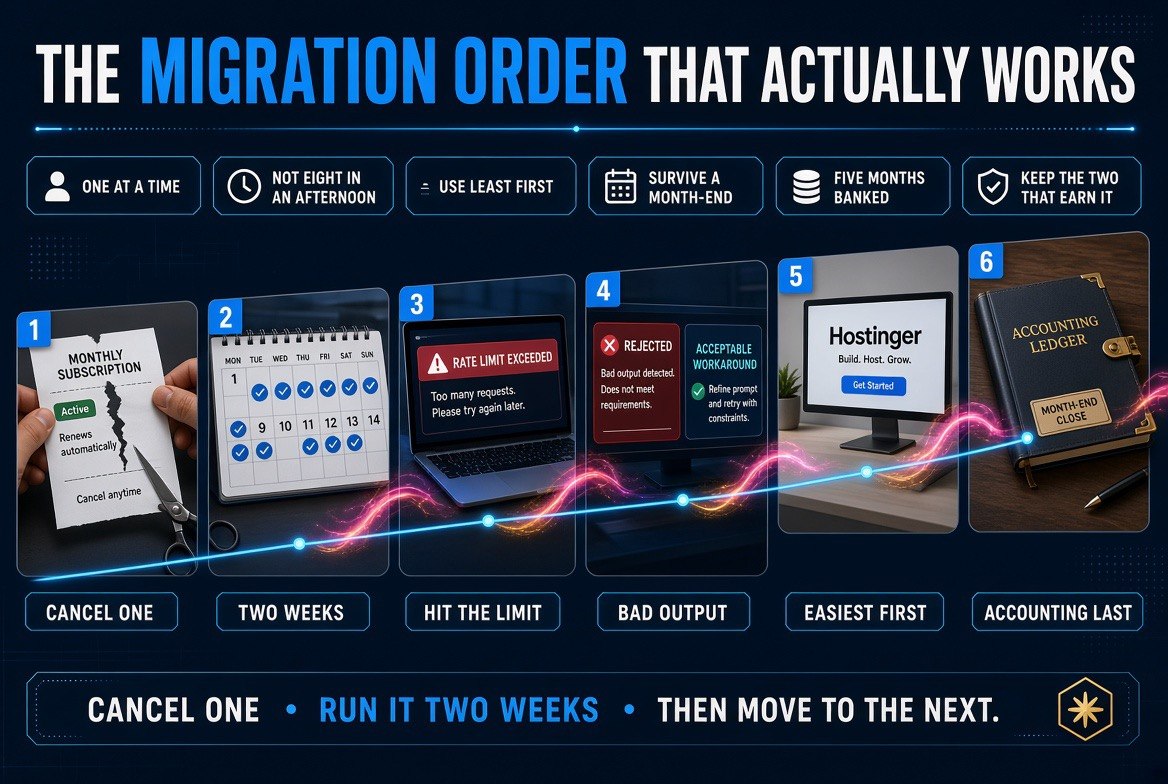
The Migration Order That Works
Do not cancel eight subscriptions in one afternoon. Cancel one, run the free replacement for two full weeks, and only then move to the next. Two weeks is long enough to hit the rate limit, hit a bad output, and discover whether the workaround is acceptable.
Start with the tool you use least. That is where the saving is easiest and the risk is lowest. Usually it is a design tool, a screenshot annotator or a form filler — things you open twice a month and have been paying for since you had a specific project.
Finish with anything accounting-adjacent, and only after the free replacement has survived a month of real use including a month-end. By the time you get there, you will have banked five months of savings to cover the one subscription you decided to keep.
One more thing worth saying plainly: the point is not to spend nothing. The point is to stop paying for the eight tools that do not earn it, so the two that do are easy to justify. If you would rather see how this plays out on the productivity side, our breakdown of the AI productivity tools worth paying for in 2026 is the other half of this decision — what to buy once you have cleared the dead weight.
Frequently Asked Questions
Can free AI tools really replace paid software for a small business?
Yes, in specific categories. Free AI tools genuinely replace paid subscriptions for transcription, social graphics, copywriting drafts, video captions, screen recording, PDF editing, spreadsheet formulas and landing pages. They do not replace accounting, payroll or anything holding client data with legal exposure.
How much can a small business actually save switching to free AI tools?
A business running all eight replaceable categories saves roughly $115 to $255 a month, or $1,400 to $3,000 a year. The exact number depends on how many seats you were paying for and which paid tools you were using.
Where should I not use a free AI tool?
Accounting, payroll and any tool holding client data with legal exposure. In those jobs the cost of the tool being wrong is far higher than the subscription, and free tiers rarely provide a data processing agreement or a support contract.
How do I know if a free tool is good enough before cancelling?
Run the free replacement alongside the paid tool for two full weeks. Two weeks is long enough to hit a rate limit, hit a bad output, and decide whether the workaround is acceptable before you cancel anything.
Which subscription should I cancel first?
Cancel the one you use least, typically a design tool, a screenshot annotator or a PDF form filler. That is where the saving is easiest and the risk of disruption is lowest. Save accounting-adjacent tools for last.
Is a free AI tool safe for client work?
It depends on what the client sees. Free tools are fine for internal drafts and repeated tasks. If the output goes into a client deliverable under contract, check whether the tool offers a data agreement and whether the provider can be held to terms.

About Barak Schurr
Barak Schurr built and sold a major ticketing platform, ran global nightlife operations at Eventbrite, and now spends his time figuring out which AI tools actually move the needle for independent business owners — and which ones are just noise. No hype. No fluff. Just what works.
Email: [email protected]
More Resources for Business Owners